Spreadsheet calculations
Different item rates and payment conditions make manual commission worksheets difficult to maintain.

The AutoCount Sales Commission Plugin helps Malaysian businesses calculate commissions using sales documents or item rules, set performance targets and review results within AutoCount Accounting.
Ask our team about plugin suitability and version compatibility before purchase.
When rates, targets and payment conditions are maintained across spreadsheets, explaining a commission result can become a lengthy exercise. AutoCount Sales Commission brings those rules into a structured plan and reporting workflow. Managers can review the calculation, while mapped salespeople can see their own commission report.
These are common workflow problems the plugin can help your business address.
Different item rates and payment conditions make manual commission worksheets difficult to maintain.
Sales and accounts teams need a consistent way to distinguish commission earned by sales from commission released after collection.
When a figure is questioned, managers need to trace the document, rule and qualification behind it.
See how the plugin's features can support your day-to-day workflow.
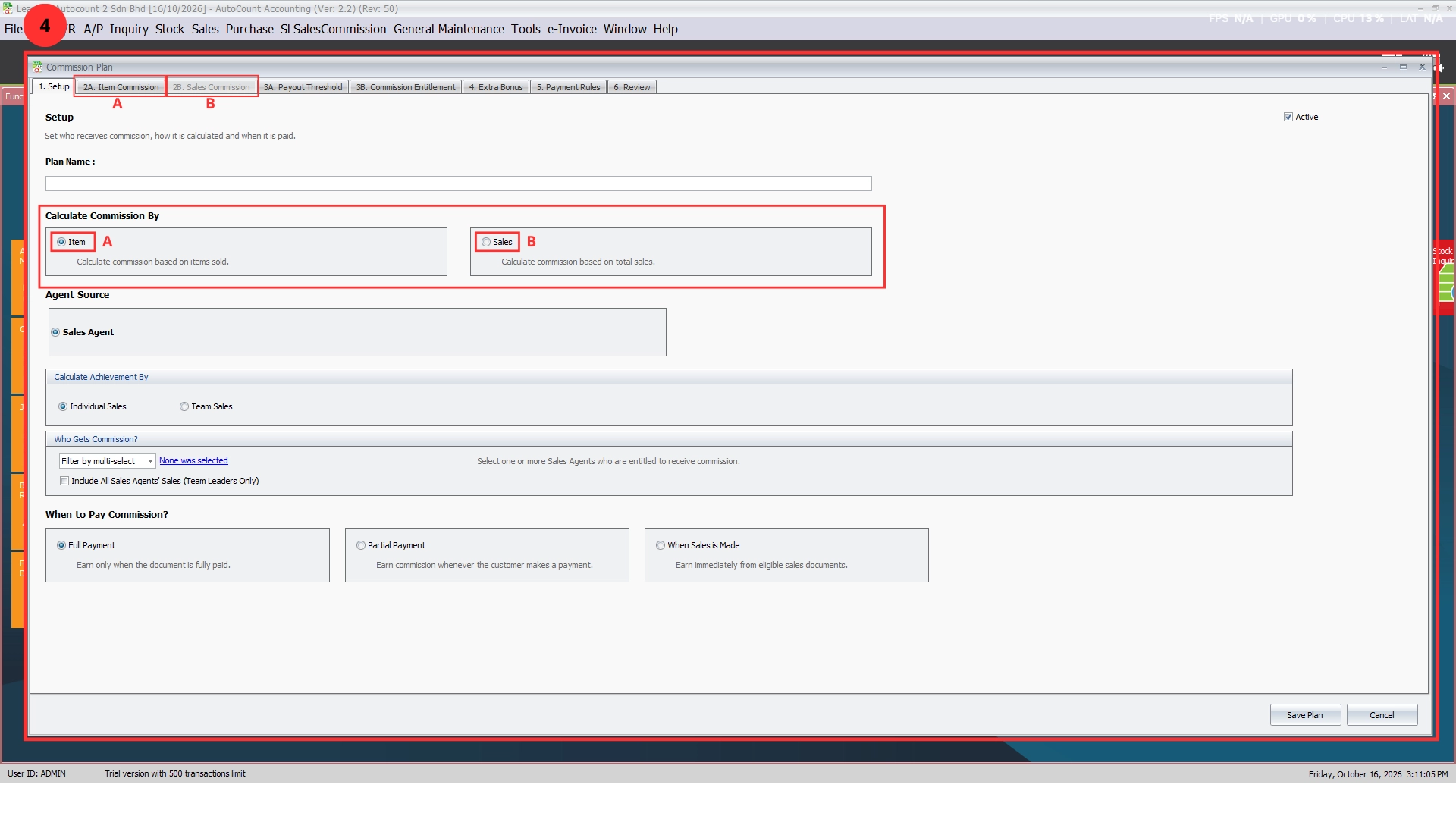
Choose calculation by sales document or by item, assign eligible sales agents, and maintain percentage or fixed amount rules.
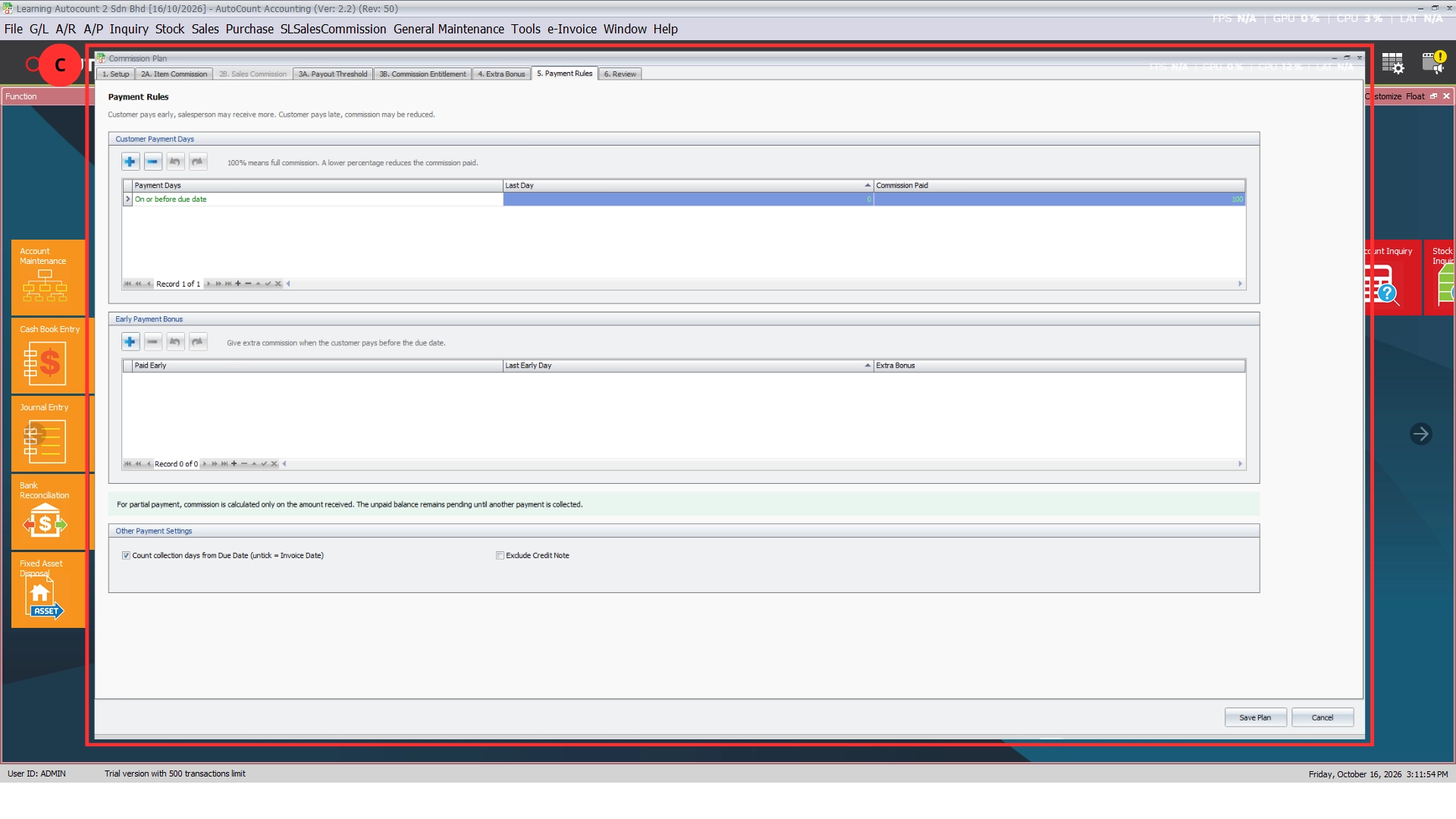
Choose Partial Payment, Full Payment or By Sales. For payment-based plans, configure customer payment days and early-payment bonus rules.
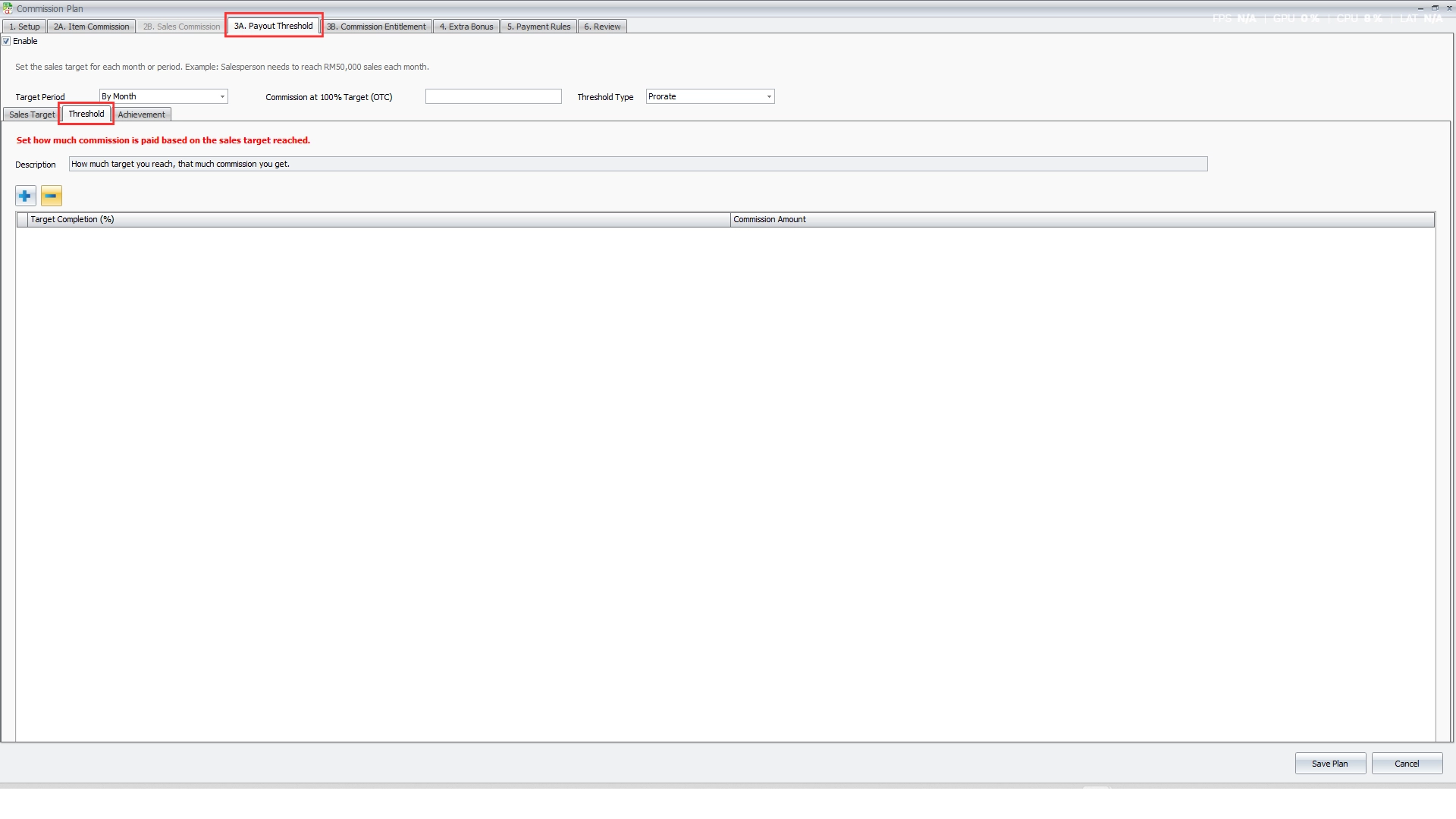
Use Flat Rate or Prorate payout thresholds, period sales targets, entitlement rules and extra bonuses to reflect your chosen incentive structure.
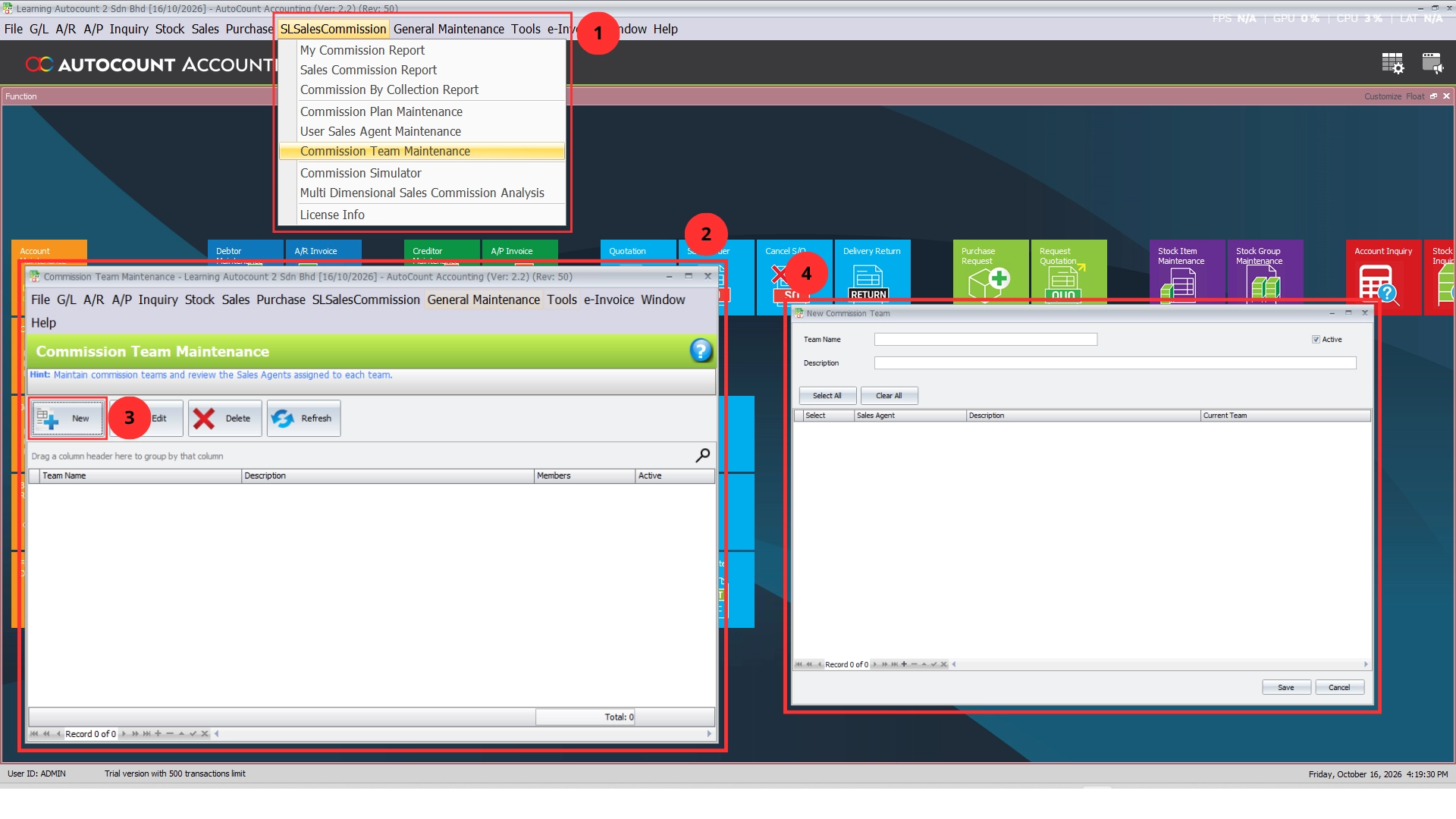
Create commission teams and choose individual or team sales achievement. Map AutoCount users to the sales agents they should see in My Commission Report.
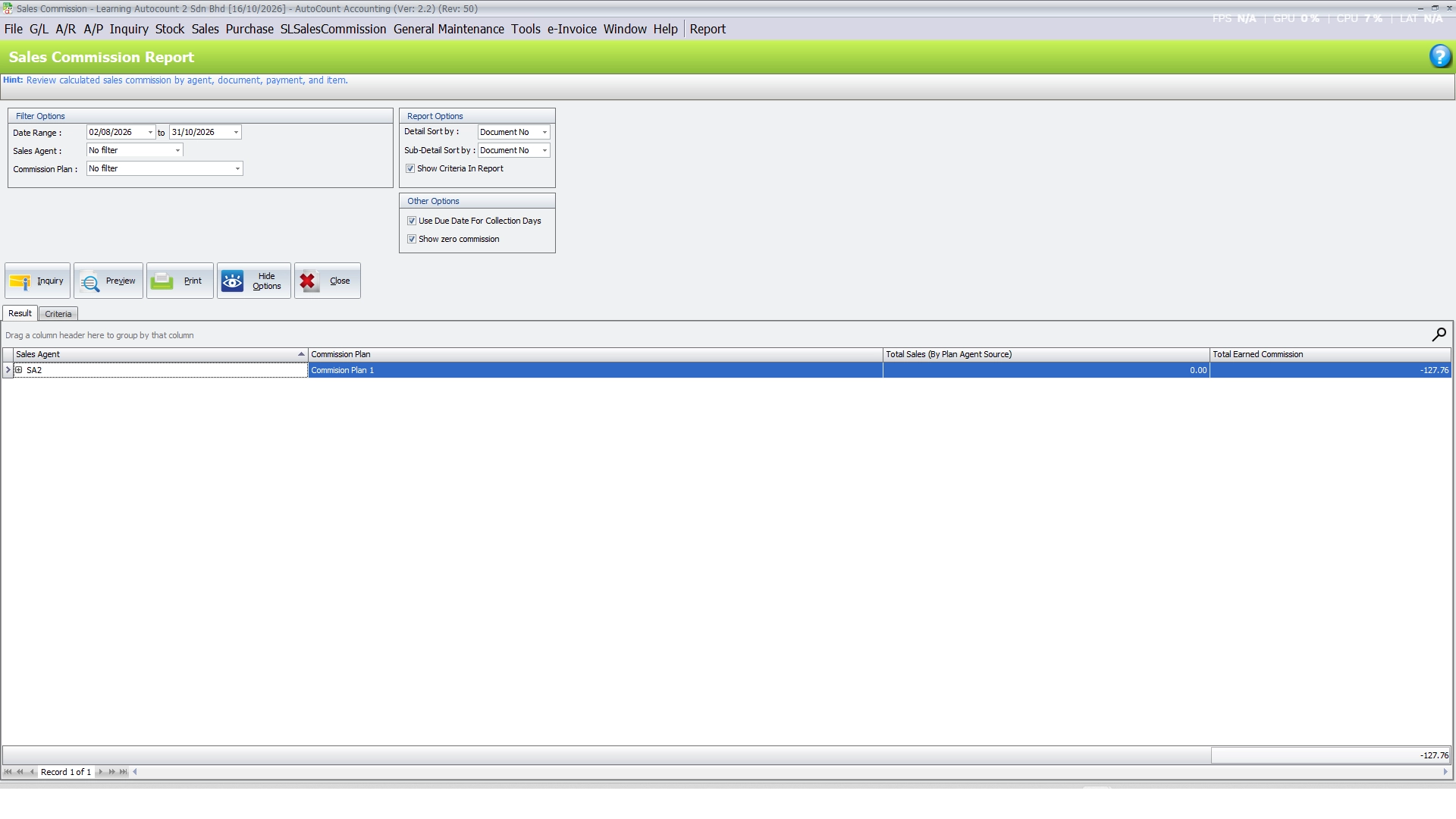
Inspect agent totals and expand documents into credit note, payment and item details. Export the Sales Commission Report to Excel and use multi-dimensional analysis for further review.
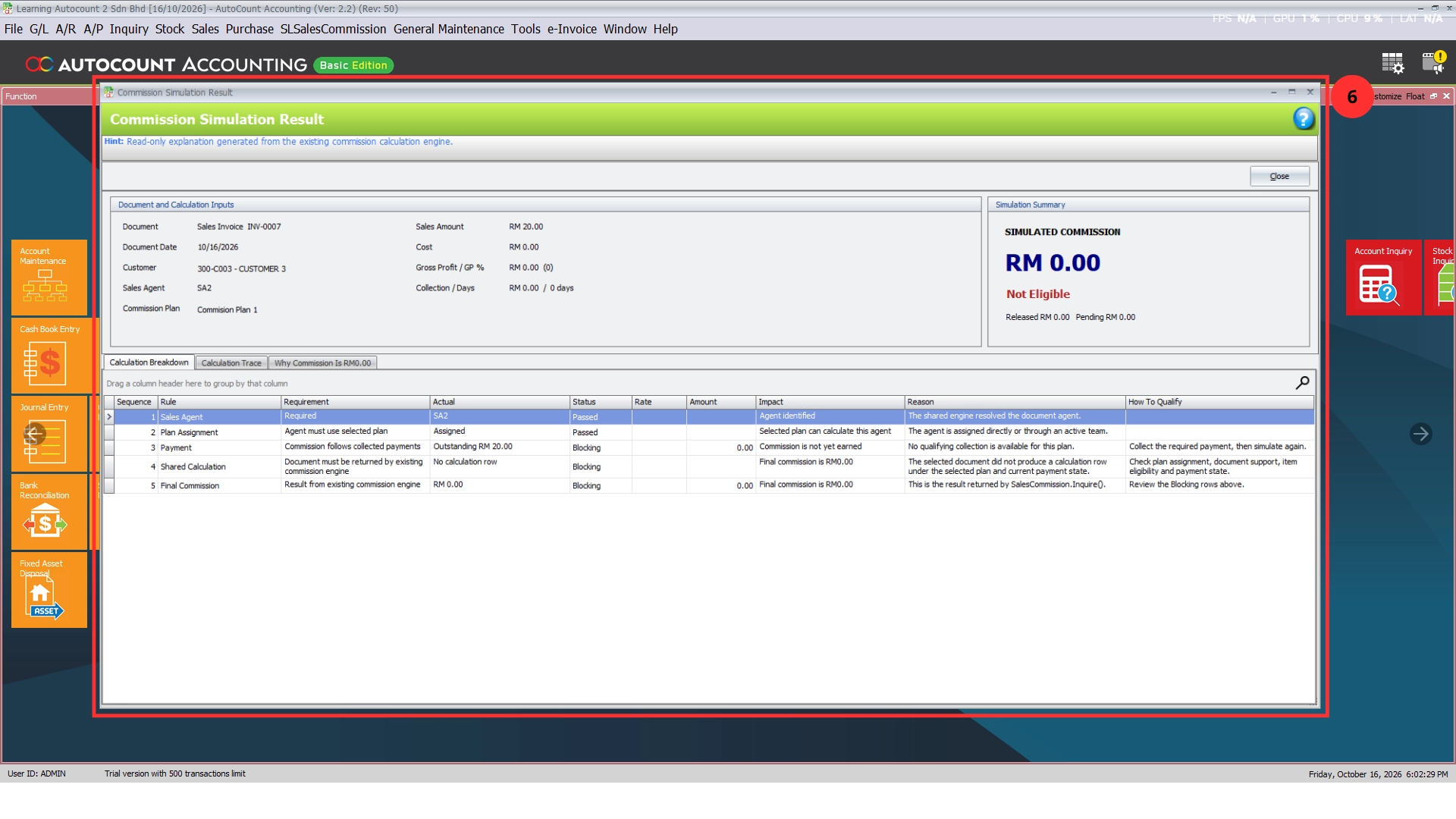
Select a sales document and examine the simulated commission, calculation breakdown and qualification notes, including reasons for zero commission.
Tell SL Software about your current workflow and the outcome you need.
An illustrative business workflow using the documented plugin functions.
Choose the sales basis, rates, targets and payment conditions.
Assign agents or teams and set the relevant commission rules.
Run reports and simulate representative documents.
Use reports and calculation details in commission discussions.
Handle commission structures across agents, items and collections.
Apply period targets, payout thresholds and bonus conditions.
Choose release timing that follows partial or full customer payment.
Yes. Commission Plan supports By Item and By Sales Document, with percentage or amount rules.
Yes. Choose Partial Payment or Full Payment. By Sales is also available when release follows sales instead of payment.
Yes. User Sales Agent Setup maps a login to sales agents for My Commission Report, subject to access rights.
Yes. Commission Simulator provides a calculation breakdown, qualification notes and reasons for RM0.00 results.
Sales Commission Report supports Excel export. Multi Dimensional Sales Commission offers Excel, PDF and other formats.
Contact SL Software for a current quotation based on your licensing and setup. Our team can review your AutoCount version and requirements before recommending the plugin.
Already using this plugin? Read the AutoCount Sales Commission User Guide for setup and operating instructions.
Browse the AutoCount add-on catalogue or consult the technical user guide.
Discuss your requirements with SL Software Solutions and explore the AutoCount Sales Commission Plugin in a product demonstration.
Product functions and compatibility should be checked against your deployed AutoCount version.