Repeated data entry
Typing the same item lines for many customers takes time and creates more opportunities for entry mistakes.

Create Sales Invoices for multiple customers from one existing invoice template. AutoCount Recurring Invoice helps Malaysian businesses simplify repeat billing while keeping control of the customer selection and invoice date.
Ask our team about plugin suitability and version compatibility before purchase.
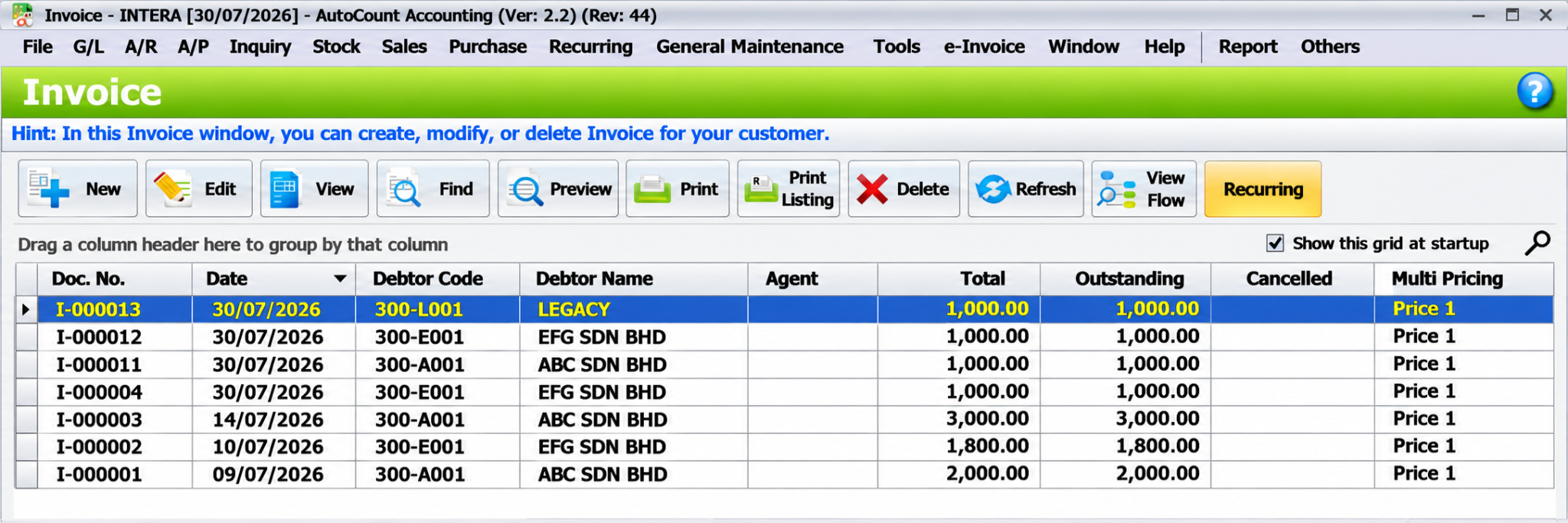
The Recurring Invoice Plugin lets you reuse an existing Sales Invoice to create and save one new Sales Invoice for each selected active debtor. It is useful when several customers need the same set of invoice items, quantities and prices.
Choose when to generate each batch, filter the debtor list and review the resulting invoices in AutoCount. This is a manually operated invoice-generation tool; each batch is started by a user.
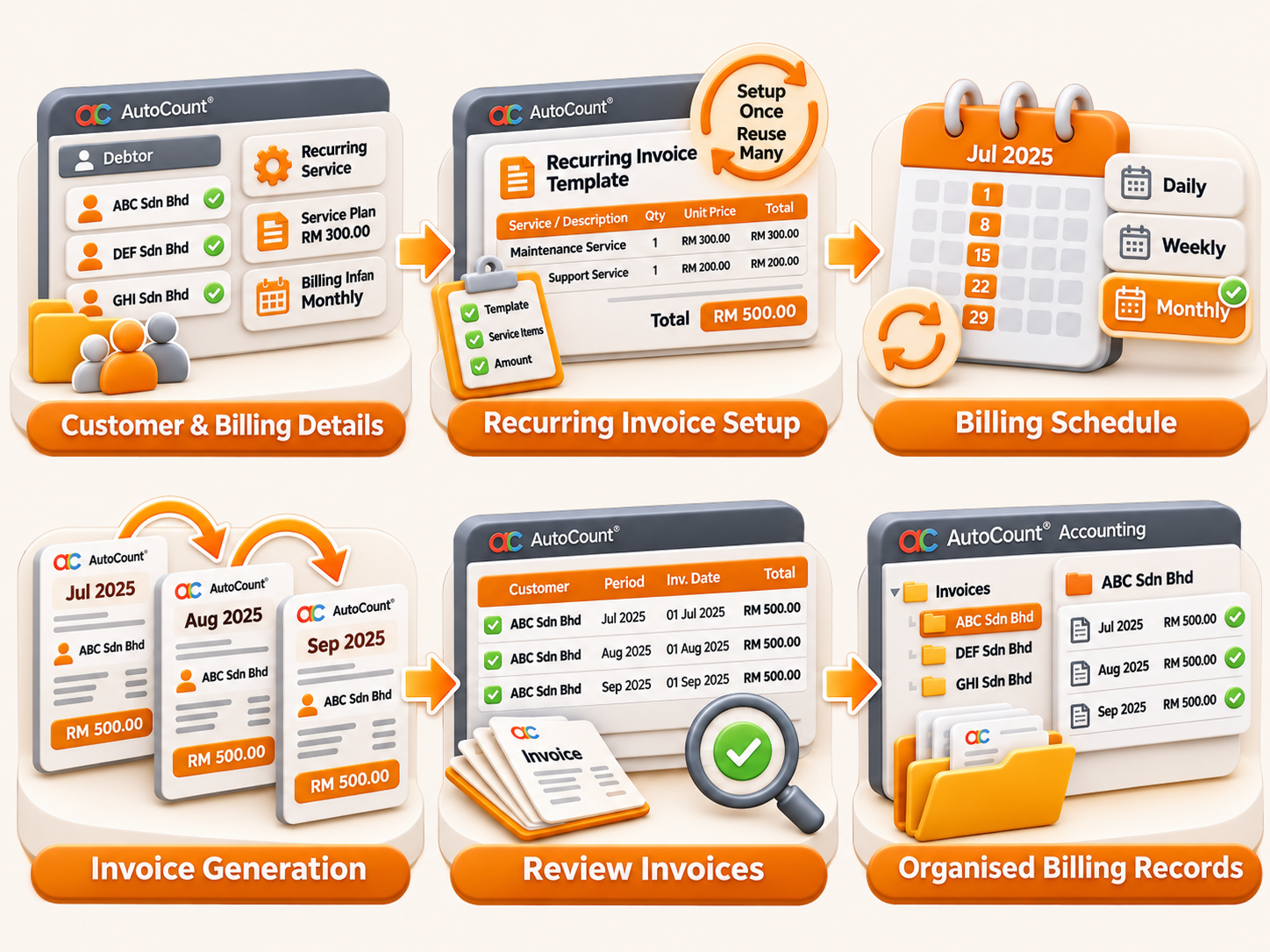
Recognise these challenges in your business? Explore how the plugin can help.
Typing the same item lines for many customers takes time and creates more opportunities for entry mistakes.
Working through invoices one by one makes a repeat billing run harder to organise.
Manually recreating invoices can lead to differences in descriptions, quantities and prices.
Simplify repeat billing with a controlled, user-initiated workflow inside AutoCount.
Reuse standard billing details.
Target relevant active debtors.
Control the date for the batch.
Generate separate Sales Invoices.
Reduce repetitive billing work while retaining control over customer selection, invoice dates and the details carried forward.
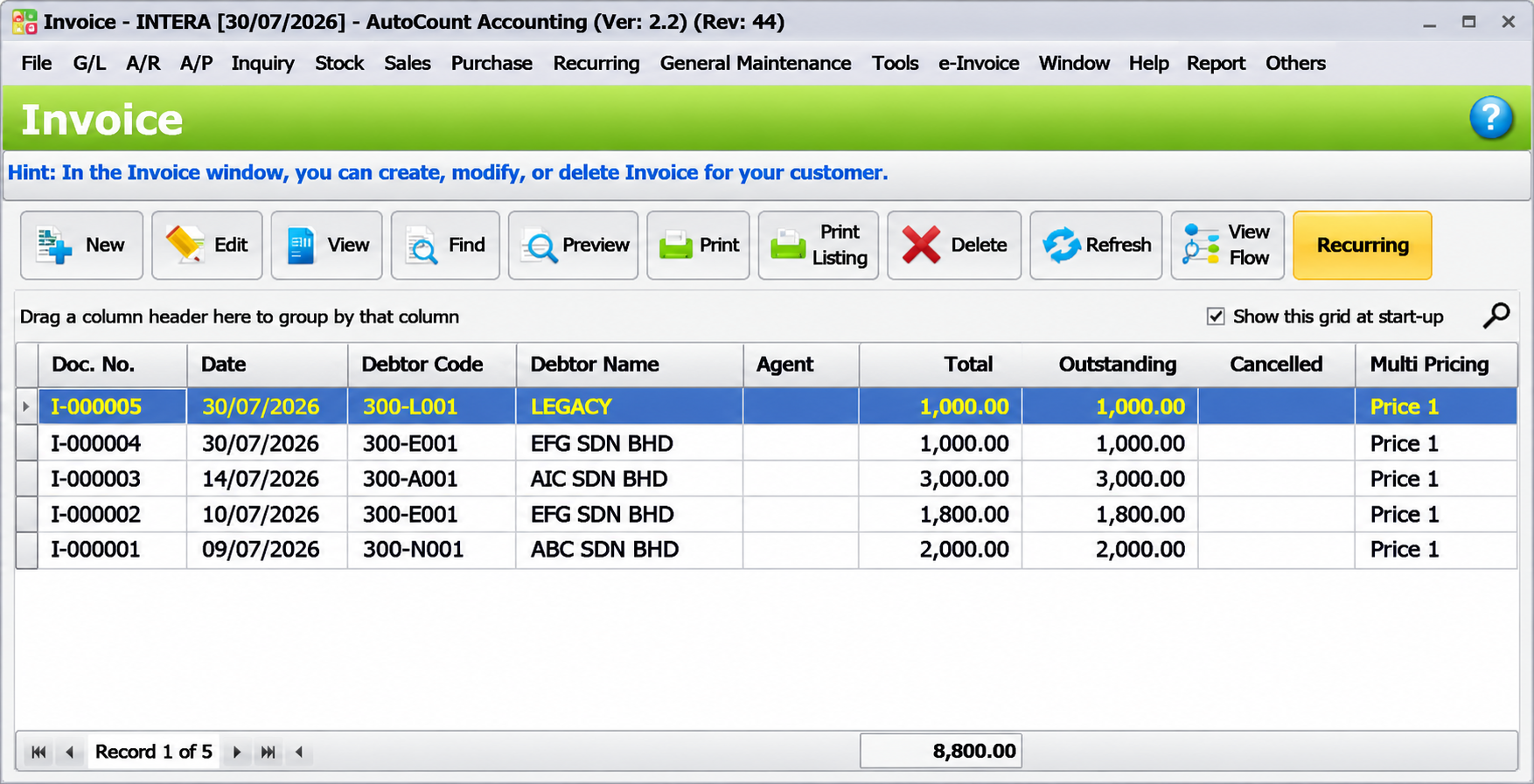
Reuse existing invoice items, quantities and prices as a consistent billing template for customers with similar charges.
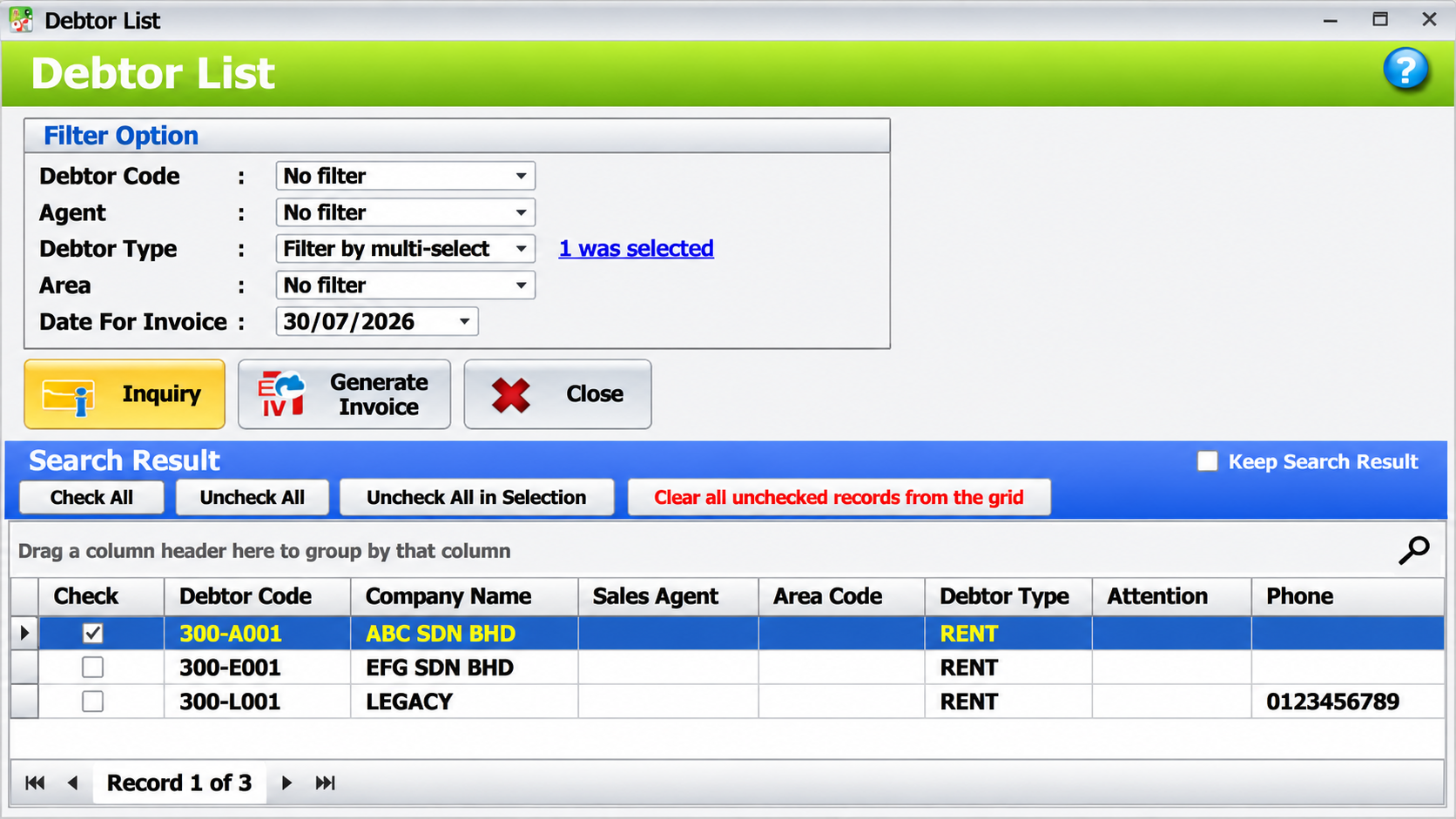
Target the right active customers using Debtor Code, Agent, Debtor Type or Area filters, with control over which customers are included in each billing run.
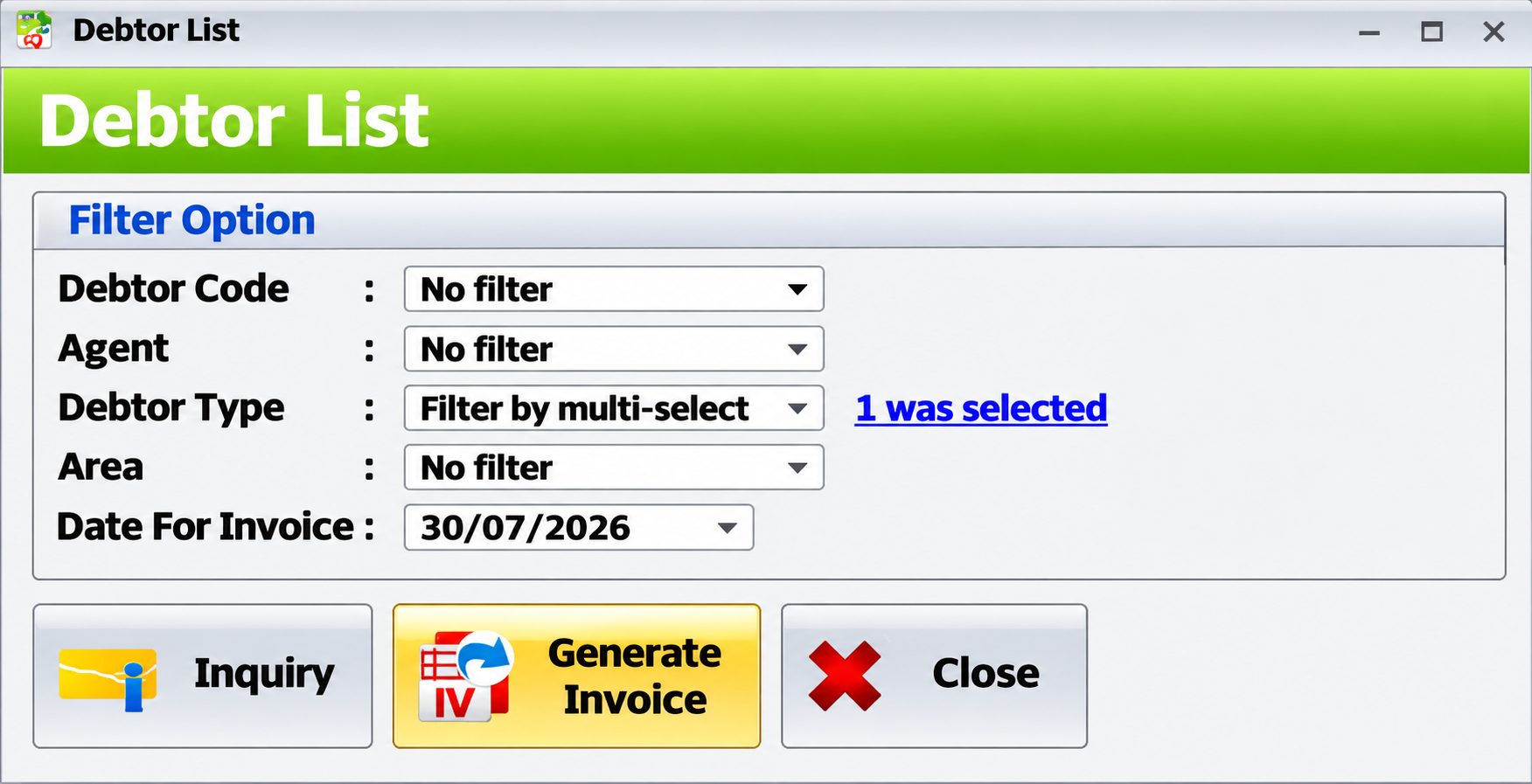
Generate separate Sales Invoices for selected customers in a single user-initiated batch, with a chosen invoice date and standard AutoCount invoice numbering.
Copy items, quantities, UOM, prices, discounts, descriptions, remarks, display term, currency, exchange rate and note. Each invoice uses the selected debtor's account and sales agent.
Tell us your requirements and we can discuss a suitable AutoCount setup.
Choose an existing invoice with the correct billing details.
Filter active debtors and select the required customers.
Set the invoice date and manually generate the batch.
Check the new invoices, debtors, dates and amounts.
Repeat standard service charges across a selected customer group.
Prepare similar fee invoices where the same invoice details apply.
Reduce retyping when multiple customers share a common invoice template.
No. A user selects an existing invoice, chooses the debtors and manually clicks Generate Invoice whenever a new batch is required.
Yes. Select one or more active debtors from the filtered Debtor List. The plugin saves one Sales Invoice for each selected debtor.
Yes. Set Date For Invoice before generating the invoices.
Yes. Generated Sales Invoices use AutoCount standard invoice numbering.
Review your template before generating and check each saved invoice afterwards. The workflow reuses the template details, so confirm suitability if customer-specific prices or charges are needed.
Contact SL Software for a current quotation based on your setup and licensing requirements. Our team can confirm compatibility with your AutoCount version.
Already using this plugin? Read the AutoCount Recurring Invoice User Guide for operating instructions.
Discuss your current workflow with SL Software Solutions and find out whether AutoCount Recurring Invoice meets your requirements.