
Stock Take in Malaysia: How to Count Faster With Fewer Errors
A practical guide to better preparation, accurate counting and responsible stock adjustments in AutoCount.

Make stock take day less stressful
Stock taking is familiar to Malaysian retailers, wholesalers and warehouse teams: employees count products, compare the results with their inventory system, and investigate quantities that do not match. Without a reliable process, the exercise can take hours and still leave unexplained differences.
With well-organised locations, clear cut-offs and the right stock-control tools, your team can count more consistently and reduce avoidable errors.
Full stock take or cycle count?
Both approaches can improve stock control. The right choice depends on your business volume, the value of your stock and how easily operations can be paused.
Full stock take
Count all items on a selected date. Often used for year-end, periodic review or audit preparation. It provides a comprehensive snapshot but may require stock movements to pause or be carefully controlled.
Cycle count
Count selected stock regularly. For example, fast-moving products may be checked weekly and slower-moving items quarterly. This spreads the workload and highlights issues earlier.
Five preparations that save counting time
Control stock movements
Pause sales, receiving, deliveries and transfers when practical, or use a documented transaction cut-off with clear timestamps.
Check outstanding transactions
Review pending goods receipts, deliveries, returns and stock transfers that affect quantities up to the chosen cut-off.
Organise shelves and locations
Group identical items, label racks, and separate damaged or expired goods so they cannot be counted as saleable inventory.
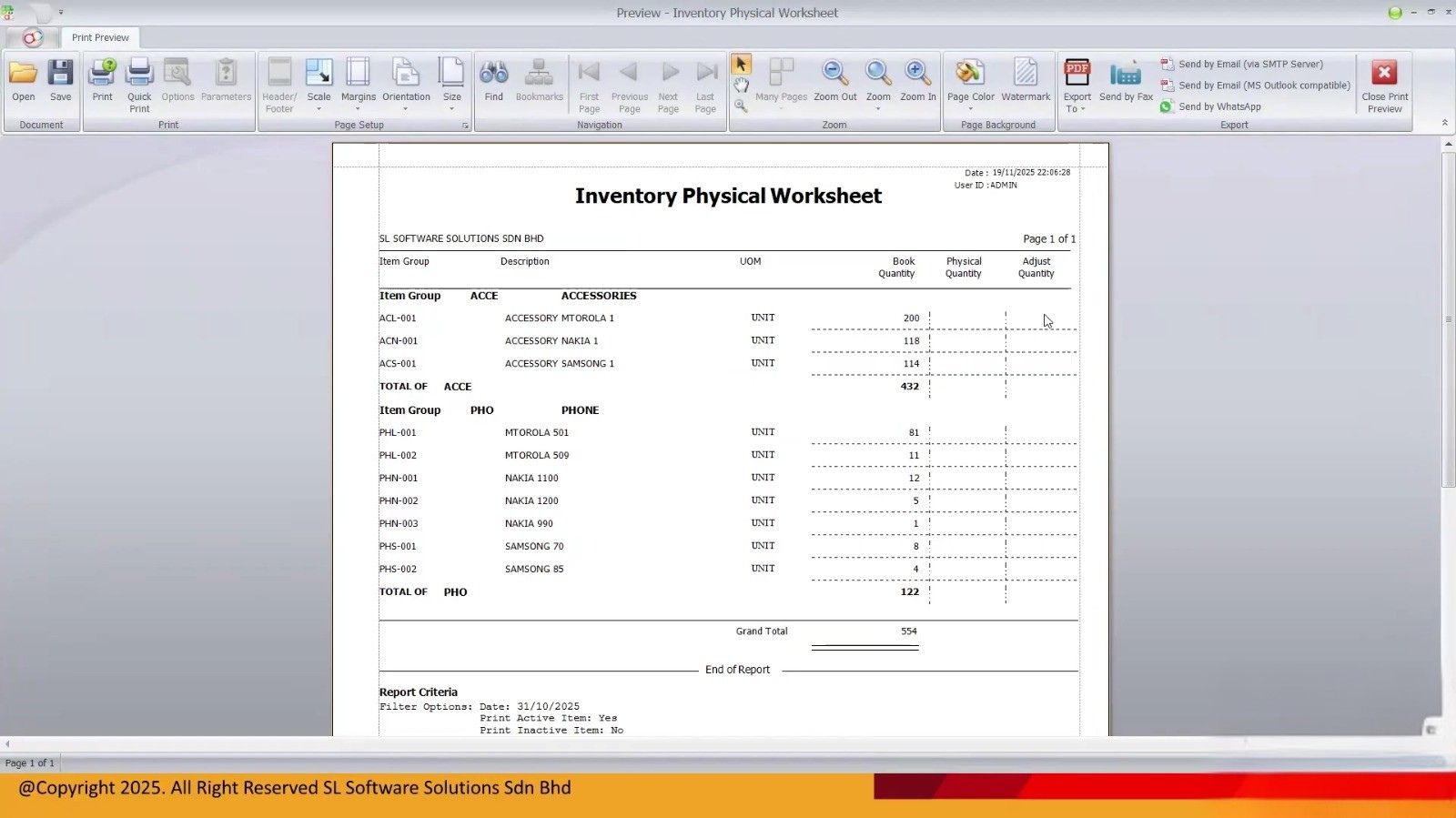
Prepare count sheets or scanners
Choose blind-count sheets where suitable and confirm barcode mappings, item codes and units of measure before counting.
Assign zones and recount owners
Give every counting team a defined location. Arrange an independent recount for unusual or material differences.
Small habits that prevent large variances
Counting accuracy depends on consistent units, clearly identified stock locations and a controlled process.
Use the correct unit: Make clear whether the quantity means pieces, cartons or other units; never assume a carton equals one piece.
Track locations and batches: Keep location, batch and serial identifiers where your inventory setup requires them.
Mark counted zones: Label completed shelves so staff do not count the same stock twice or skip a section.
Recount large variances: Check unusual or high-value discrepancies before treating them as genuine loss.
Barcode scanning can reduce re-keying mistakes where product codes, units and scanning procedures are properly configured.

How to manage a stock take in AutoCount
AutoCount provides inventory functions to help businesses record physical quantities, review differences and process stock adjustments. The exact screens and supported steps may vary by version, edition and module.
Prepare the count
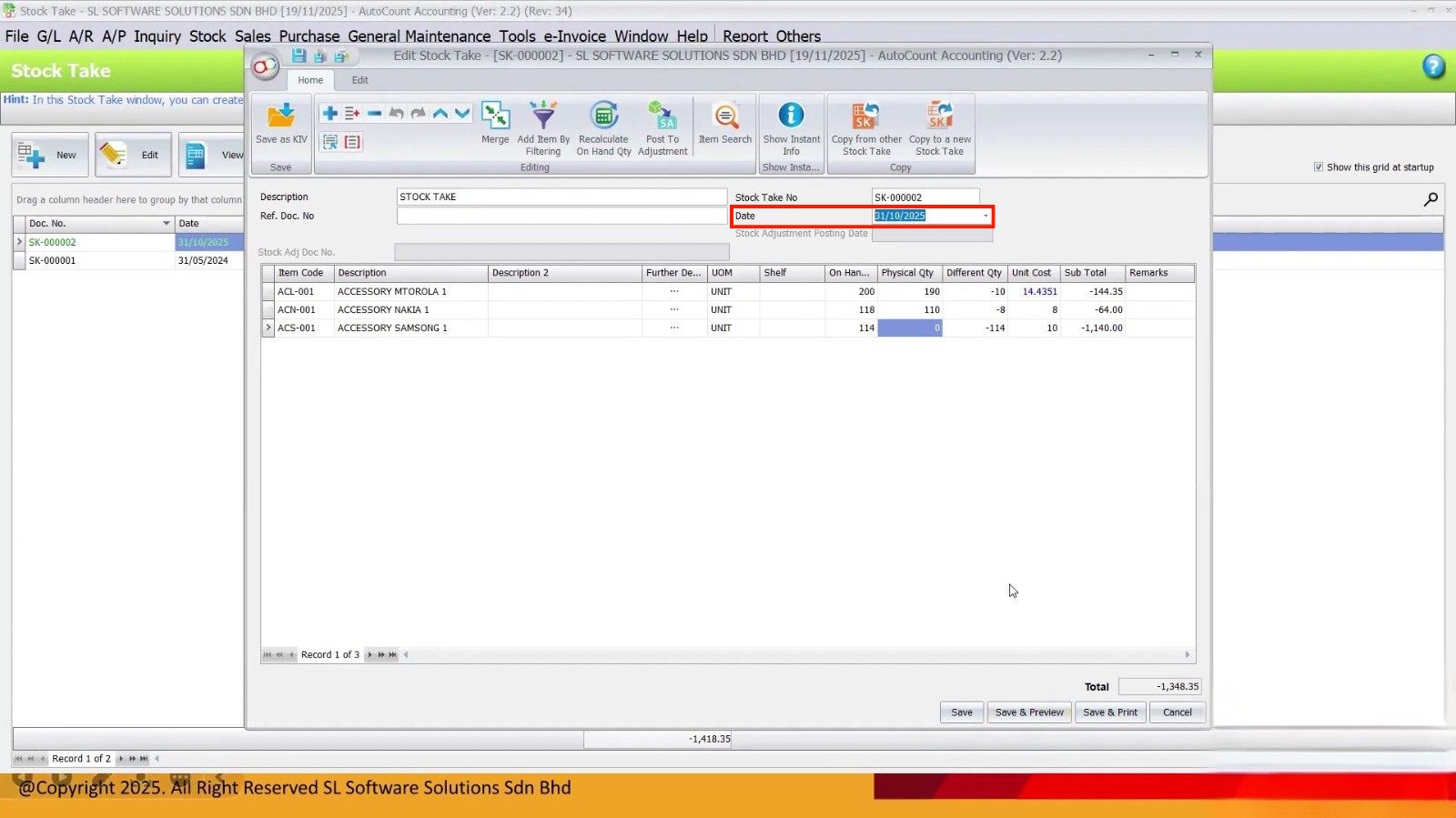
Select the relevant stock-taking date, scope and stock location. Confirm the cut-off so the physical count and system balance are comparable.
Enter physical quantities
Record item counts and applicable location or batch information. The exact input method depends on your AutoCount product and version.
Compare the balances
Check the recorded physical quantities against the corresponding system stock balance. Confirm that outstanding stock transactions have been handled.
Investigate differences
Look for missing or late postings, incorrect locations, units of measure, damage and counting mistakes.
Review stock adjustments
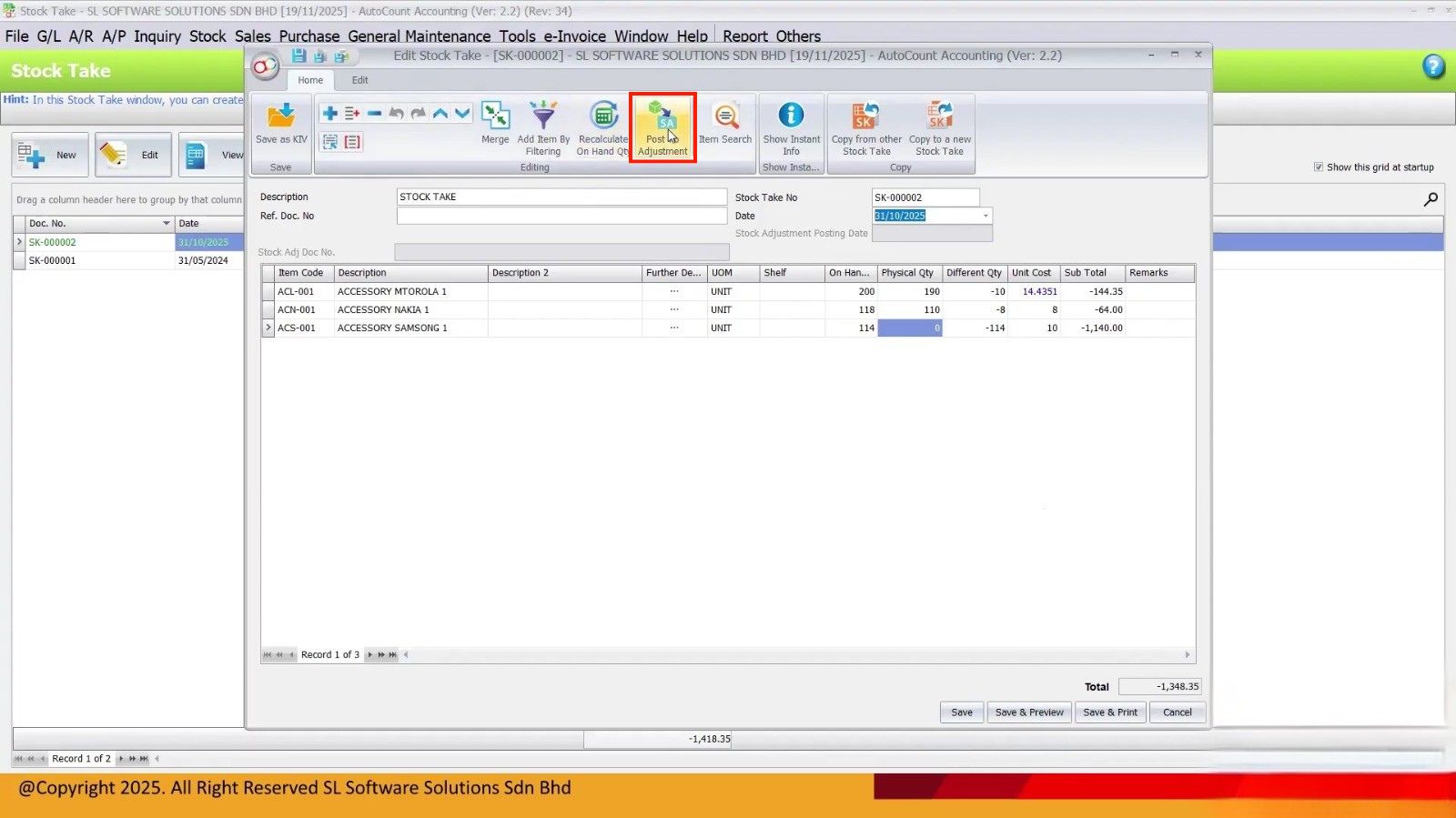
Where supported, transfer verified differences into Stock Adjustment. Obtain proper approval before saving or posting adjustments.
Verify inventory reports
After posting, review Stock Balance or Stock Card information to confirm the recorded outcome.
For step-by-step product instructions, see the existing AutoCount Stock Take guide.
The system says 100. Your team counts 95. What next?
Suppose a retail shop finds that the physical quantity is lower than the stock recorded in its system:
Before posting a stock adjustment for five units, check for unposted sales, stock transfers, wrong units and counting mistakes. An adjustment can correct the recorded balance, but it does not explain why the discrepancy occurred.
Investigate before adjusting
Review late sales or deliveries, carton-to-piece conversions, wrong locations and recurring shortfalls. For material differences, record the reason and have an authorised employee approve the adjustment.
Common stock take mistakes to avoid
Counting during uncontrolled stock movements
Use a fixed cut-off and record every movement that occurs during the counting period.
Mixing pieces and cartons
Specify units on every count sheet and confirm the configured conversion rates.
Skipping the second count
Assign a second employee to check material or unusual variances.
Adjusting without investigation
Document variance reasons and obtain approval before updating inventory balances.
Counting only at year-end
Add suitable cycle counts to detect recurring discrepancies sooner.
Make stock counting easier with AutoCount
Manual count sheets and repeated data entry can be time-consuming when a business handles many products. AutoCount’s inventory tools can help manage stock records and adjustments, while supported mobile or scanning solutions may assist the physical counting process.
Use the appropriate version-specific features and keep approval controls in place. Better inventory visibility begins with disciplined procedures as well as suitable software.
Related reading: Inventory Discrepancy: Causes and Solutions and AutoCount Inventory System for Better Stock Control.
Frequently asked questions
What is a stock take?
A stock take is a physical inventory count compared against system records to identify differences and verify stock balances.
How often should a Malaysian business count stock?
The frequency depends on stock value, activity, internal controls and any applicable audit requirements. Many businesses combine periodic full stock takes with targeted cycle counts.
What is the difference between stock take and stock adjustment?
A stock take records or confirms physical quantities. Stock Adjustment is a separate transaction used to record an authorised change to stock quantities or values.
Can AutoCount help create stock adjustments?
AutoCount provides Stock Adjustment functionality. Supported stock-taking processes may help prepare adjustment documents from verified stock differences; check the version and setup.
Can I count by location or batch?
If the corresponding inventory-tracking features are configured, counting should follow the relevant location or batch records. Verify the specific AutoCount setup.
How do barcode scanners improve stock taking?
Suitable barcode scanning can reduce re-keying and item-code mistakes, provided barcodes, units and counting procedures are configured correctly.
Count accurately. Investigate confidently.
SL Software Solutions helps Malaysian businesses improve inventory management with AutoCount Accounting and suitable stock-management solutions. Discuss your counting workflow and find the right next step for your business.