“What stock is still outstanding?”
Review consigned goods
Use consignment reporting to review outstanding items.

AutoCount Consignment Module helps you manage consignment goods with clearer records for orders, sales invoices, returns and outstanding stock. The AutoCount Consignment Module helps Malaysian businesses follow consignment activity in their accounting workflow.
For distributors, retailers and trading businesses. Module availability depends on your AutoCount version and setup.
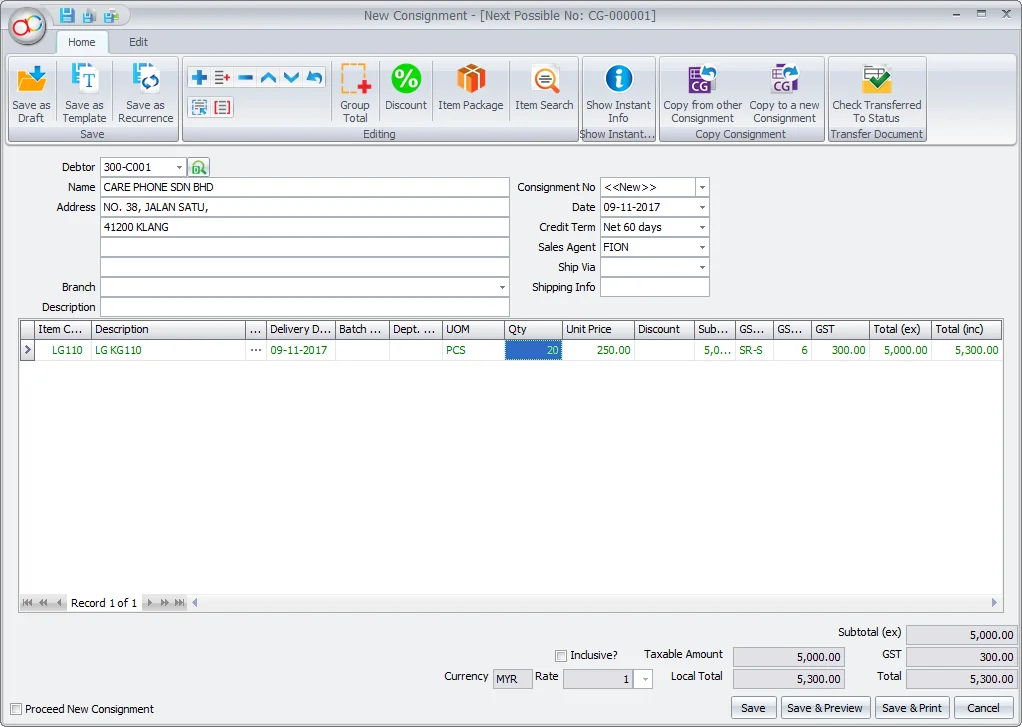
When products are supplied on consignment, the business needs to know what is outstanding, sold or returned. Clear consignment transaction records and reports help teams follow those movements.
Use consignment reporting to review outstanding items.
Record consignment invoices for goods sold.
Record returned or lost consignment goods.
Explore the consignment capabilities and screenshots preserved from the original page.
Document the items and quantities supplied to customers on consignment.
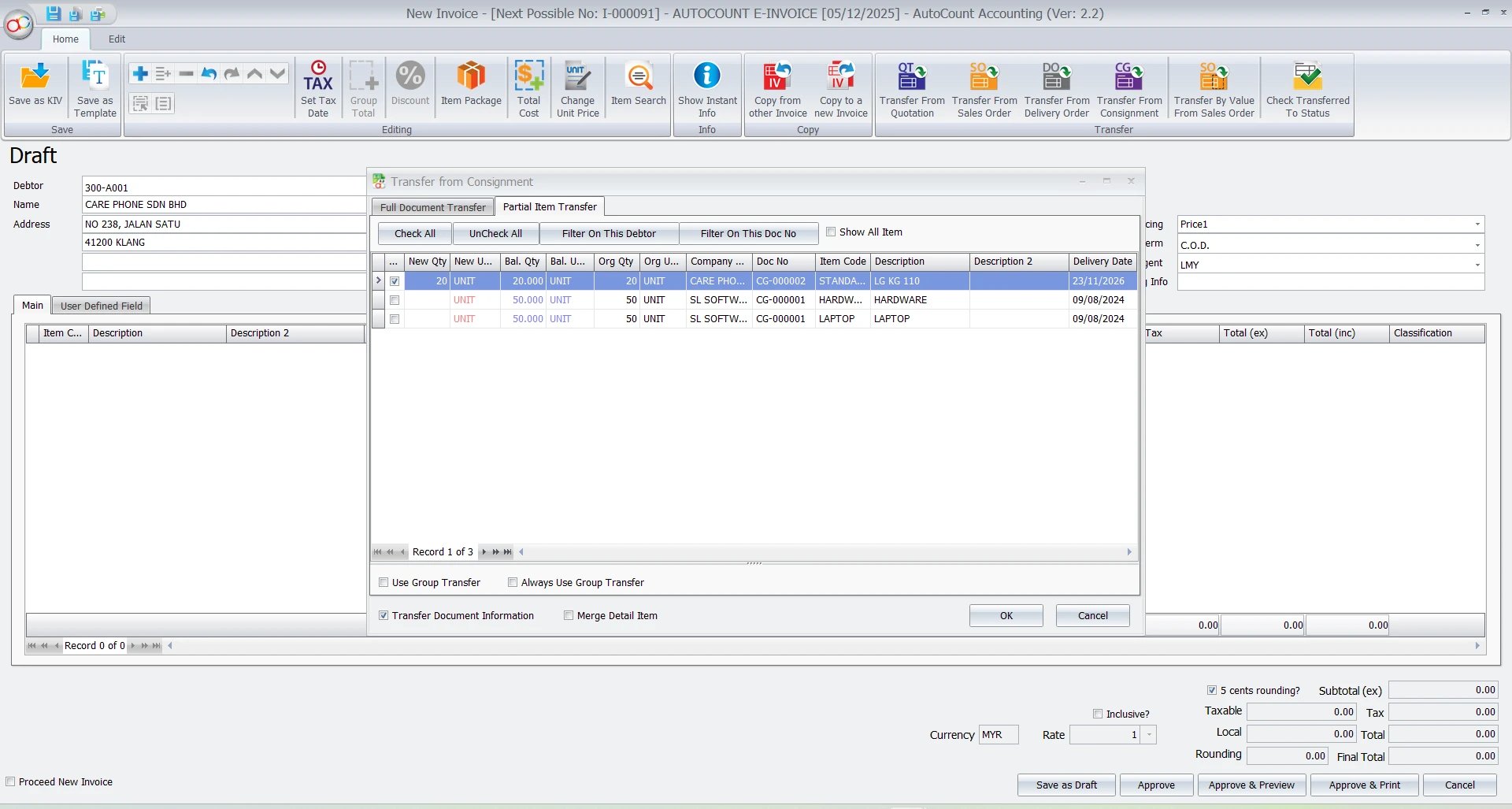
Record invoices for consignment goods that have been sold.
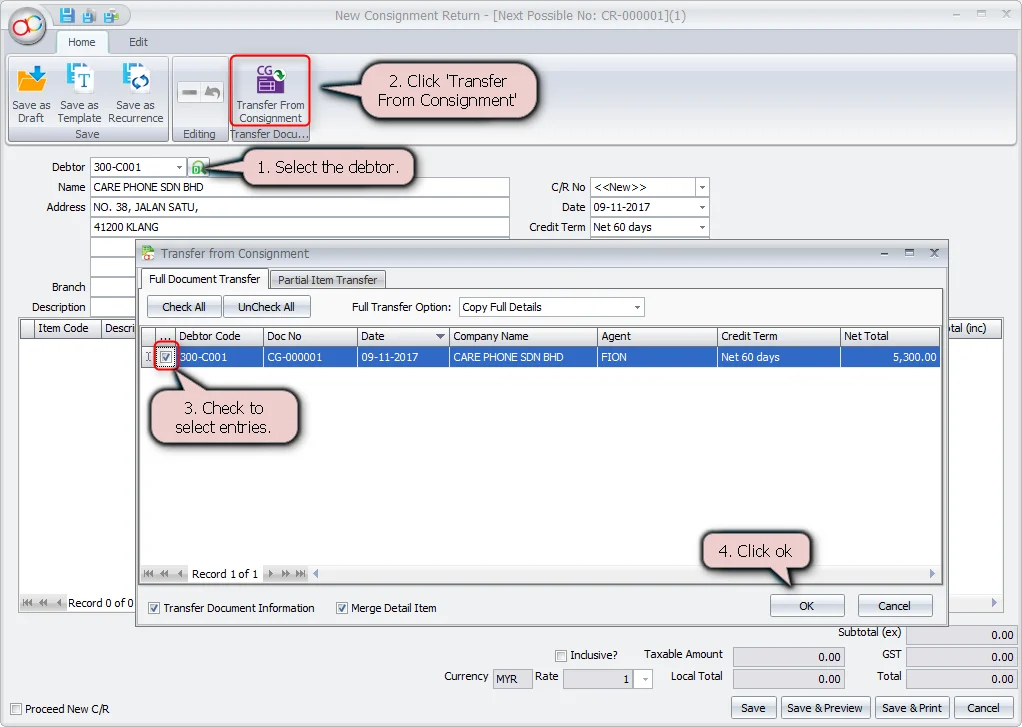
Record goods returned or reported lost under the relevant workflow.
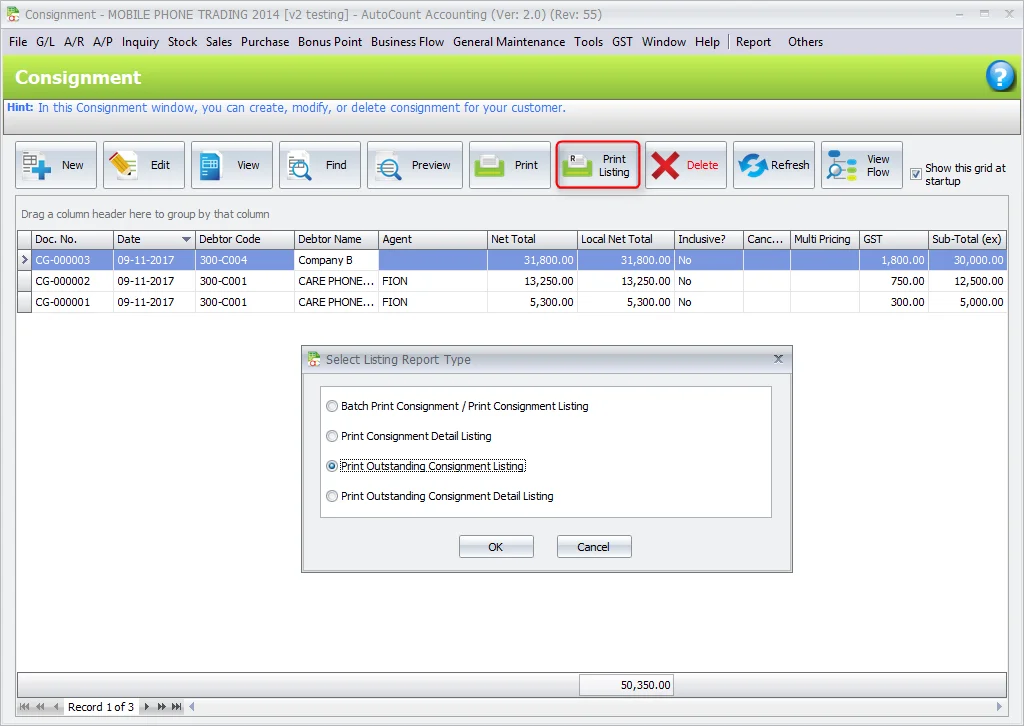
Use outstanding consignment, consignment movement and listing reports.
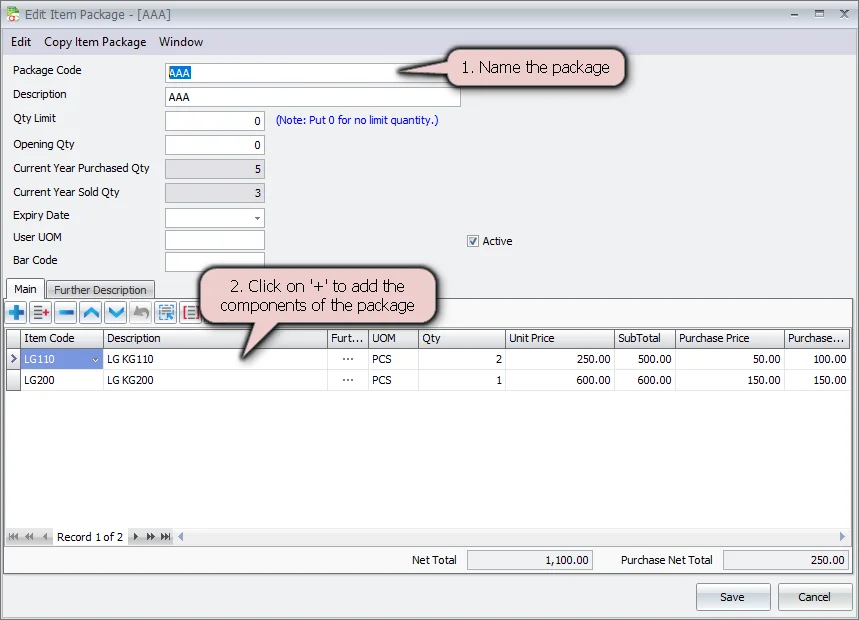
Manage consignment transactions for Item Packages when the related functionality is configured.
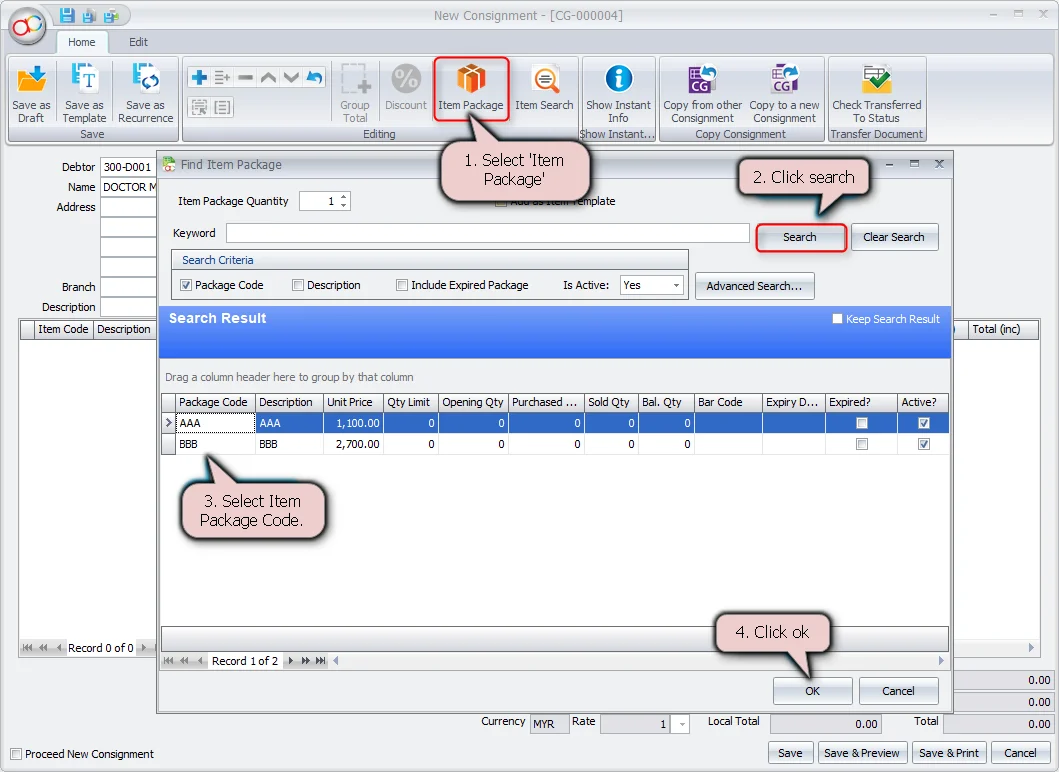
Review consignment transactions as goods are supplied, sold or returned.
Talk to SL Software about your consignment transactions, sales and return process.
Supply stock to retailers on consignment and review sales and returns.
Monitor consignment activity with customers and trading partners.
Review consignment records, invoices and reports in one workflow.
The two existing Consignment tutorial videos are retained here.
 Play tutorial
 Play tutorial
It supports consignment orders, sales invoices, returns, lost items and consignment reporting.
The existing Consignment Sales Invoice workflow supports invoicing sold consignment goods.
Consignment Return / Lost functionality records these transactions.
The existing module materials describe Outstanding Consignment, Consignment Movement and Consignment Listing reports.
Item Package support is documented in the original page; specific setup and licensing should be confirmed.
Contact SL Software Solutions to review your installed AutoCount version and requirements.
For more details, view the original Consignment PDF or read our AutoCount Consignment guide.
Review your consignment process and request an AutoCount demonstration or quotation.