Schedules scattered across tools
Separate notebooks, messages and personal calendars make shared visibility difficult.

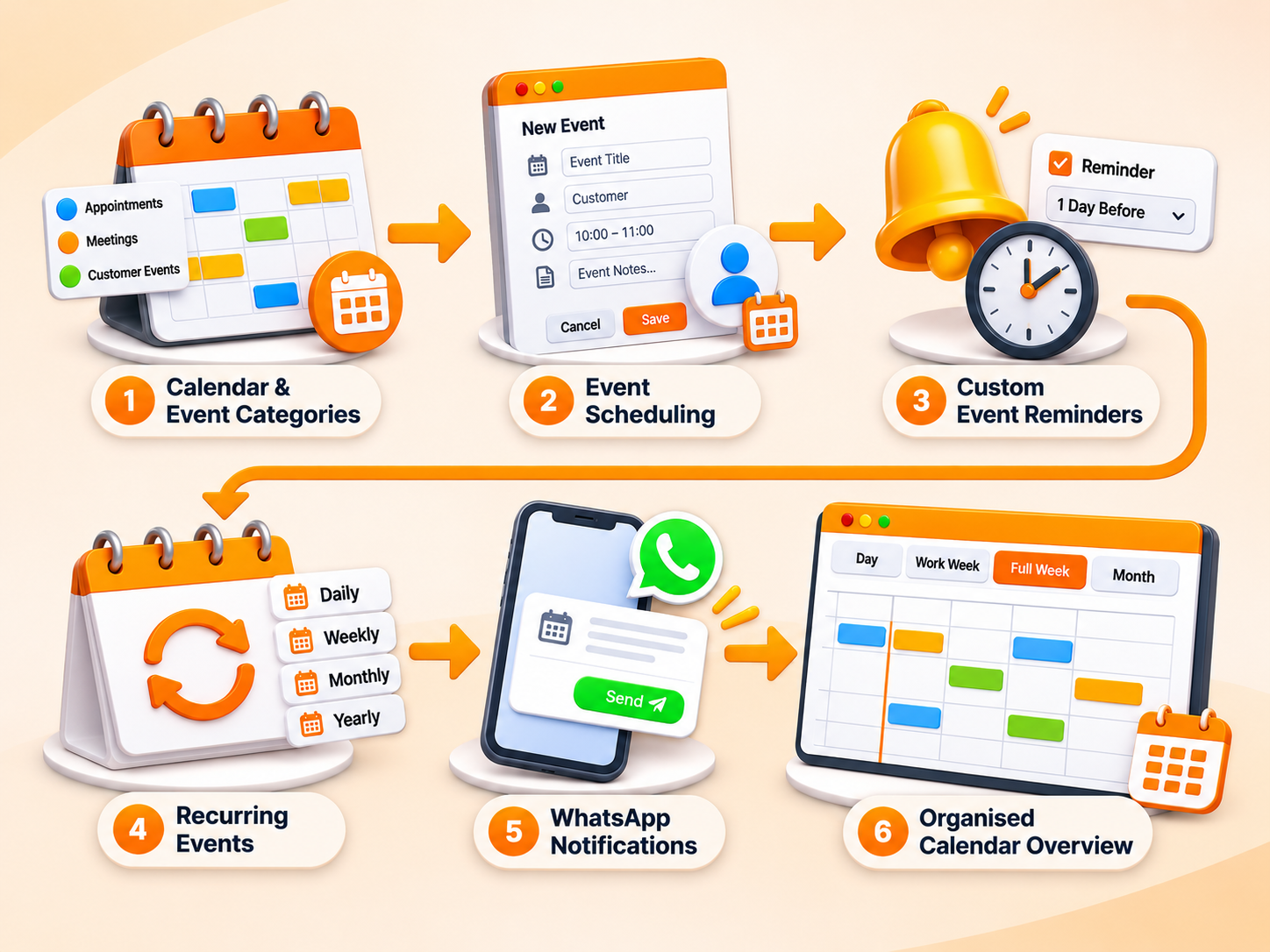
Manage customer appointments, team meetings and recurring schedules in AutoCount. Stay organised with colour-coded calendars, timely reminders and convenient WhatsApp follow-up.
Confirm notification, calendar and user-access requirements with SL Software.
AutoCount Event Management provides a structured calendar workflow for appointments, meetings and internal schedules. Users maintain calendar types, enter event details and choose day, week or month views for planning.
Flexible calendar views, recurring events and reminders help staff plan ahead, while WhatsApp notifications support customer communication.
Separate notebooks, messages and personal calendars make shared visibility difficult.
Important preparation or customer confirmations may happen too late.
Recurring meetings and routine appointments consume time when recreated manually.
Keep appointments organised and reduce repetitive scheduling work with these documented AutoCount capabilities.
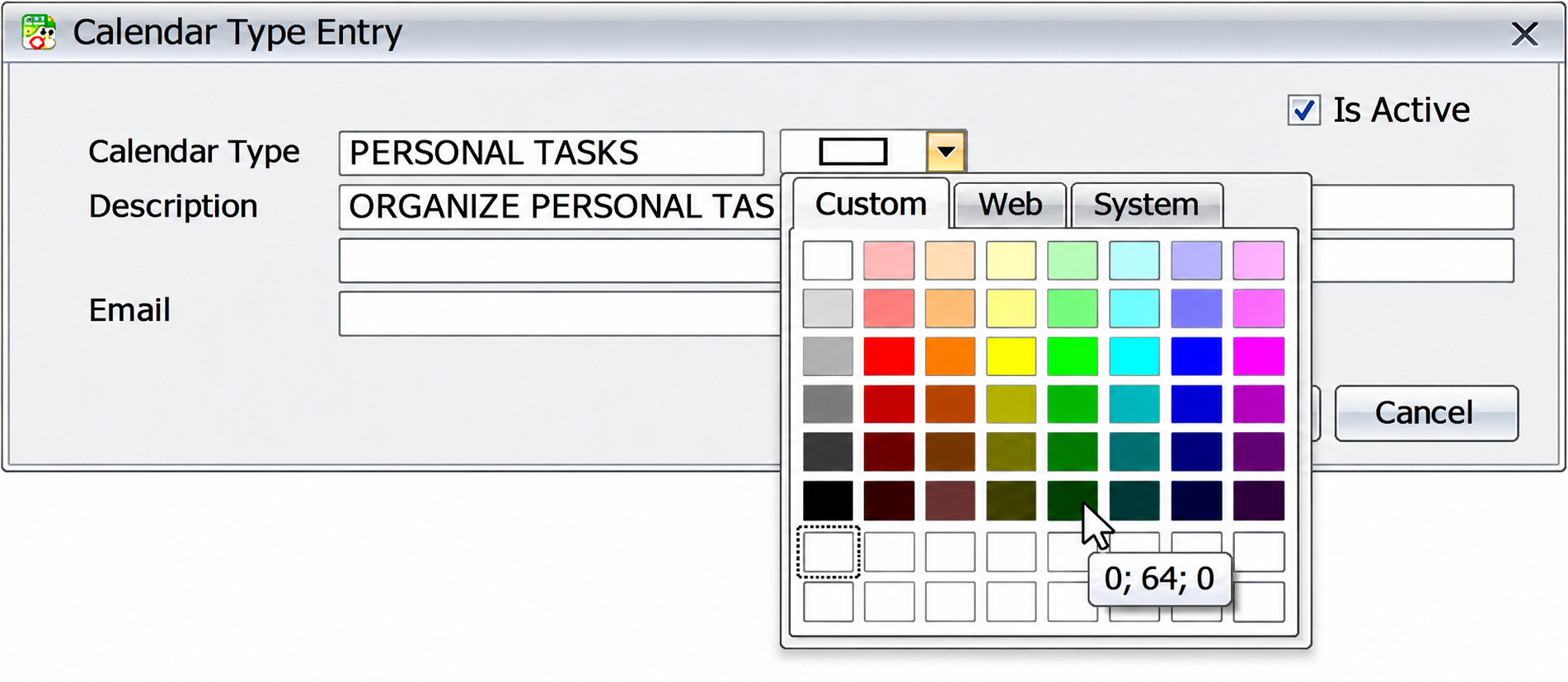
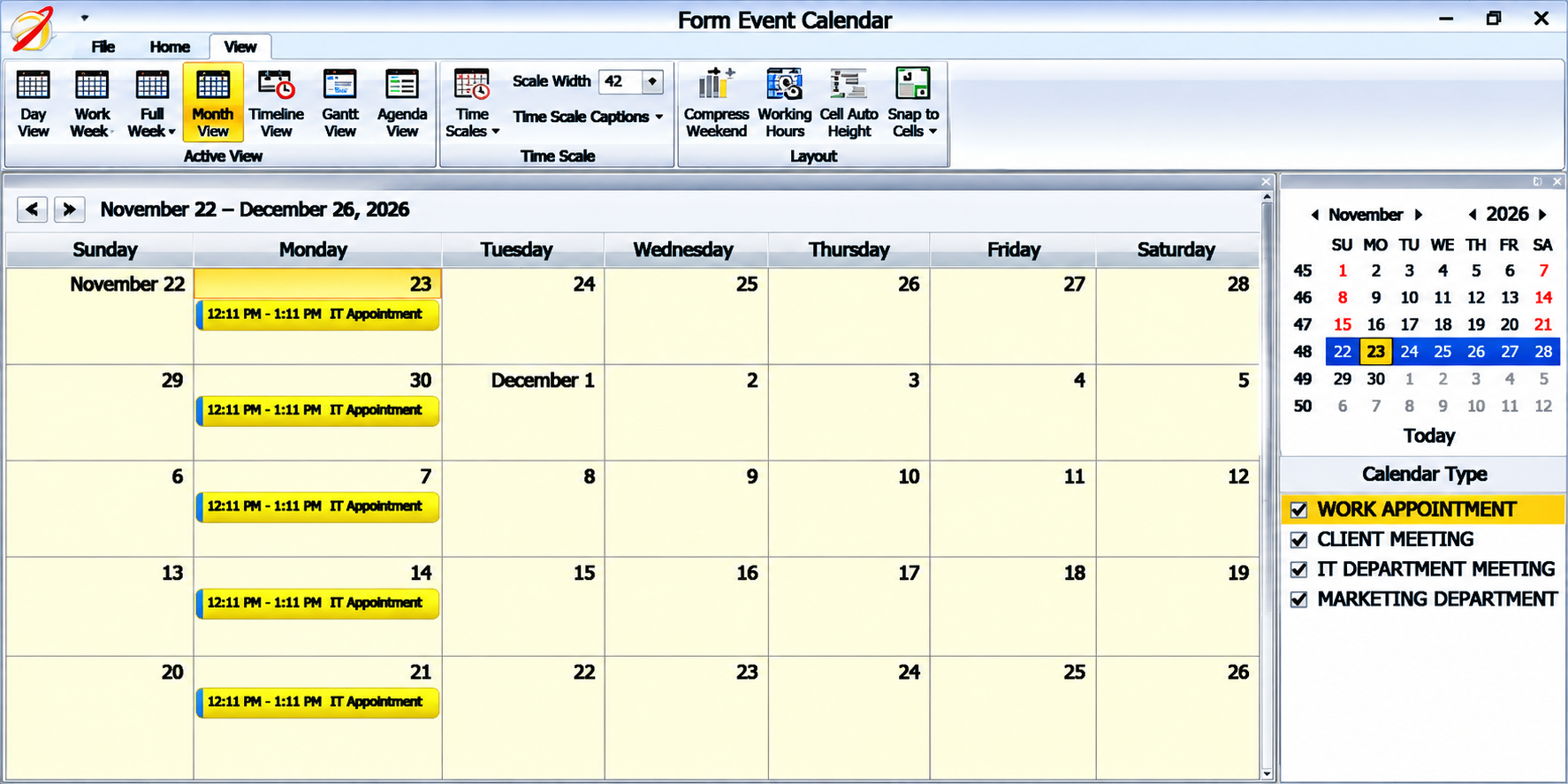
Maintain categories for different appointment or task types and assign clear colours for faster visual identification.
Keep event names, dates, times, customer accounts and relevant notes together in a central calendar.
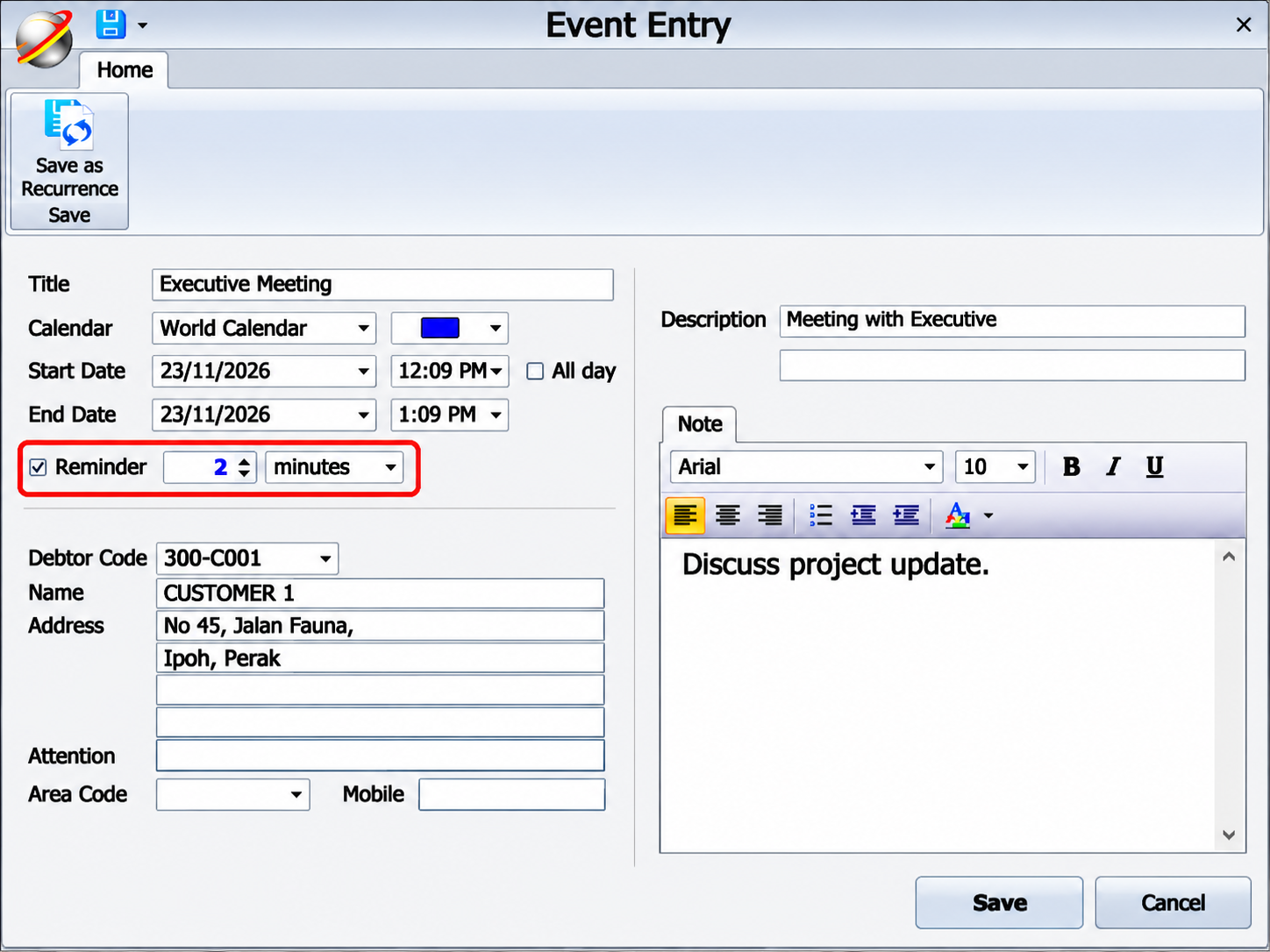
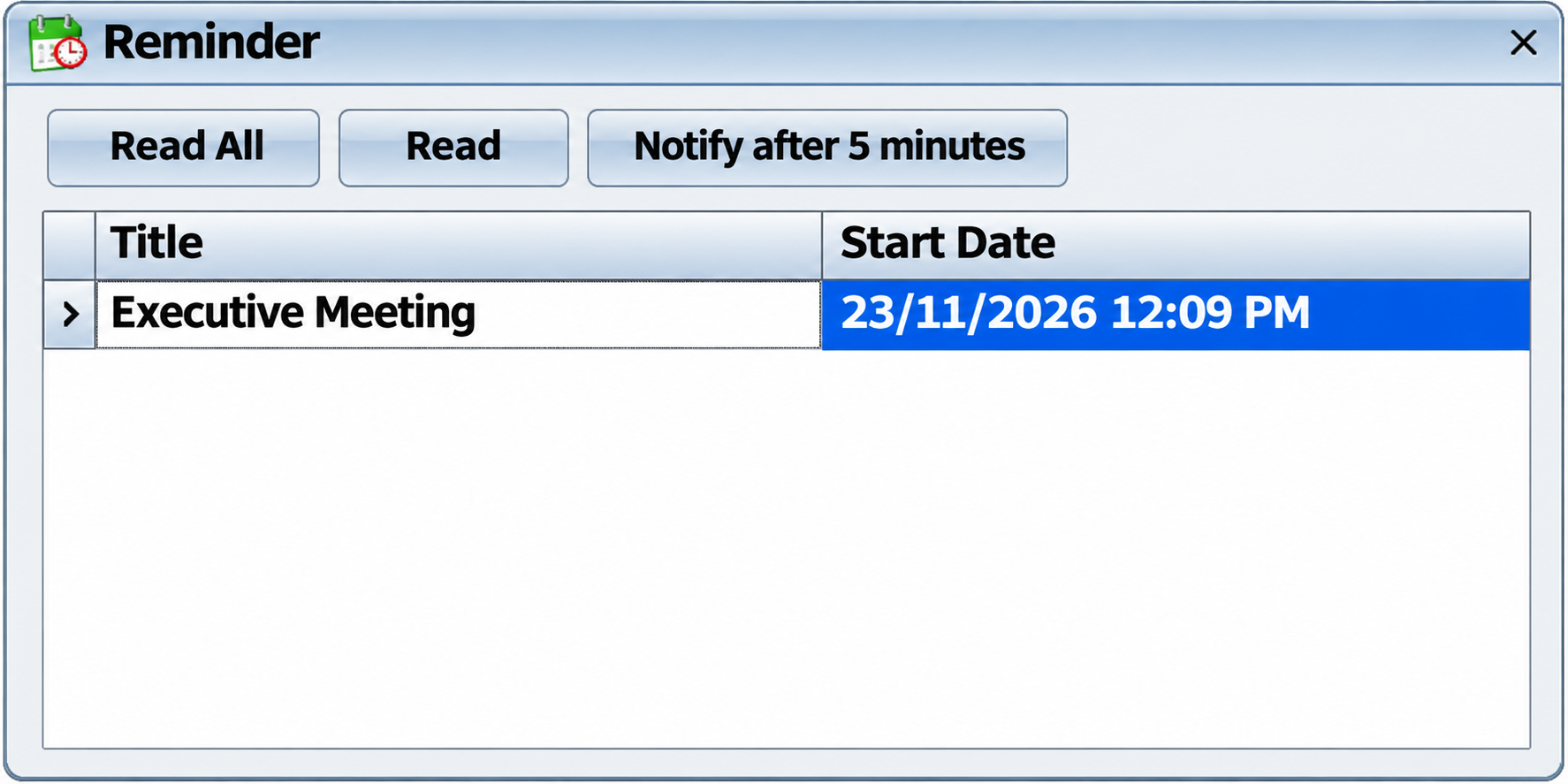
Flexible reminders can alert users minutes, hours, days or weeks ahead of an appointment.
Support daily, weekly, monthly or annual repeating appointments within a defined date range.
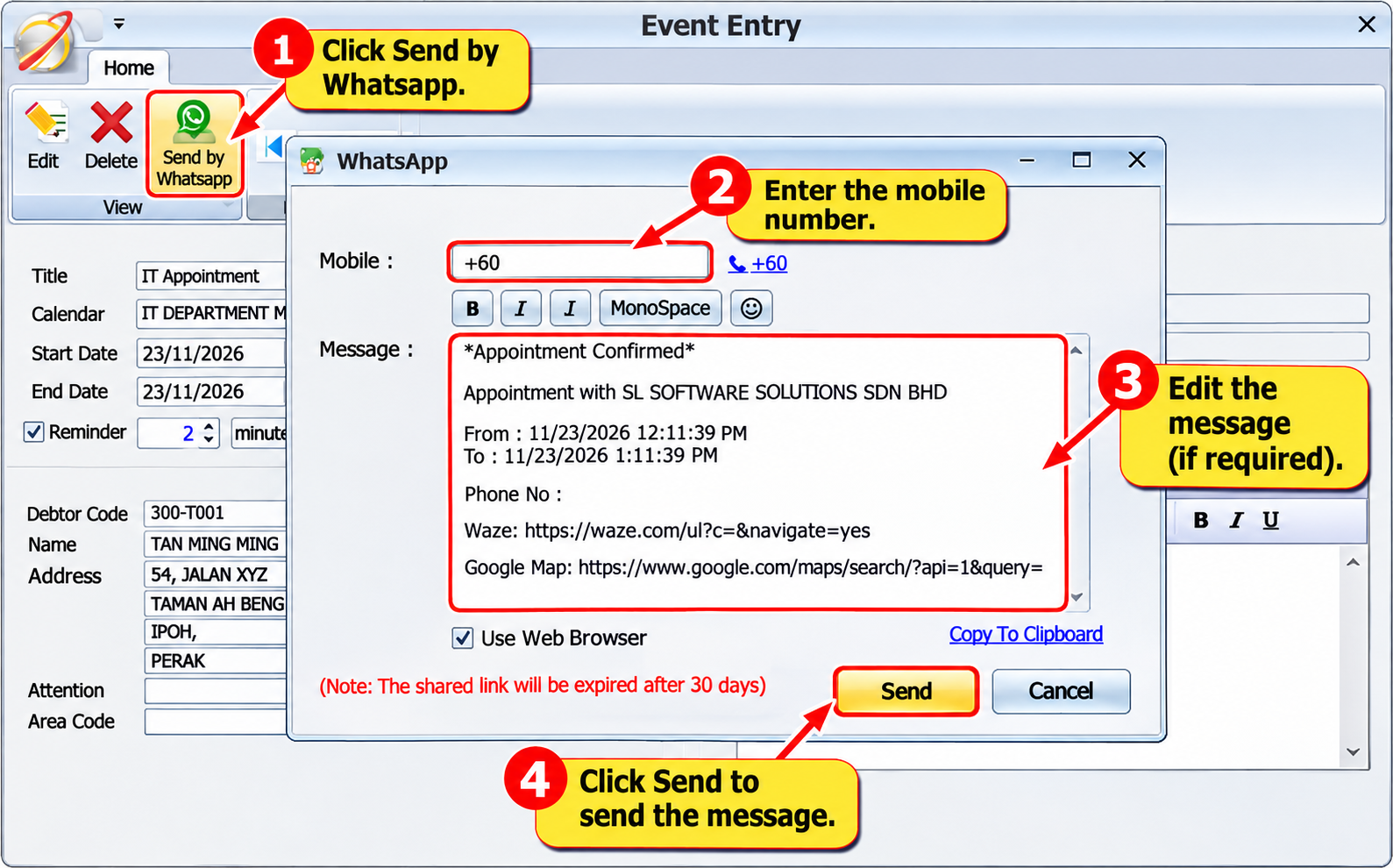
Share selected appointment details with customers through WhatsApp for convenient confirmations and follow-up.
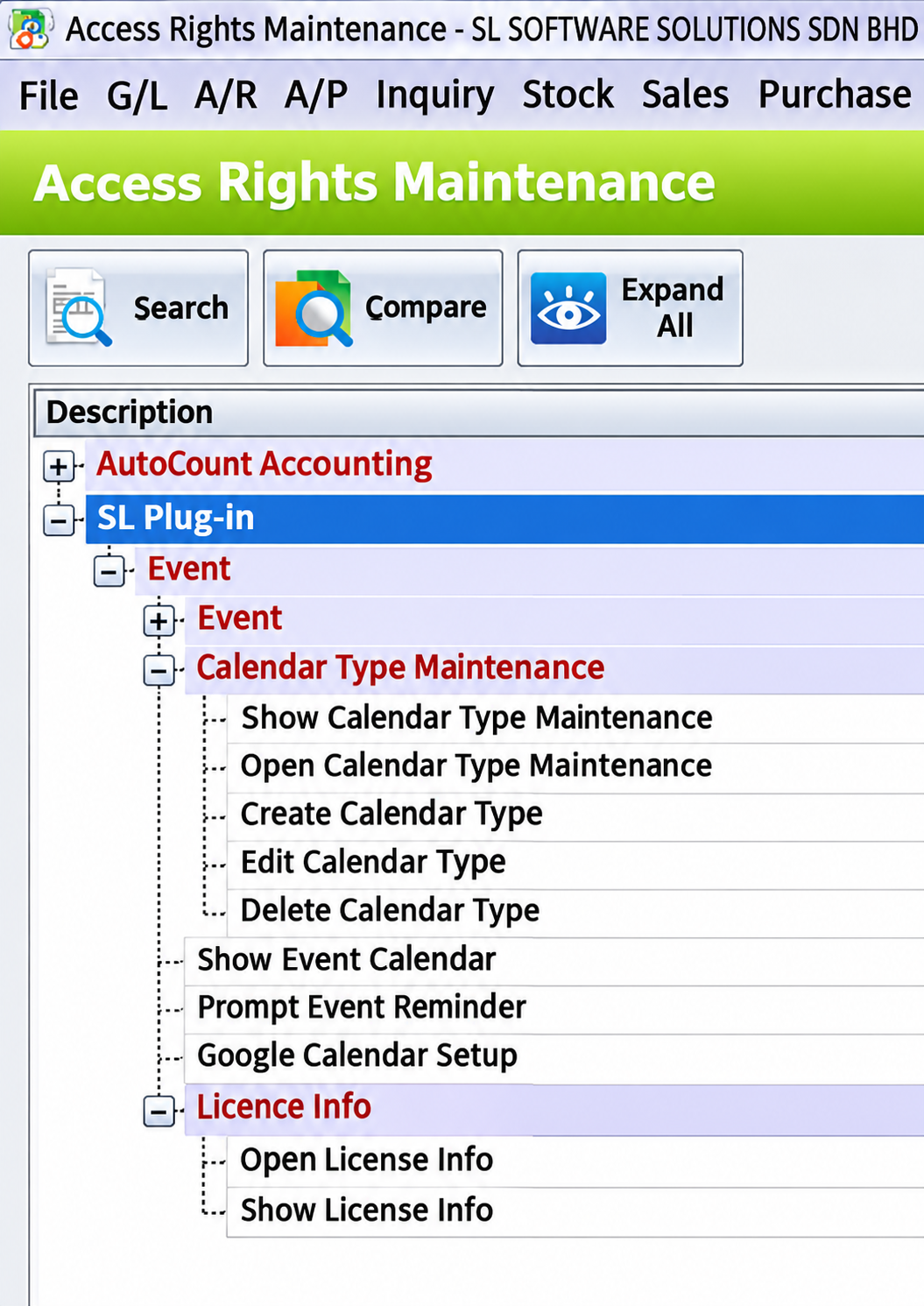
Control access to event and calendar maintenance functions using AutoCount access rights.
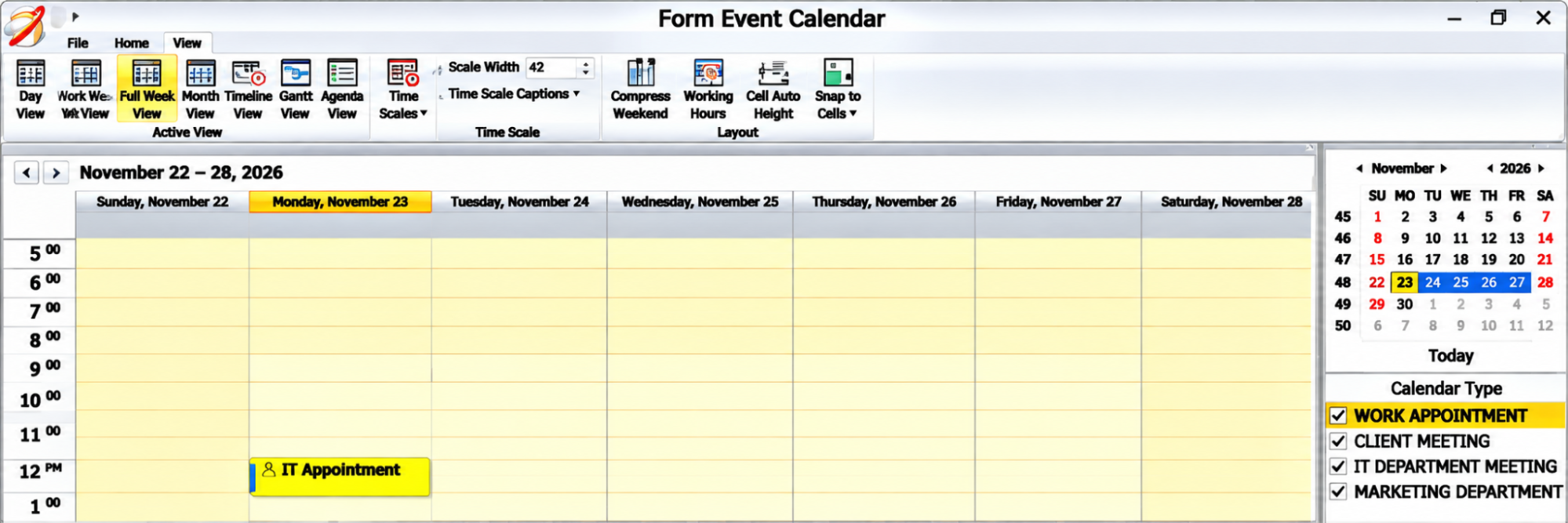
Switch between daily, weekly and monthly views to plan appointments, review upcoming commitments and manage changes directly from the calendar.
Arrange a demonstration with SL Software and discuss your AutoCount version, responsibilities and reporting needs.
From customer appointments to recurring meetings, your team can keep schedules visible and follow-up more organised.
Recognise different event types at a glance.
Keep customer and appointment details together.
Prepare for upcoming events and contact customers when needed.
Use calendar views for planning.
Coordinate customer bookings, preparation and reminders.
Schedule client meetings and maintain related notes.
Organise recurring reviews, tasks and shared calendars.
Yes. Calendar Type Maintenance supports named categories with distinct colours.
The guide documents reminder timing in minutes, hours, days or weeks before an event.
Yes. Events can repeat daily, weekly, monthly or annually within defined dates.
Yes. The documented workflow sends a selected appointment through WhatsApp after confirming the phone number.
Yes. AutoCount Access Rights Maintenance supports permissions for event and calendar functions.
Yes. Day, week and month views are documented, with direct calendar entry and editing.
Need operating instructions? Read the Event Management Plugin User Guide.
Give your team a clearer view of upcoming appointments, reduce repeated scheduling work and stay connected with customers.