Too many irrelevant items
Large item lists slow users down and make selection errors more likely.

Assign item templates, limit which stock items users can view, apply restrictions to selected documents and reports, and verify access with a restricted user account.
Confirm user roles, document coverage and Advanced Item Module requirements with SL Software.
A simplified concept view of the documented plugin workflow.
AutoCount Item Visibility Control helps businesses restrict which stock items individual users can view and use. Administrators select a user, assign an item template, choose the permitted stock items or groups and apply the rule to relevant documents.
The documented workflow includes report options, restricted-user testing and integration with the Advanced Item Module when more detailed item attributes are required.

Large item lists slow users down and make selection errors more likely.
Manual instructions are difficult to enforce across users and documents.
Without defined scopes, it is harder to confirm who should see which products.
These capabilities follow the current Item Visibility Control user guide, from access-right setup through item scope configuration and user verification.
Open User Item Visibility Maintenance, choose the relevant AutoCount user and edit the user’s item visibility settings.
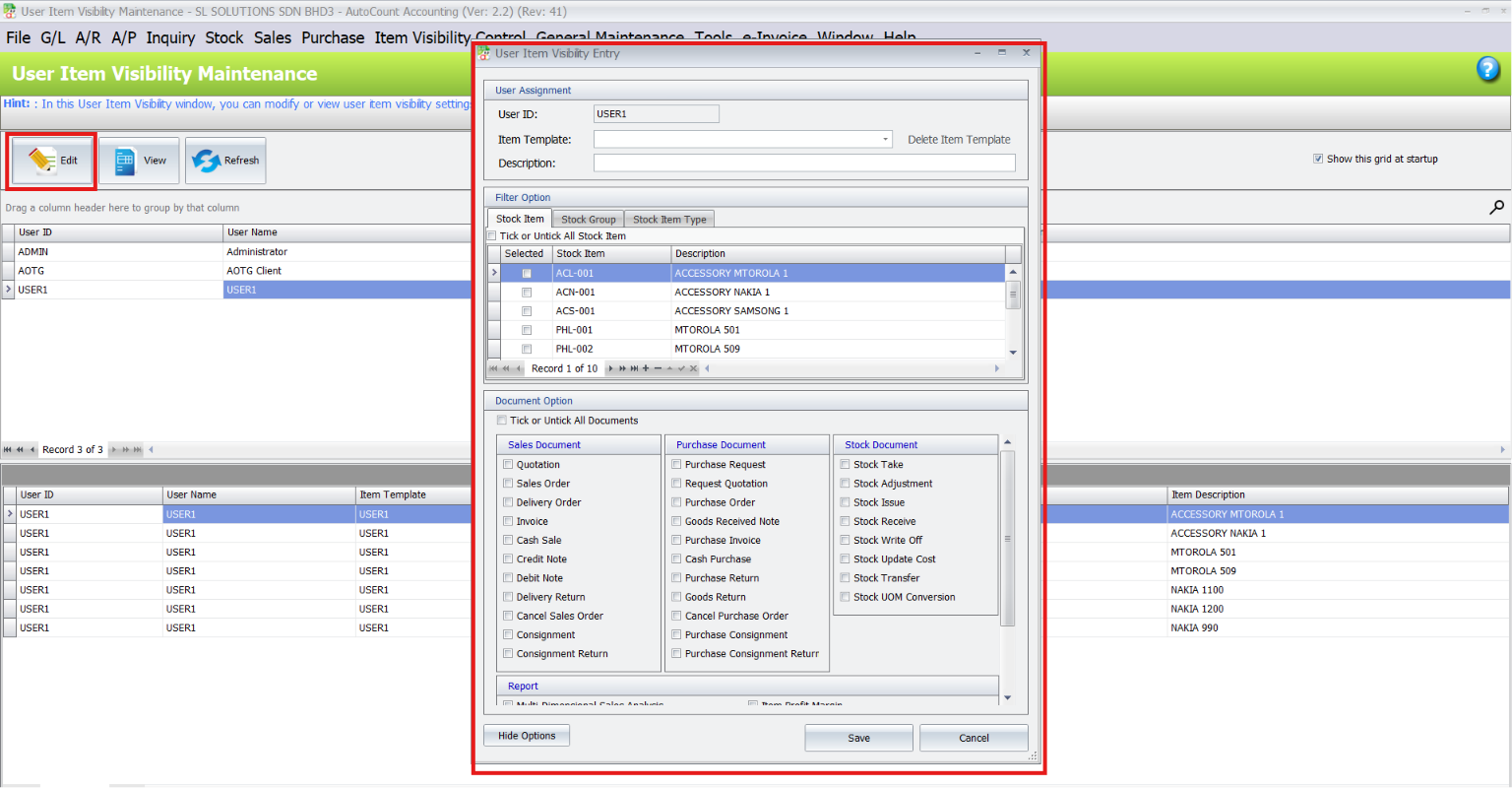
Choose an item template, select permitted stock items, groups or item types and save the visibility rule.
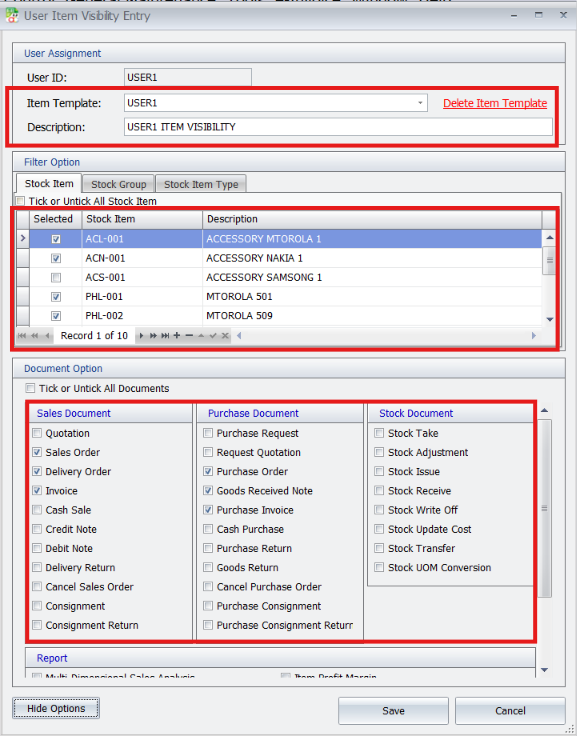
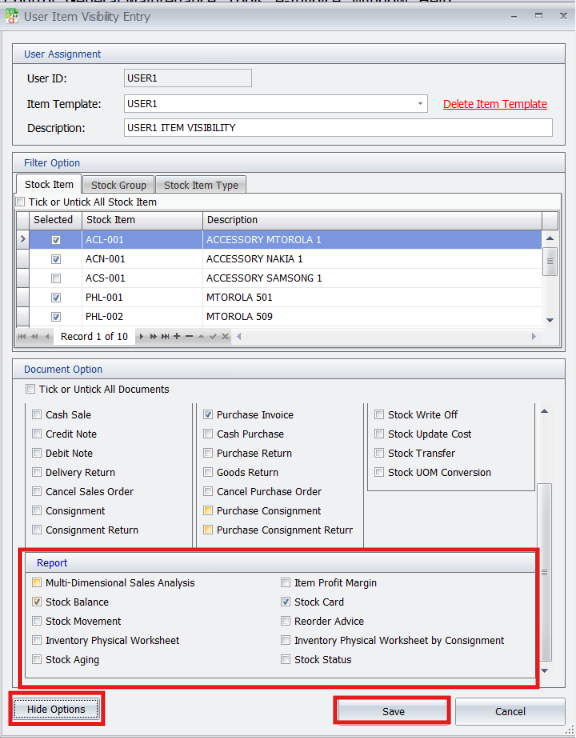
Choose the applicable sales, purchase, stock and reporting documents before saving the user’s configuration.
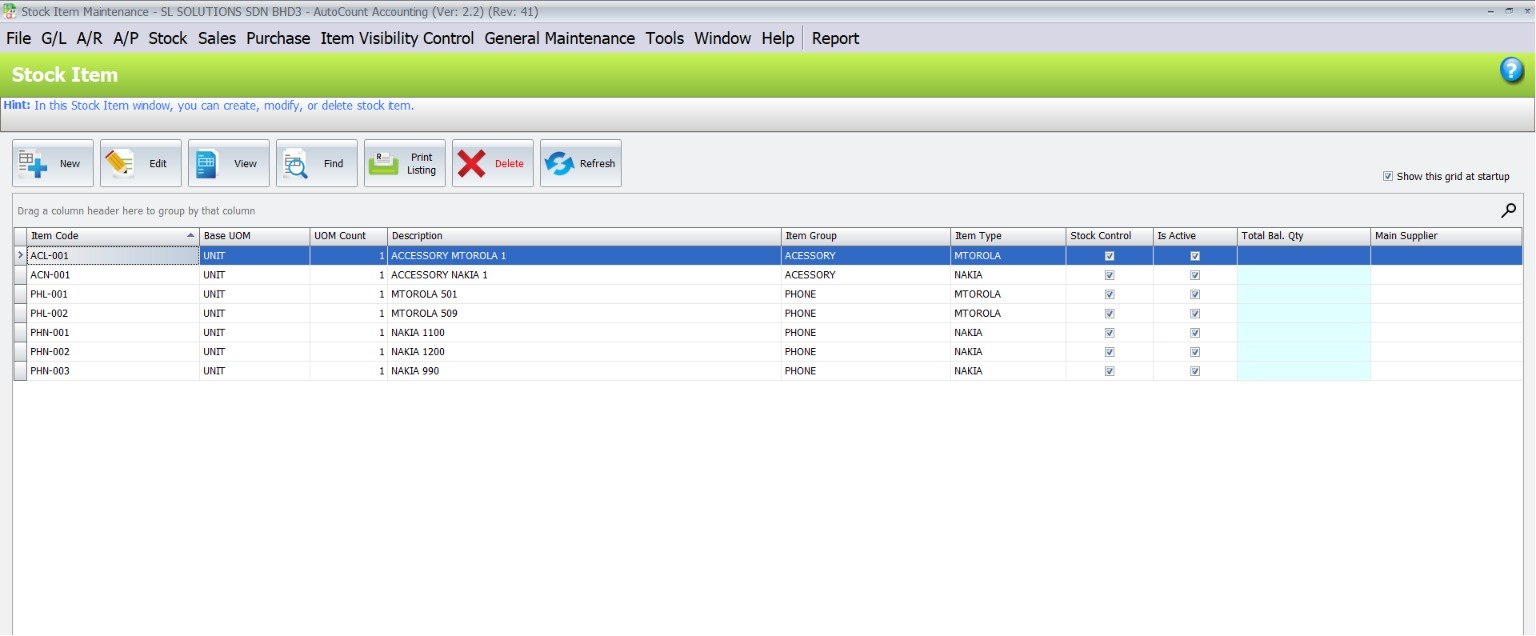
Sign in with the configured account, open Stock Maintenance and confirm that only authorised items are available.
Arrange a demonstration with SL Software and discuss your AutoCount version, responsibilities and reporting needs.
The documented process moves from user access to item selection and practical verification.
Enable the appropriate Item Scope access right.
Open the user’s visibility configuration.
Select templates, items and document options.
Log in as the restricted user and verify visibility.
Show each employee the item range relevant to their role.
Separate product ranges across teams or responsibilities.
Extend visibility rules when more detailed item classification is needed.
The guide describes visibility control rather than changing the underlying item records.
Yes. The guide recommends clear template names so the same configuration can support multiple users.
The documented options include sales, purchase, stock and report-related documents.
Sign in as the restricted user and confirm that only authorised items are visible.
The guide documents integration when advanced item attributes are enabled.
Need operating instructions? Read the plugin user guide.
Configure reusable item scopes, apply them to relevant documents and verify that users see only the products required for their work.