
Sales, Stock, Purchasing, Accounting & e‑Invoice — All In One System
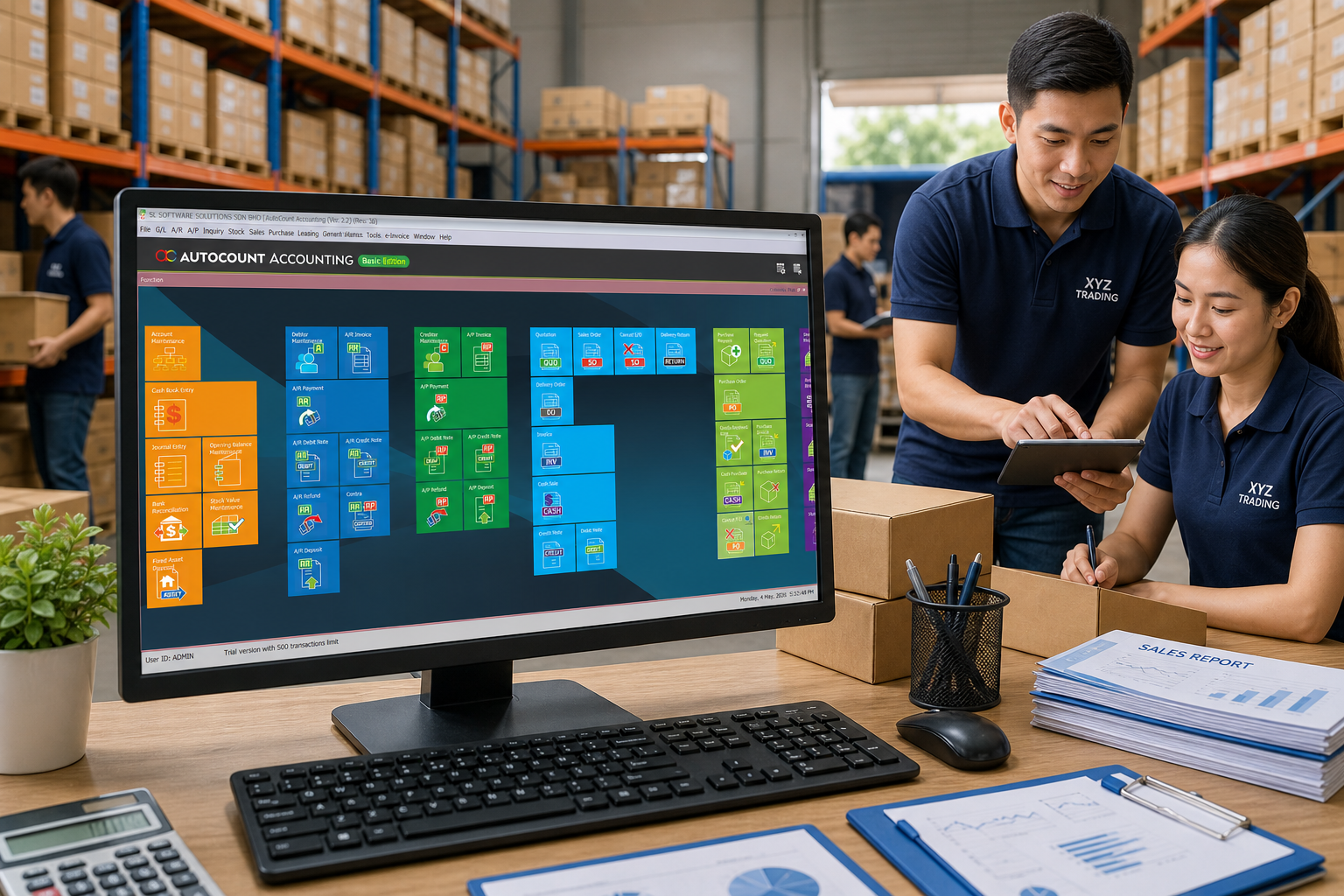
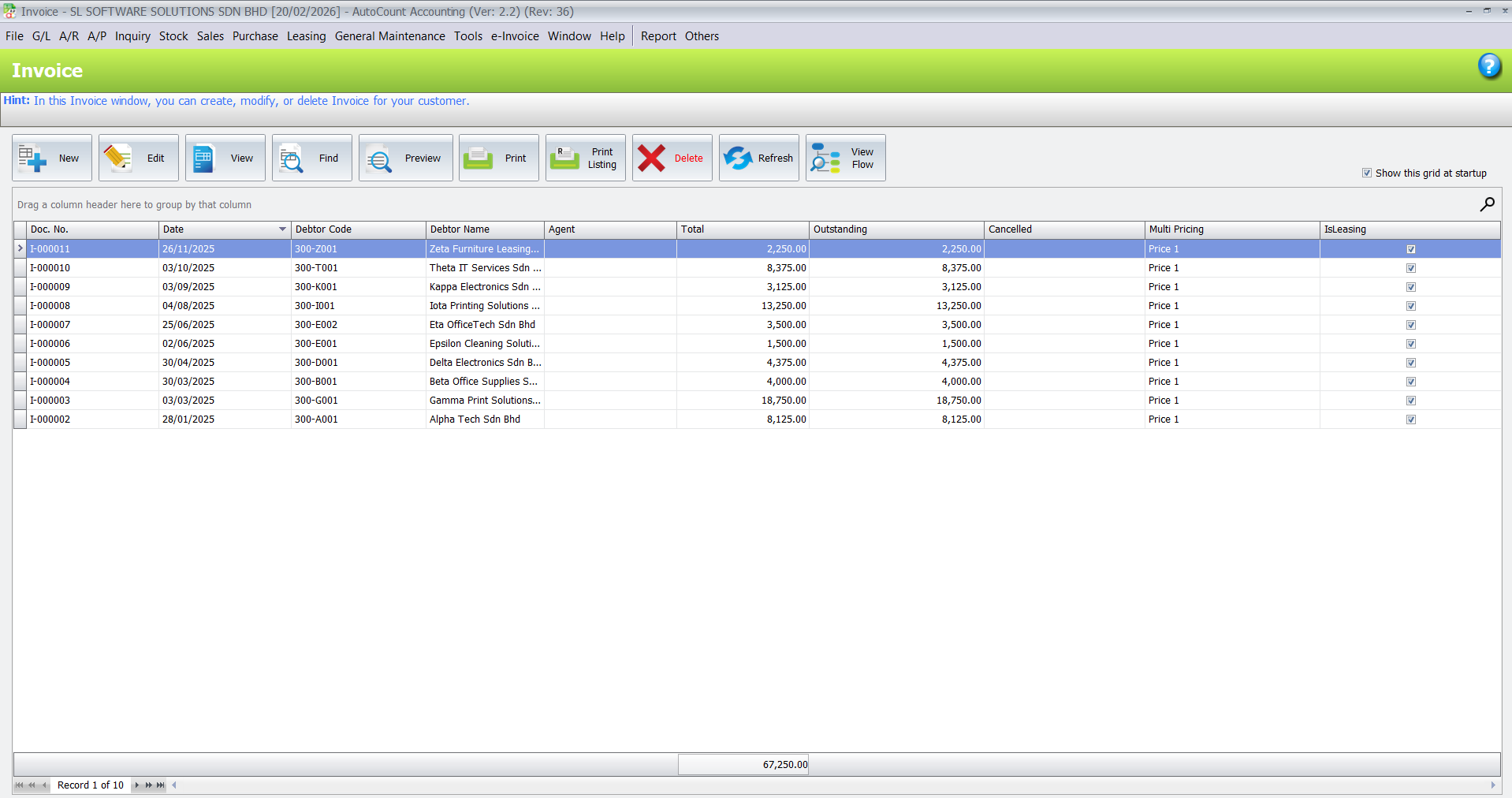
Supplier businesses typically handle a mix of enquiries, quotations, sales, deliveries and invoicing every day. When these records are scattered across spreadsheets or paper files, it’s easy to miss orders, lose track of pricing or delay invoicing.
With AutoCount, you can record and manage customer transactions — from quotation to invoice and payment — in a structured workflow that improves accuracy and keeps teams aligned. Better organisation means sales, accounts and operations all see the same information clearly.
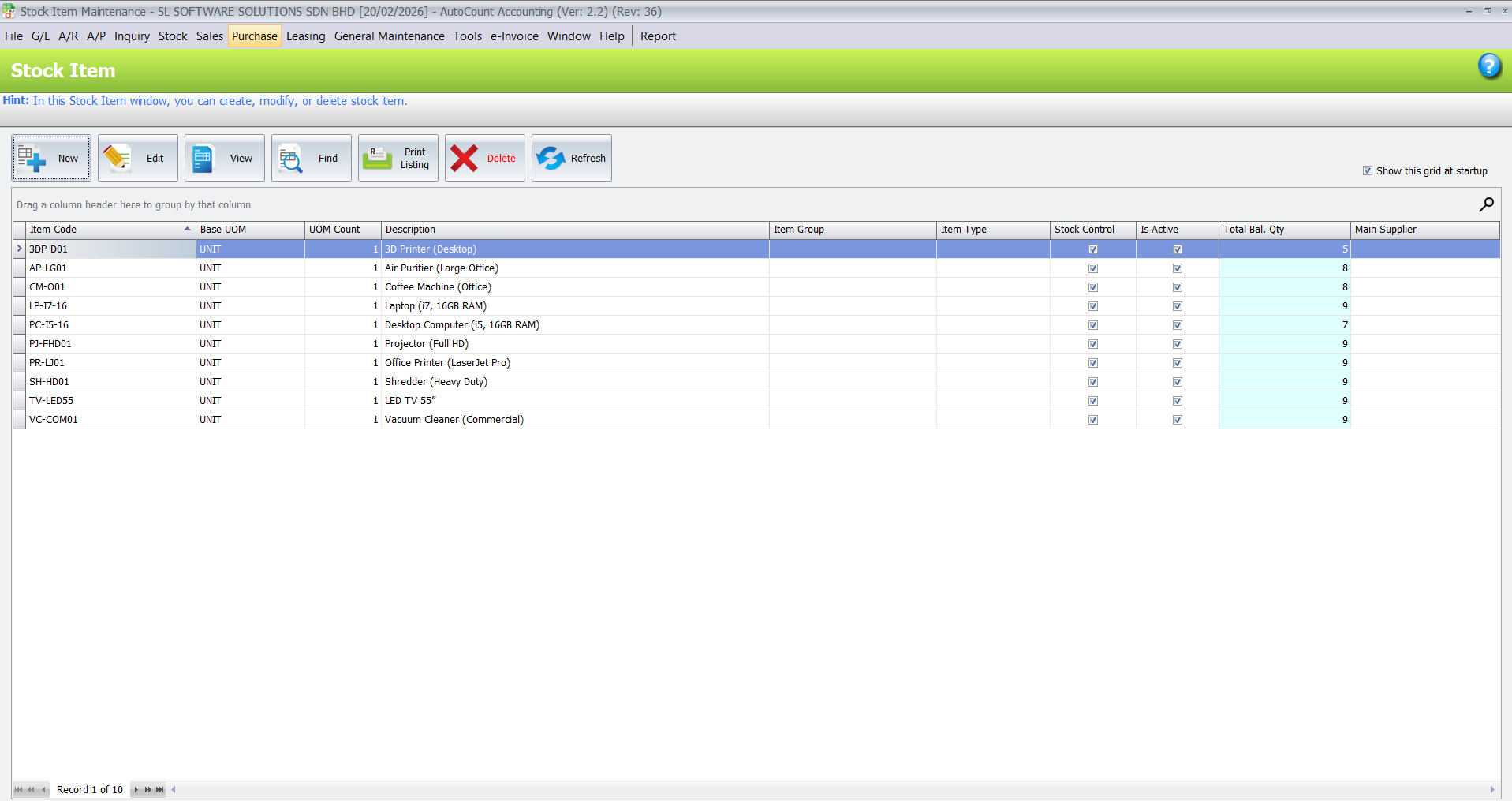
Accurate stock visibility is critical for suppliers. Without it, customers may be told stock is available when it’s not, or purchases are made too late, squeezing cash flow.
AutoCount helps structure your inventory by keeping item records, stock balances and movement history updated as transactions are posted. This means fewer surprises and more confidence when confirming orders.
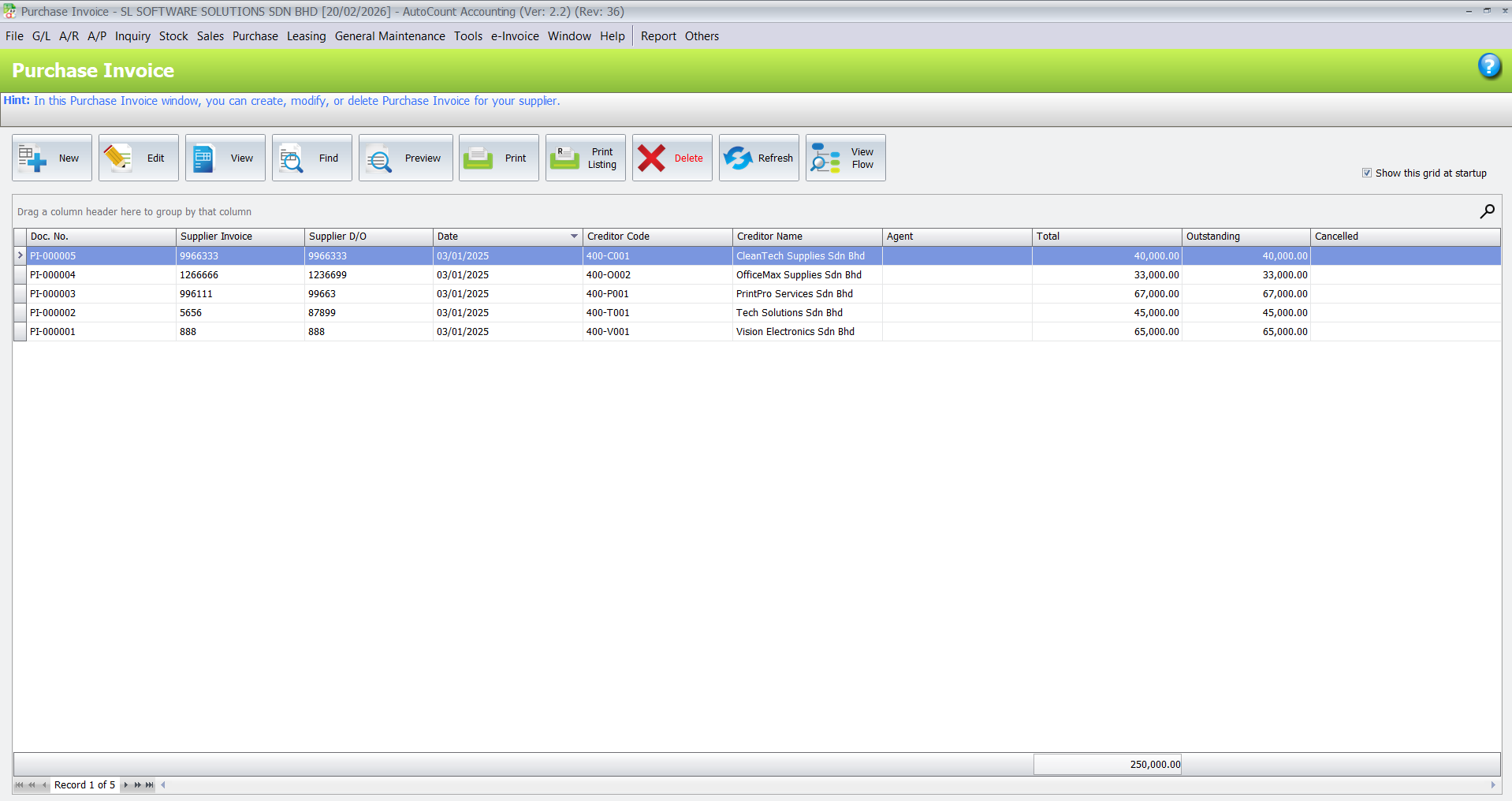
Supplier businesses need to manage both customers and vendors carefully. Purchase orders, supplier invoices, goods received records and outstanding payments must be properly tracked to avoid confusion.
AutoCount Purchase helps businesses keep supplier records, purchase documents and payment information more organised. This helps your accounts and purchasing teams know what has been ordered, what has been received, what has been billed and what is still unpaid.
As a business owner, you need answers — quickly:
AutoCount turns your sales, stock, purchase and accounting data into useful reports so you can see performance trends clearly — without waiting for month‑end.
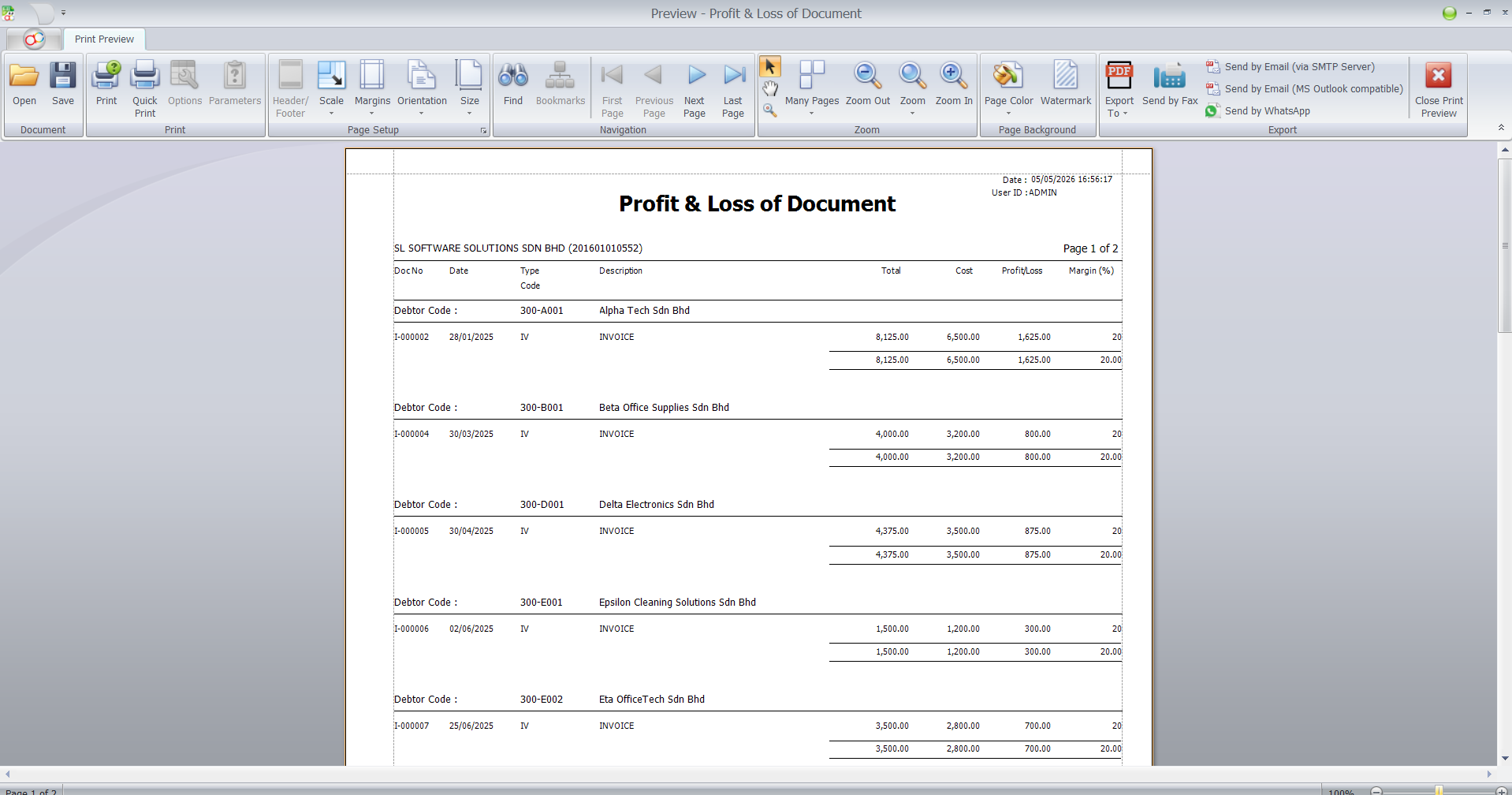
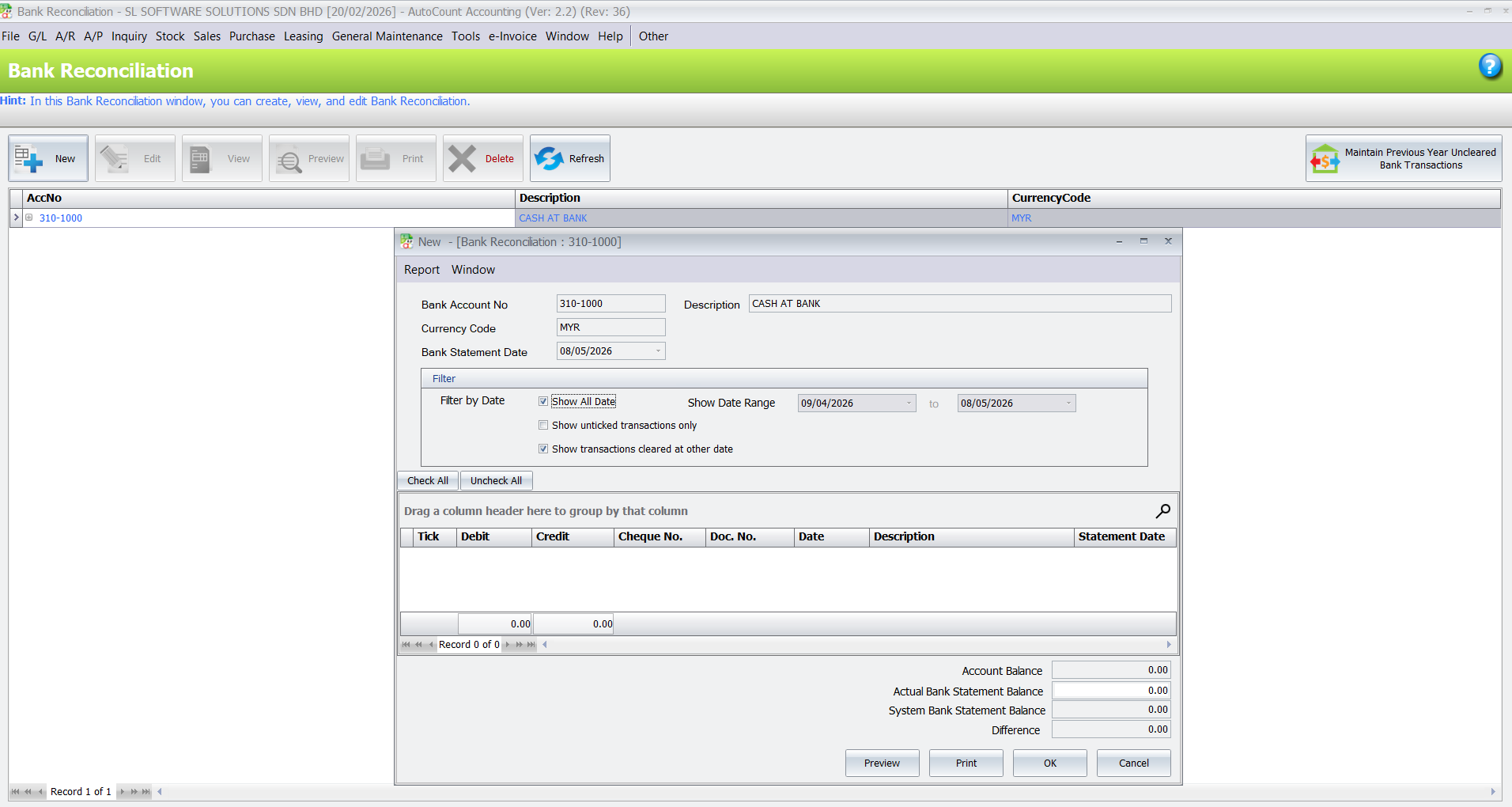
AutoCount Accounting helps supplier businesses keep financial records more organised, including debtor records, creditor records, general ledger, profit and loss and balance sheet.
For businesses with many bank transactions, AutoCount AutoBank Reconciliation can help improve the bank reconciliation workflow and reduce time spent matching payments manually.
As Malaysia rolls out LHDN e‑Invoicing in phases, having structured invoice and customer data is more important than ever. AutoCount’s e‑Invoice solution lets you generate and manage compliant invoices directly within the system, ready for submission to the official MyInvois platform.
This helps reduce last‑minute admin work and ensures your records are consistent with e‑Invoice requirements.
Manage core financials including ledger, debtors, creditors, profit & loss and balance sheet.
Track stock movements, balances, warehouse levels and item history.
Handle quotations, sales orders, delivery orders and invoices with accuracy.
Control purchase orders, supplier invoices and outstanding payments.
Keep your billing data structured and ready for Malaysia LHDN e‑Invoice compliance.
Useful if you have field sales staff accessing customer and product information.
Useful for suppliers with warehouses or branches across locations.
If your business deals with foreign currency purchases or sales.
Faster bank matching for payments received and supplier settlements.
General trading suppliers
Wholesale suppliers
Industrial product suppliers
Building material suppliers
Hardware and machinery suppliers
Packaging material suppliers
Food ingredient suppliers
Automotive parts suppliers
Electrical and electronic goods suppliers
Import and distribution businesses
Multi-branch supplier businesses
Suppliers with outdoor sales teams
Suppliers with warehouse and delivery operations
Business Understanding
We learn how your supplier business works — sales, stock, purchasing, reporting and invoicing.
System Setup
We configure AutoCount to match your operational flow and key documents.
Module and Plugin Recommendation
We suggest only the modules and add‑ons that make sense for your business reality.
Training
Train your team so they use the system correctly from day one.
Support & Growth
We support your business as it grows with new users, branches or workflows.
We focus on real business usage, not only software theory. Your team learns how to use AutoCount for daily operations.
We explain sales, stock, accounting, e-Invoice and reporting workflows in a way that business owners and staff can understand.
Different wholesale businesses have different workflows. We help recommend a suitable AutoCount setup based on your products, customers, suppliers and operation style.
We support your team even after training, so your business can continue improving the system as your operation grows.
Yes. AutoCount is suitable for supplier businesses that need to manage sales, stock, purchasing, accounting, reporting and e-Invoice records more clearly.
Yes. AutoCount Inventory can help track stock balance, stock movement, item history and stock reports.
Yes. AutoCount Purchase can help manage purchase orders, purchase invoices, supplier records and outstanding balances.
Yes. AutoCount can be configured for multi-location or multi-branch stock control depending on your business setup.
Yes. AutoCount e-Invoice helps businesses keep invoice data and accounting records more structured for Malaysia e-Invoice preparation.
Supplier businesses with outdoor sales teams may consider AutoCount Salesman App to help salespeople manage customer and order information more conveniently.
Yes. Proper setup and training help your team use AutoCount correctly for daily sales, stock, purchasing, accounting and reporting workflows.
From sales orders to stock control, purchasing, accounting, reporting and e-Invoice preparation, the right AutoCount setup can help your team reduce manual work and improve business visibility.