
SVDP e-Invoice Malaysia: How to Correct Missing and Incorrect Submissions
Missing an e-Invoice submission or discovering incorrect customer information can leave your accounts team unsure what to do next.
Malaysia’s e-Invoice Special Voluntary Disclosure Programme (SVDP) provides an opportunity for taxpayers to address identified e-Invoice non-compliance. Known in Bahasa Malaysia as Program Khas Pengakuan Sukarela (PKPS) e-Invois, it helps businesses review submission records, correct outstanding issues and strengthen everyday invoicing processes.
7 July 2026
Programme commencement
31 December 2027
Programme closing date

What Is the e-Invoice SVDP?
The e-Invoice SVDP helps taxpayers regularise missing or incorrect e-Invoice submissions. HASiL’s announcement identifies businesses that have:
- Submitted e-Invoices but omitted certain transactions.
- Submitted incorrect information or details that do not meet the prescribed requirements.
- Failed to submit e-Invoices for periods beginning from their mandatory implementation date.
The announcement provides an opportunity to voluntarily review and correct these records without penalties, subject to the applicable programme requirements. Disclosures must be accurate and properly submitted. Read HASiL’s programme announcement.
Confirm the conditions before relying on relief
Before relying on penalty relief, ask your accountant or tax adviser to confirm that your circumstances and proposed corrections meet the current conditions.
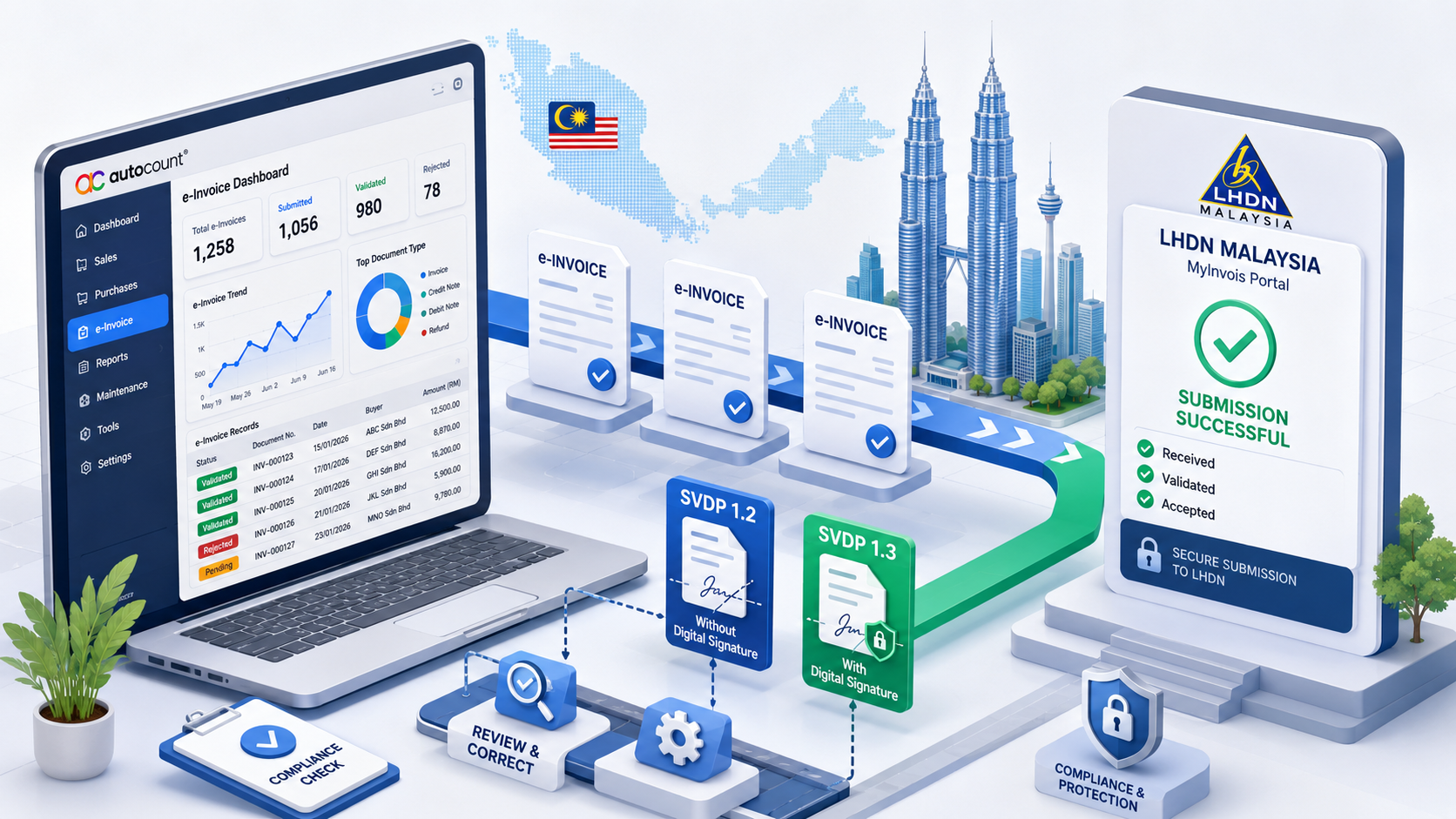
Which Document Versions Are Used for SVDP?
MyInvois provides designated document versions for SVDP submissions:
SVDP 1.2
For submissions without a digital signature.
SVDP 1.3
For submissions with a digital signature.
HASiL’s SDK guidance allows SVDP documents to use backdated issuance dates and times from the taxpayer’s applicable mandatory implementation date. Existing validation rules continue to apply unless otherwise specified. Businesses using Batch Upload should use the updated template that supports SVDP document versions. View the MyInvois SDK release notes.
If you submit through accounting software, confirm that your installed version and integration support the required SVDP document version before proceeding. AutoCount users can also review our AutoCount Rev 45 SVDP software guide.
How Should Incorrect e-Invoices Be Corrected?
The appropriate action depends on the issue and the status of the original document.
Within the 72-hour window
LHDN’s FAQ permits cancellation and reissuance with correct information. It also allows rectification under SVDP.
Previously issued documents
For e-Invoices containing inaccurate details, FAQ 127 describes reversing the original through a credit note e-Invoice and issuing a corrected e-Invoice. No separate SVDP registration or application is required.
The expiry of the cancellation window alone does not determine which correction procedure applies. Identify whether the problem involves incorrect details, an omitted submission or a genuine commercial adjustment before deciding how to proceed. Refer to LHDN’s e-Invoice FAQs, Part 5.
A Practical SVDP Preparation Checklist for SMEs
The following is a suggested internal review workflow to help your accounts team prepare.

Define the Period to Review
Record your company’s applicable e-Invoice implementation date and identify the months being checked. Assign a person to coordinate the review so that outstanding questions and corrections have a clear owner.
Compare Accounting Records With Submission Records
Reconcile documents in your accounting system against the records validated in MyInvois. Check whether each document has been successfully validated, remains outstanding or requires further investigation.
Prepare an Exception List
Include the original document number and date, customer or supplier name, issue identified, submission status, proposed correction and person responsible. Check for existing validated records before preparing another submission to reduce duplication.
Confirm the Correct Treatment
Have your accountant or tax adviser review the affected transactions and proposed corrections. Your software support team can help assess system behaviour, while your accountant confirms the appropriate tax treatment.
Check Software Readiness
Before processing corrections, confirm the installed software version, integration settings and available SVDP support with your provider. Avoid changing original transaction dates simply to make older documents appear current.
Keep a Clear Review Trail
Retain the original documents, correction references and validation results together. After completing the review, introduce a regular check of outstanding submissions so similar issues can be identified earlier.
AutoCount SVDP Functions: Prepare, Submit and Track
Once your accountant has confirmed the appropriate treatment, use the relevant software workflow to prepare and review your documents. Our AutoCount Rev 45 SVDP functions guide covers the dedicated SVDP setting, supported submissions, consolidated-document warnings and tracking columns.
The tracking column helps your accounts team identify documents submitted under SVDP and review them alongside submission statuses. For the setup and submission instructions, follow the AutoCount 2.0 SVDP user guide.
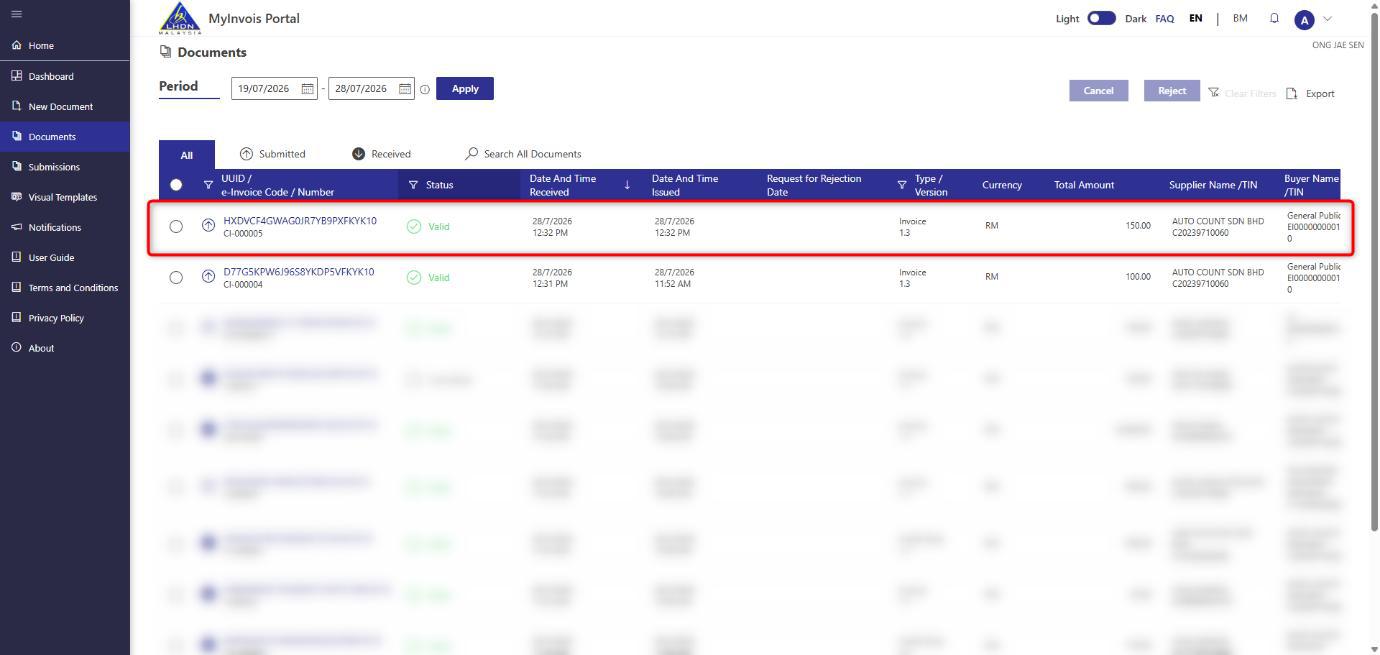
AutoCount transaction listing with the e-Invoice SVDP tracking column. Available screens and options depend on the installed software version.
Frequently Asked Questions
Can a business make another disclosure if more issues are discovered?
Yes. LHDN allows additional disclosures during the SVDP period.
Can a group of companies submit one disclosure for every entity?
No. Each taxpayer must make its own disclosure.
Does appointing a software provider transfer compliance responsibility?
No. The taxpayer remains responsible for complying with e-Invoice requirements, even when a third-party provider is involved.
Source: LHDN e-Invoice General FAQs, Part 5.
Related AutoCount SVDP Guides
Enable and Submit SVDP in AutoCount 2.0
Follow the dedicated knowledge-base guide for the software setup and submission workflow.
AutoCount Rev 45 SVDP Functions
Review the AutoCount revision guide for the related SVDP software functions and preparation notes.
Need Help Reviewing Your AutoCount e-Invoice Workflow?
Before requesting assistance, prepare your AutoCount version, affected document numbers and submission statuses. These details help your support team understand the issue and assess the relevant software workflow.
Contact SL Software Solutions to discuss your AutoCount e-Invoice setup and support requirements.