Simplifies invoicing and package management
The AutoCount Item Package module makes it easy for businesses that often sell bundles of items, like computer shops, shoe distributors, or online stores, to create and manage these packages. It simplifies invoicing and package management.
With over 50 modules and 100 plugins to choose from, AutoCount System offers a wide range of options for small and medium-sized enterprises (SMEs). It helps businesses accelerate their growth and ensures that you can’t go wrong with its diverse selection. Choose AutoCount to take your business to new heights with its tailored solutions for accounting, inventory management, sales, and more. Trust in AutoCount’s extensive offerings to meet your specific business needs effectively.
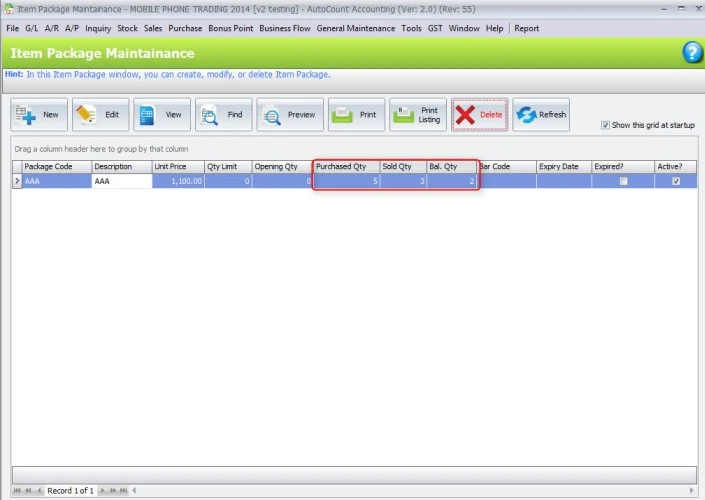
Go to the Stock > Item Package Maintenance section to make and manage item packages. Here, you can set up things like how many you can have, how they start, when they expire, the unit of measure you use, and the barcodes. Then, put in the items for the package and save your setup.
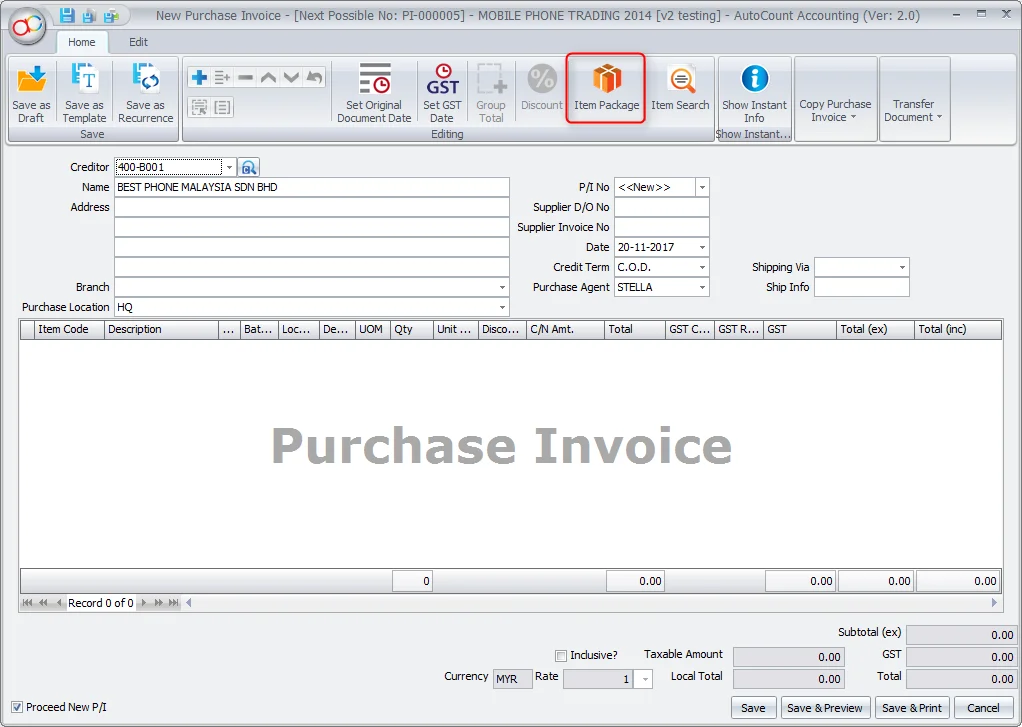
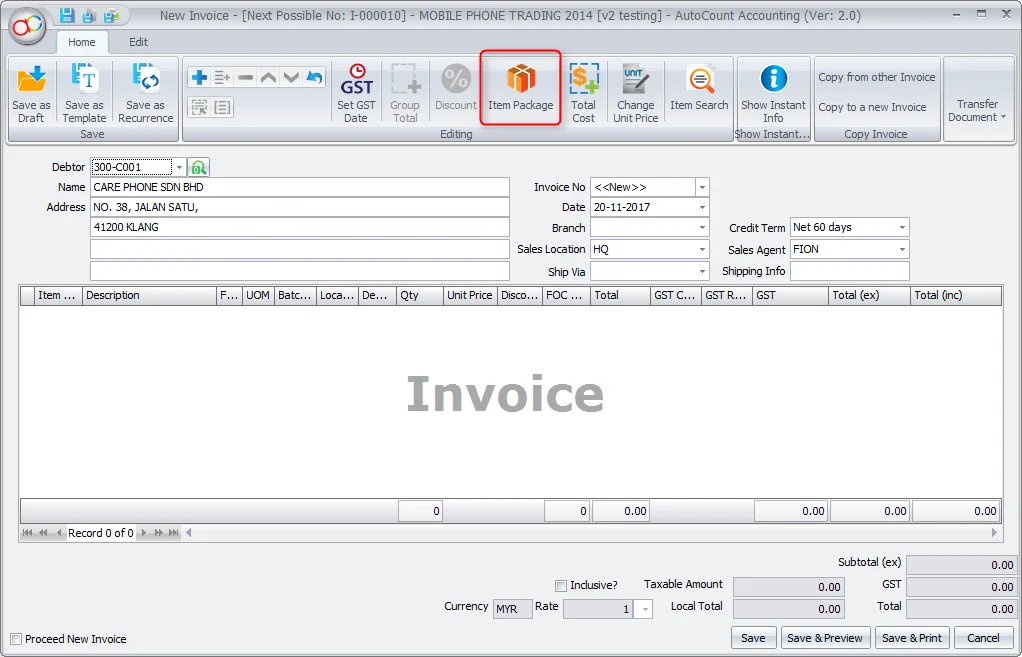
Use item packages when dealing with purchase documents like purchase invoices. When you make a new purchase invoice, click on the item package button and choose the package you want. If you need to, change how many packages you want, and then check out the invoice. The system will do the math for the total amount and update package info for you.
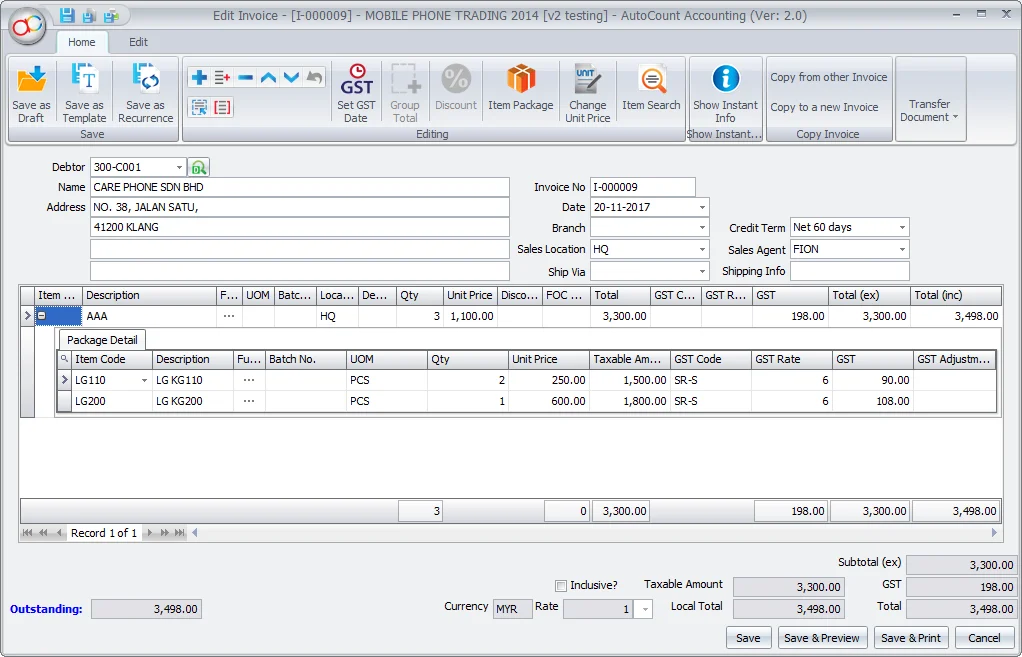
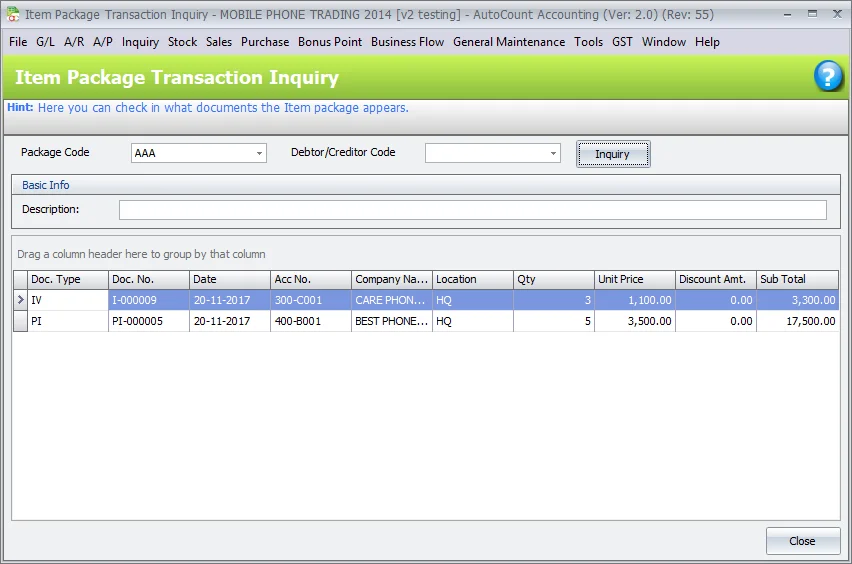
Do the same thing with item packages in sales documents, like invoices. When you’re making a new invoice, choose the right package code from the item package button. If you have to, change how many packages you want, and check the invoice. The system will figure out the total quantity and update the package info that matters.
If a package has smaller items that need serial numbers, the AutoCount Item Package module takes care of it smoothly. When you put packages in sales or purchase documents, just say how many you want. If the package has small items with serial numbers, the system will ask you to put in the right serial numbers.
The AutoCount Item Package module is a great fit for businesses like computer shops, shoe distributors, and online sellers. Computer shops can put together packages with things like mouse, keyboards, and monitors from different suppliers, and it’s easy to change them when making invoices. Shoe distributors can sell shoes in different sizes in one box, treating each box as a package.
Online sellers can create different packages to sell on the internet. This module is especially good for businesses that don’t want to take items out of stock right away; they can keep the loose items in stock until they’re sold. Overall, this module makes sales easier, keeps track of package amounts.
With the AutoCount Item Package module, businesses can make invoicing for item packages easier, ensure they count the right quantities, and manage things more smoothly. You can enjoy the convenience of keeping and using item packages, making your seasonal or special sales better. This module helps you make invoicing smoother, keep track of package amounts, and make your customers happier.