
AutoCount e-Invoice Solution in Malaysia
Manage customer onboarding, submission queues and e-Invoice status through AutoCount’s E-Invoicing Portal (AIP), with practical workflows for Malaysian businesses.
Explore key features
e-Invoicing involves more than sending an invoice
Businesses need accurate buyer information, review processes, submission tracking and a clear way to manage documents that require different treatment. The AutoCount E-Invoicing Portal brings these tasks together for applicable AutoCount workflows.
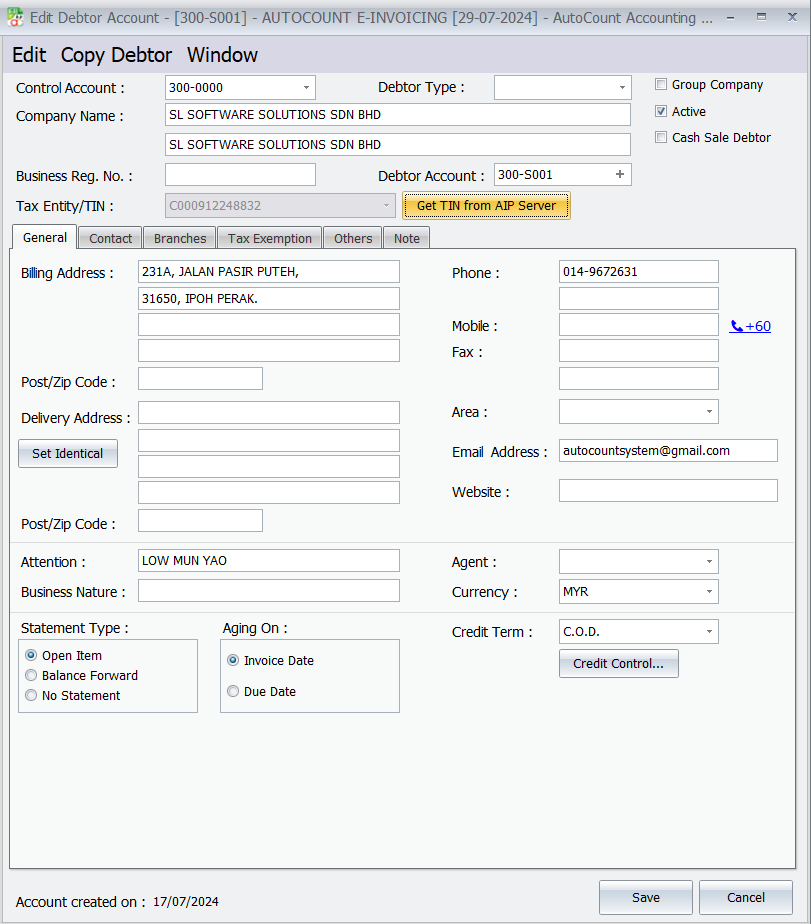
Prepare buyer details
Capture and review TIN and registration information needed for relevant e-Invoice transactions.
Track invoice status
Review queued documents, validation results and issues requiring attention.
Review before approval
Use draft and approval processes where available in the relevant AutoCount configuration.
What AutoCount E-Invoicing Portal supports

Submission queue management
Queue eligible documents for transmission and monitor their progress rather than relying on repeated manual submissions.
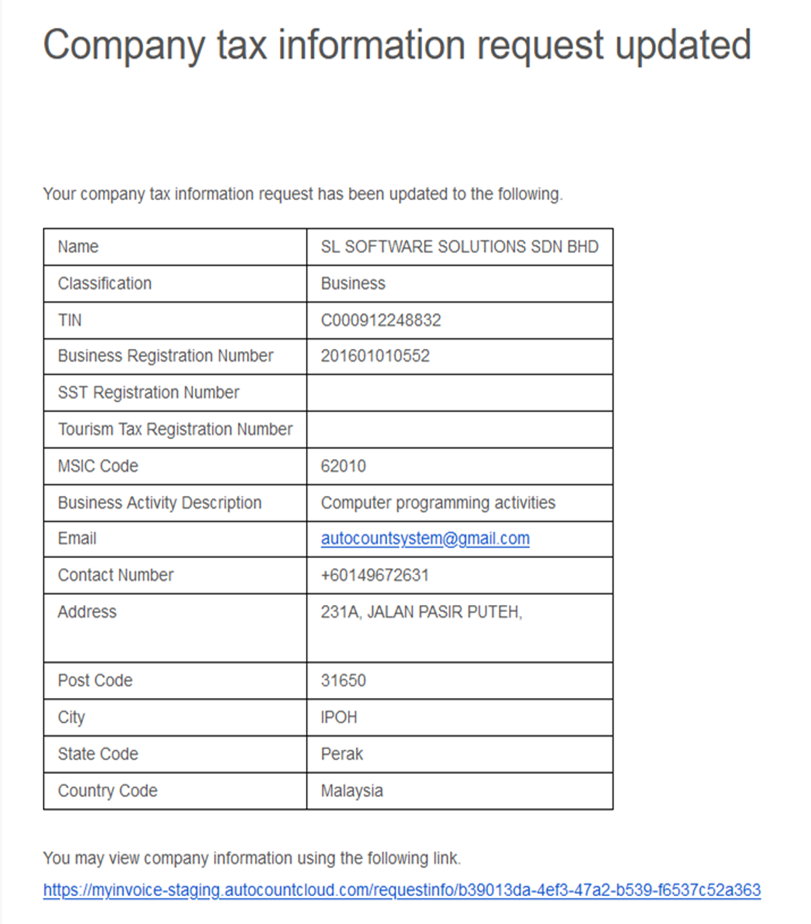
Customer information requests
Store buyer data, look up relevant records and generate links so customers can provide required details.
Validation and printing
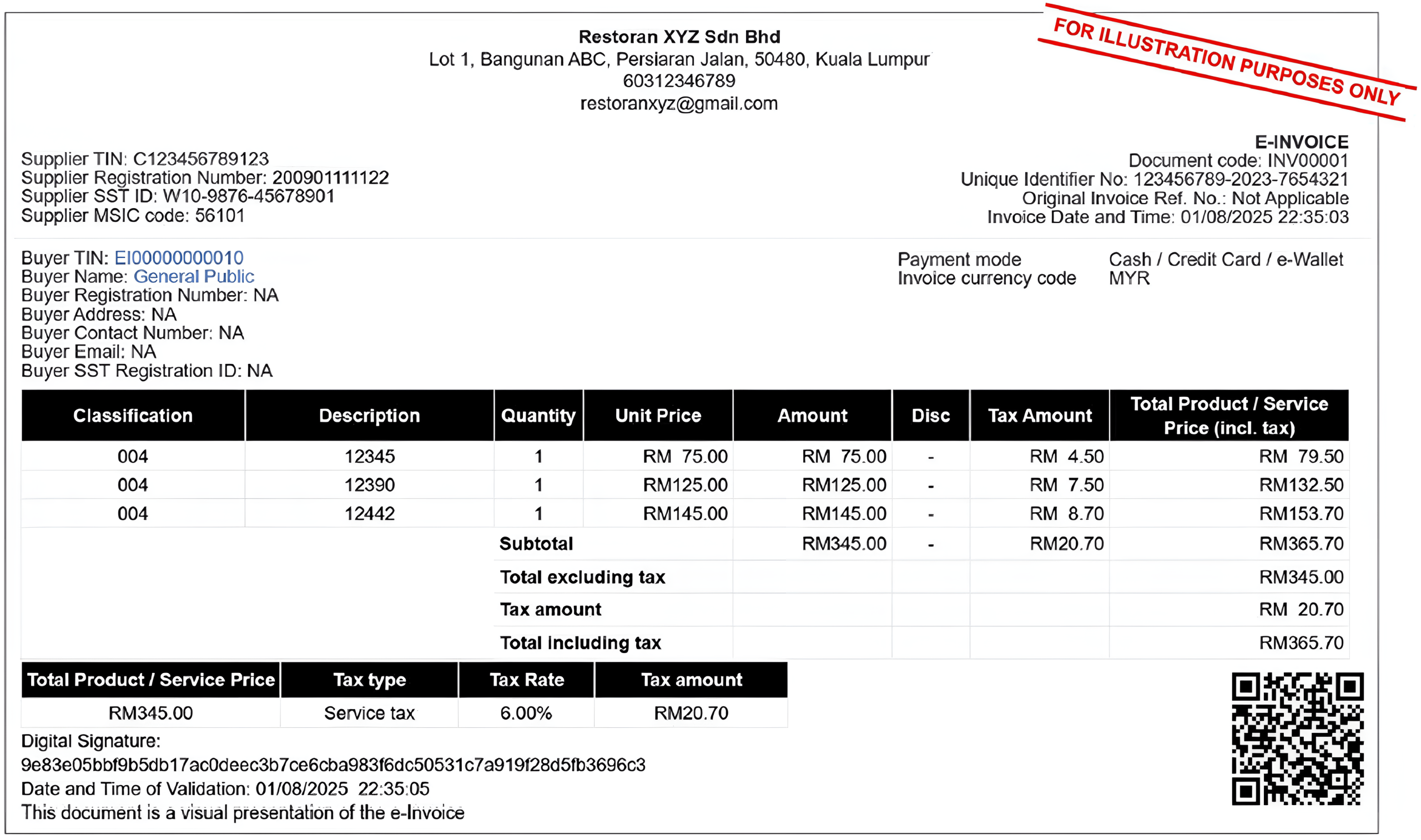
Check available submission statuses and view or print relevant invoice records from the portal.
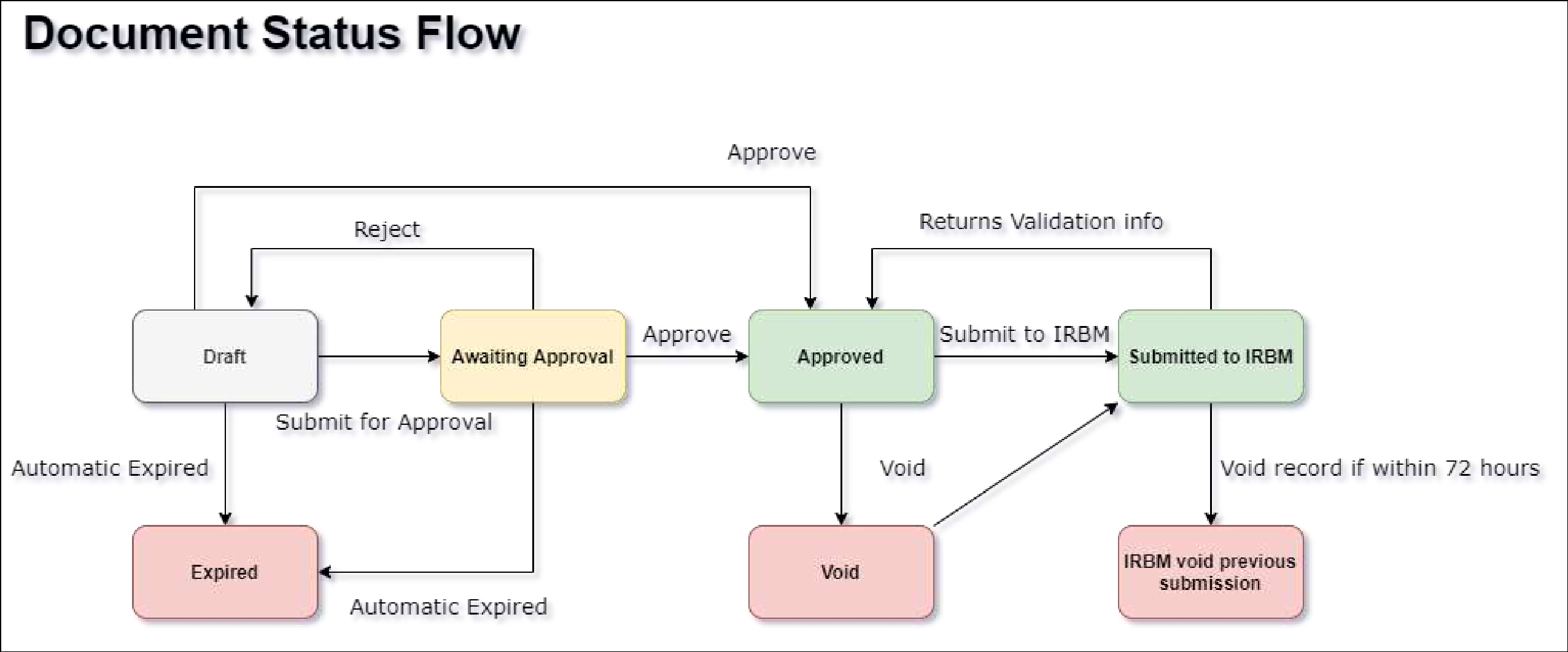
Draft and approval workflow
Review draft documents before approval and submission, subject to version and configured rights.
Self-billed e-Invoices
Manage applicable self-billed transactions, including documented workflows involving purchase invoices or payment vouchers.
Consolidated and individual requests
Support relevant transaction requests and consolidated processing while checking current LHDN eligibility rules.
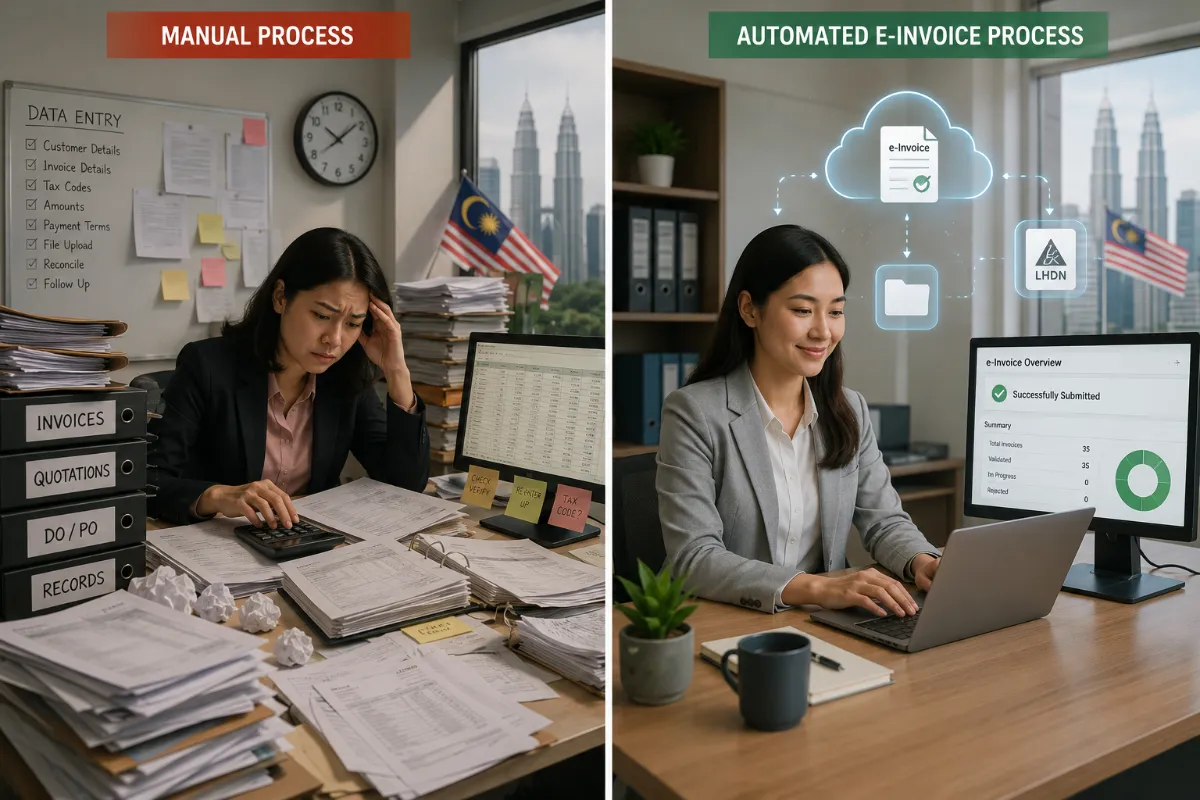
From manual checking to a structured e-Invoice process
Before: Repeatedly checking customer records and re-entering details can slow down invoice preparation.
With an organised workflow: Teams can collect buyer information, validate required fields and review submission outcomes in one planned process.
Review the actual submission rules for your business type and implementation status before proceeding.
See the AutoCount E-Invoicing Portal
These are genuine interface screenshots retained from the existing article. Open them to inspect the details; screen layout may differ by software version.
Four practical steps to prepare your e-Invoices

Confirm buyer information
Check the necessary customer identifiers, registration details and tax information.
Prepare the document
Select the relevant transaction type and verify the details before submission.
Track the outcome
Monitor queue and validation status through the relevant portal workflow.
Keep records aligned
Match validated e-Invoices with accounting and supporting transaction records.
Common questions about AutoCount e-Invoicing
What is AutoCount AIP?
AIP refers to the AutoCount E-Invoicing Portal, used to help manage buyer information and relevant e-Invoice workflows.
Can I check the status of a submitted e-Invoice?
The original product article describes submission-status checking through AIP. Actual available actions depend on the system version and document status.
Does AutoCount support self-billed e-Invoice workflows?
The original article documents self-billed invoice functions, including workflows involving purchase documents. Applicable transactions must follow LHDN’s rules.
Does AutoCount automatically guarantee e-Invoice compliance?
No software guarantees compliance by itself. Businesses remain responsible for accurate data, correct transaction classification and timely submission.
Plan your e-Invoice workflow with clearer controls
Explore AutoCount Accounting or read our Malaysia e-Invoice implementation overview to understand the broader setup and requirements.
Explore AutoCount AccountingBefore implementation
Check which rules apply, prepare customer records, confirm the supported software version and test relevant document workflows.