Skip to content
2. Setup & Login
PRODUCTS
Overview
• AutoCount Overview
• Why AutoCount
• Compare AutoCount Product
Core Product
• AutoCount Accounting
• AutoCount POS Retail
• AutoCount POS F&B
Cloud Solutions
• AutoCount Cloud Accounting
• AutoCount Cloud Payroll
• AutoCount OneSales
• PalmPos
Modules & Plugins
• AutoCount Module
• AutoCount Plugins
• AutoCount E-Commerce
• AutoCount CRM
• AutoCount API
• AutoCount AI Agent
MOBILE APPS
TD Mobile
• Stock
• Salesman App
• Pick & Pack App
• Stock Take App
• Receiving & Issuing App
EasySales
• Salesperson App
• VanSales App
• Customer Self Order App
• Pick & Pack App
• Merchandising App
• Delivery App
TD B2B Ordering System
• B2B Ordering Overview
• Portal & Dashboard
• Mobile Ordering
• WhatsApp AI Ordering
SERVICES
Core Services
• AutoCount Software Implementation
• AutoCount E – Invoice Setup
• Data Migration
• AutoCount Support & Maintenance
Customization Services
• AutoCount Customization
• AutoCount Plugin Development
• Custom Report Design
• Workflow Automation
• API Integration
• Industry – Specific AutoCount
INDUSTRIES
Trading, Wholesale & Distribution
• Wholesale Business
• Supplier Business
• Import & Export Business
• Hardware Supplier
• Spare Parts Supplier
• FMCG Distributor
• Building Material Supplier
• Electrical & Electronics Supplier
• Food Supplier / Frozen Food Supplier
• Packaging Supplier
Retail & POS
• Mini Market / Grocery Store
• Hardware Shop
• Pharmacy
• Mobile Phone & Computer Shop
• Beauty Product Retail
• Furniture Retail
• Fashion Boutique
• Electrical Retail
• Bookstore / Stationery Shop
• Chain Store / Multi-Outlet Retail
• Optical Shop
Food & Beverage
• Café / Restaurant
• Bakery / Cake Shop
• Beverage / Bubble Tea Shop
• Catering Business
• Frozen Food / Ready Food Retail
• F&B Chain / Multi-Outlet Business
Manufacturing & Production
• Food Manufacturing
• Plastic Manufacturing
• Metal Fabrication
• Timber / Wood Industry
• Packaging Manufacturing
• Cosmetic Manufacturing
• Chemical Manufacturing
• Furniture Manufacturing
• Textile / Garment Manufacturing
• Electrical / Electronics Assembly
• Printing Industry
Services, Maintenance & Project-Based
• Contractor
• Renovation Company
• Engineering Service Company
• IT Service Company
• Maintenance Company
• Aircond Service Company
• Cleaning Service Company
• Security Service Company
• Pest Control Service
• CCTV / Alarm Service Company
• Accounting Firm
• Travel Agency
Special Industry Solutions
• Workshop / Automotive Service
• Photocopier Machine Rental & Service
• Rental Business
• Vegetable & Fruit Wholesaler
• Livestock / Cattle Trading
• Aluminium Frame / Glass Industry
• Goldsmith / Jewellery Business
• Water Dispenser Rental & Service
• FFB / Palm Oil Collection
• Property Developer
• Scrap Metal / Recycling Business
TRAINING & EVENTS
AutoCount Courses
• AutoCount Training Courses
• AutoCount E-Invoice Training
• Basic Accounting Courses
• Basic Payroll Courses
• HRD Corp Claimable Training
Other Training
• E-Invoice Workshop
Events
• Training Calendar
RESOURCES
About SL Software
• Company Profile
Learning Support
• Knowledge Base
• Free E-Invoice Guide Notes
• AutoCount E-Invoice Tutorial
• AutoCount Plugin Download
Business Opportunities
• Become a Dealer
Careers
• Internship Opportunities
• Permanent Jobs
Customer Stories
• Customer Stories
X
Contact Us
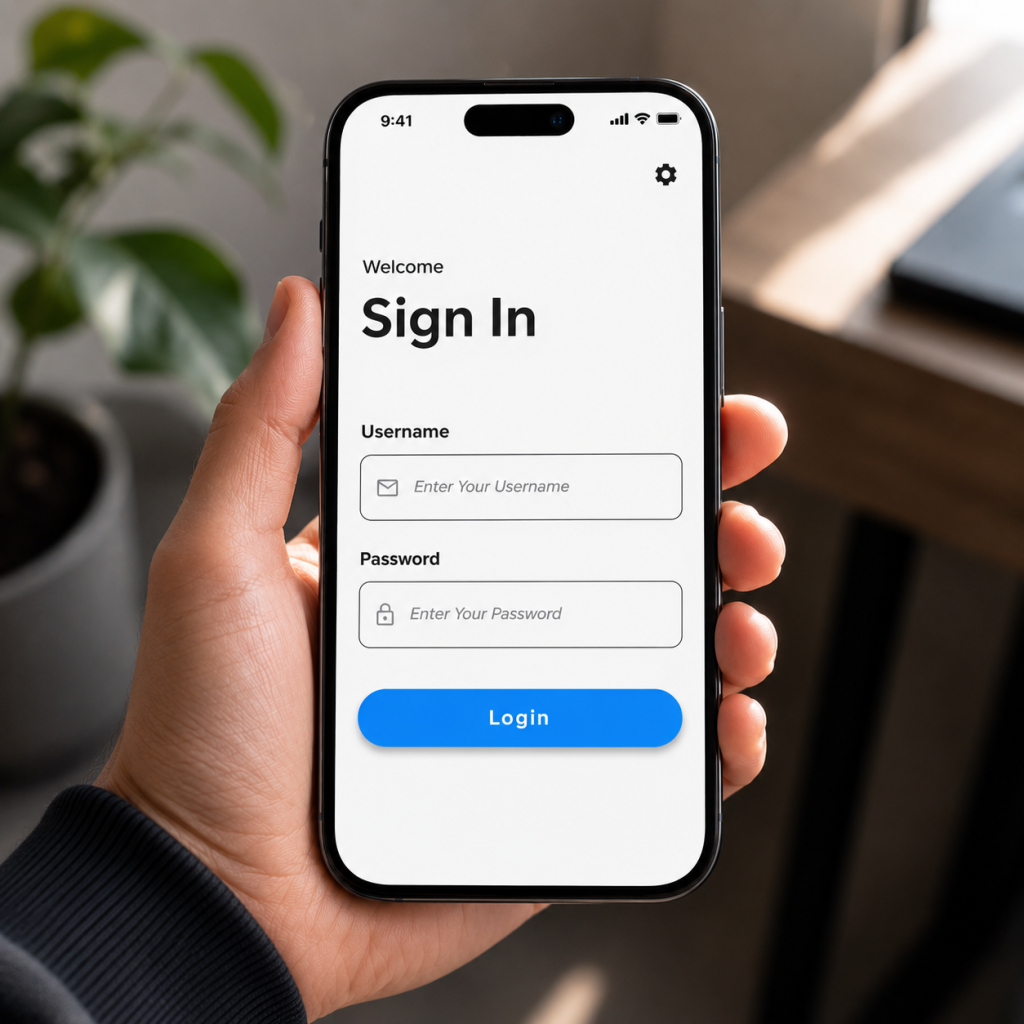
Setup & Login
Before you can use the app, you must configure the communication path to your server.
Connection Configuration Steps
Open Settings:
Click the
“Settings”
gear icon on the main Login screen
Service URL:
Enter the exact IP address and Port of your AutoCount Plugin service
Database Name:
Enter the exact name of your AutoCount Database (case-sensitive in some setups).
Apply:
Click
Save & Test Connection
.
×
Table of Contents
Table of Contents