AI-Powered POS Systems in Malaysia: What’s Actually New in 2026 (And What’s Just Marketing)
Looking for an AI POS system Malaysia businesses can rely on? Learn which AI capabilities matter for Malaysian retail and F&B businesses in 2026 and which features may be more marketing than innovation.
Introduction
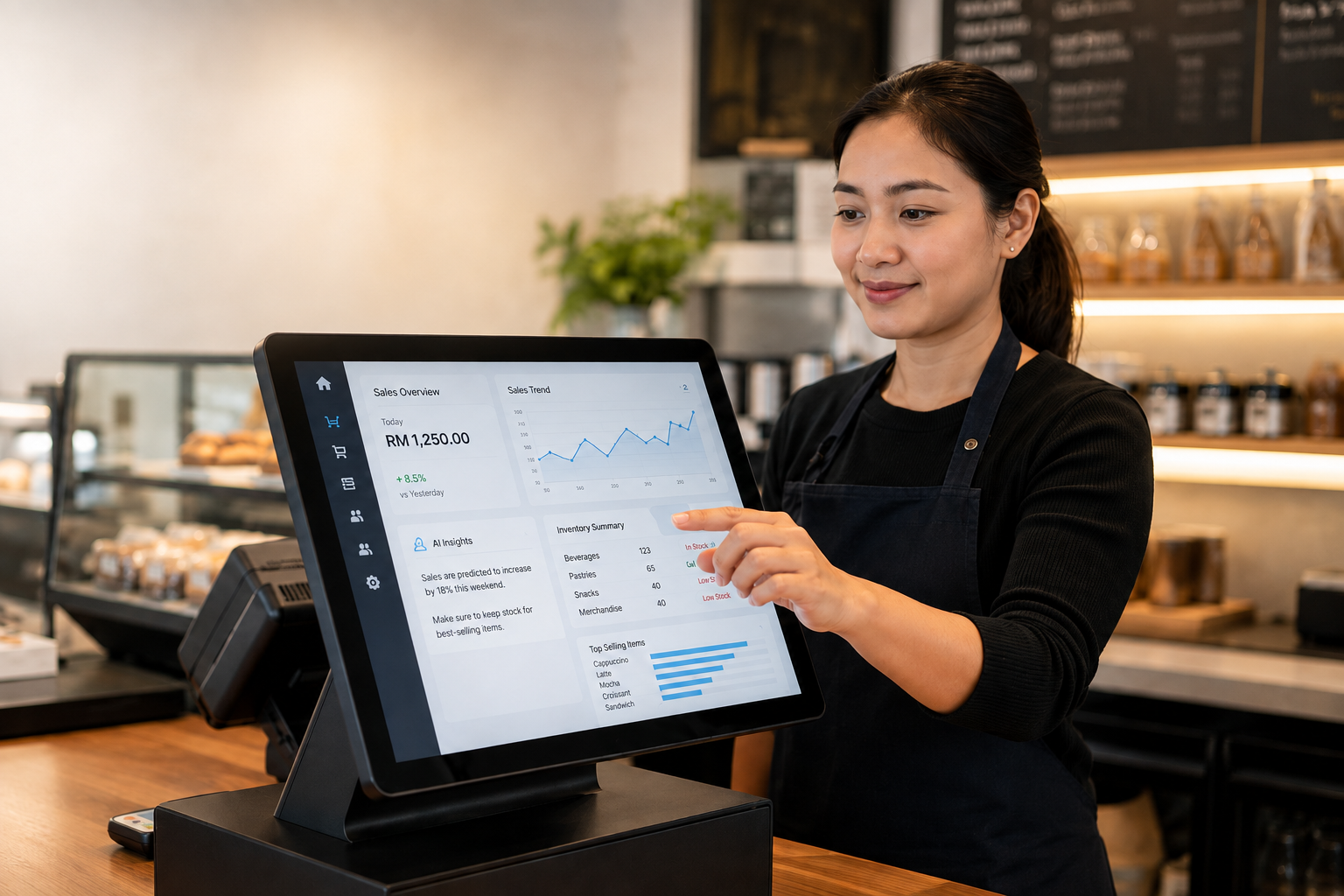
Walk into almost any conversation about point-of-sale systems in Malaysia today and the phrase “AI-powered” is likely to appear quickly.
Some of these capabilities genuinely improve how businesses manage transactions, documents, stock and data. Others are familiar software features that have simply been given a new AI label.
For a business owner choosing a POS system in 2026, the important question is therefore not:
“Does this POS system have AI?”
A better question is:
“What does the AI actually do differently, and will that difference improve my daily operations?”
This guide looks at AI capabilities that can provide practical business value, features that may be more marketing than innovation, and the questions you should ask before choosing an AI POS system in Malaysia.
What Genuine AI Capability Look Like in a Modern POS System
A small number of AI-driven features have moved beyond novelty and can now provide practical operational value.
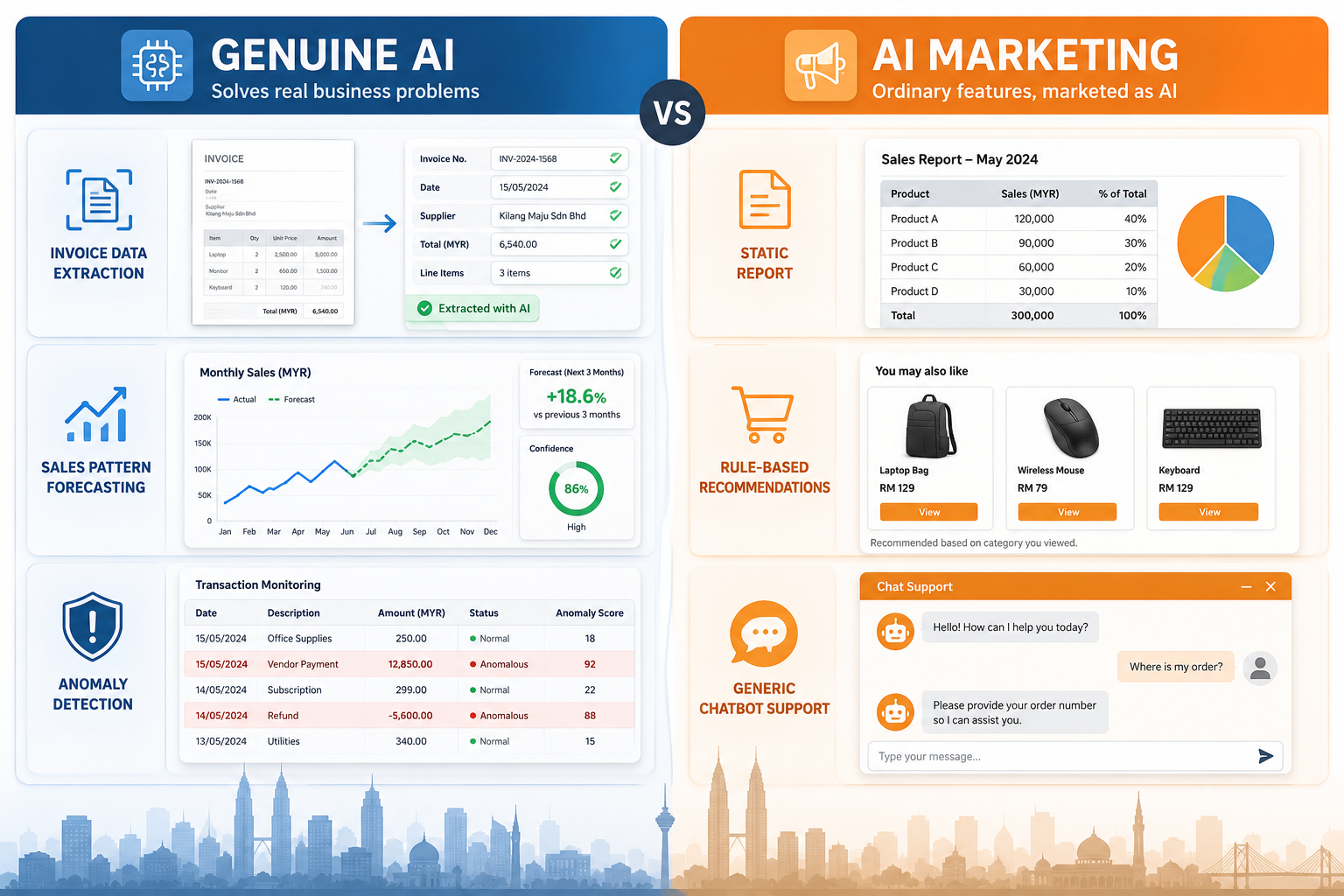
For retail and F&B businesses, three areas are particularly useful for understanding where AI may make a meaningful difference.
AI Document Scanning for Invoices and Receipts
Rather than manually keying in supplier invoices or expense receipts, AI-assisted document scanning can read information from uploaded or photographed documents and bring relevant transaction data into the accounting system.
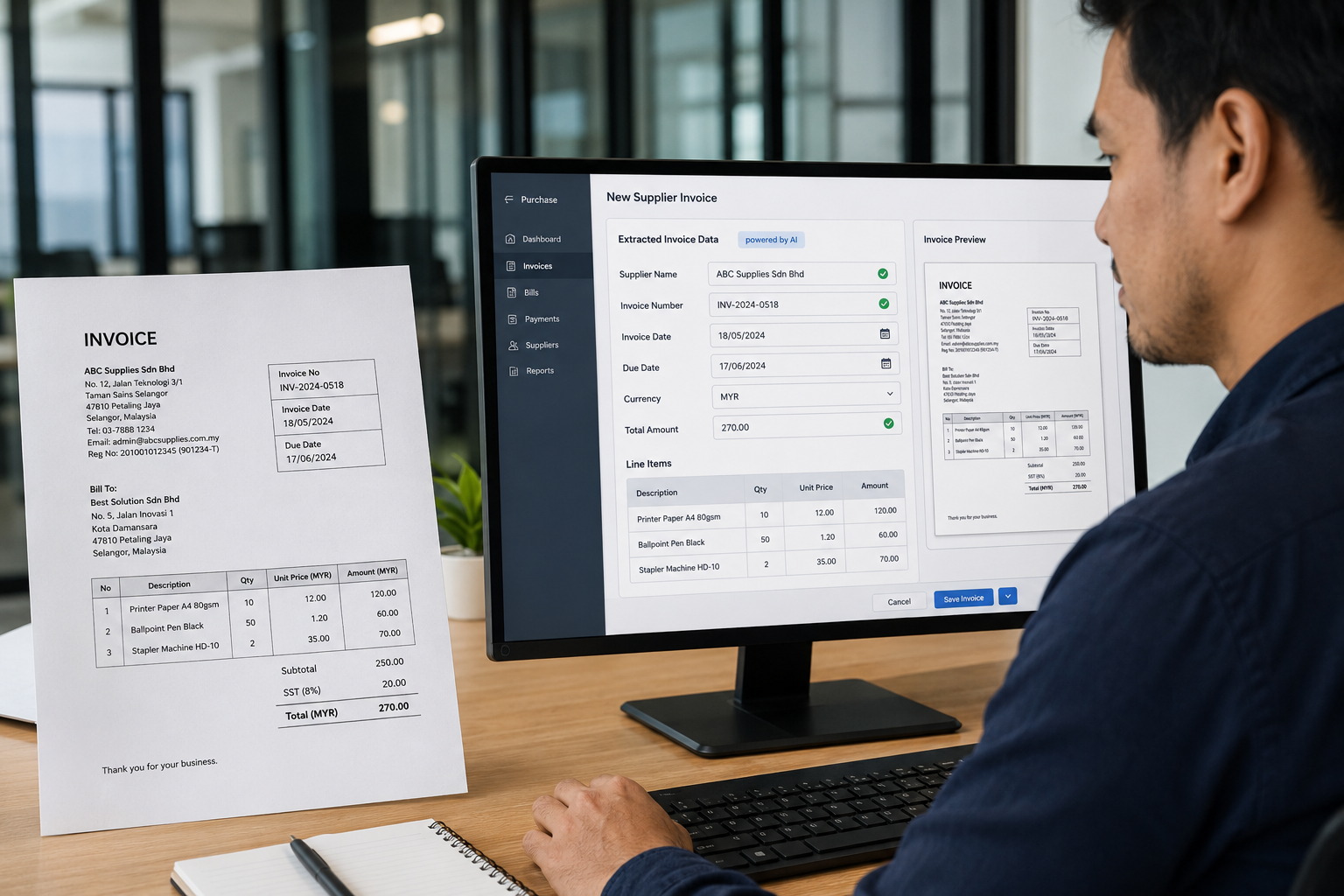
Depending on the system, this may include details such as:
- Supplier Name
- Invoice Date
- Amount
- Line Items
- Other Transaction Information
For a retail or F&B business processing many supplier documents each week, this can reduce repetitive data entry and the mistakes that come with it.
AutoCount Cloud, for example, provides Intelligent OCR Scanning / AI SmartScan for capturing information from invoices and receipts automatically.
- Important
AutoCount AI SmartScan / Intelligent OCR Scanning belongs to AutoCount Cloud Accounting’s document-processing workflow rather than being presented as an AI scanning function inside AutoCount POS.
Predictive Inventory Based on Sales Patterns
Basic reorder alerts normally work with a fixed rule:
“Alert me when stock falls below this quantity.”
That is useful automation, but it is not necessarily AI.
A more advanced predictive inventory system may analyse historical demand to estimate when an item could run out or when purchasing requirements may change.
Depending on the system, useful information may include:
- Historical Sales Velocity
- Seasonal Demand
- Day-of-Week Differences
- Promotional Periods
- Changes in Product Demand
- Previous Stock Movement
The distinction is important.
A fixed reorder rule responds to a threshold you have already defined. A predictive system attempts to use changing data to estimate what may happen next.
This type of functionality can become more valuable when a business manages many SKUs, frequent transactions or significant seasonal demand.
Anomaly Detection in Transaction Data
Another potentially useful AI application is identifying transaction behaviour that differs significantly from normal patterns.
A system designed for anomaly detection might flag situations such as:
- An Unusually High Void Rate
- A Sudden Increase In Discounts
- Unexpected Refund Activity
- Transactions Occuring At Unusual Times
- Activity That Differs From Normal Cashier Behaviour
The benefit is not that the system automatically decides fraud has occurred.
Instead, management can be directed towards transactions worth reviewing rather than manually checking every transaction.
- Disclaimer
An anomaly is a reason to investigate — not proof of fraud, misconduct or an accounting error.
What's Labelled "AI" But May Not Be Anything New
To make a more informed buying decision, it helps to recognise features that may have been relabelled rather than meaningfully upgraded.
Examples to examine carefully include:
- “AI-powered reporting” that produces the same fixed-format sales reports without adding prediction, interpretation or meaningful new analysis.
- “Smart recommendations” that simply follow fixed rules such as showing products commonly purchased together.
- AI chatbot support bundled with a POS package even though the chatbot operates separately from the actual sales, inventory and accounting functions of the POS.
None of these features are automatically worthless.
A rule-based system can still be extremely useful.
The issue only arises when the AI label makes an ordinary software function appear substantially more advanced than it really is.
Genuine AI vs Marketing AI: What Should You Check?
| AI Claim | What to Ask | A More Meaningful Sign |
|---|---|---|
| AI document scanning | Does it actually extract information from documents? | Reduces manual invoice or receipt entry |
| AI inventory forecasting | Does it analyse changing historical demand? | Forecast changes as sales patterns change |
| AI reporting | What does it do beyond a normal report? | Provides interpretation, prediction or pattern detection |
| Smart recommendation | Does the recommendation change as behaviour changes? | Suggestions respond dynamically to data |
| AI fraud or anomaly detection | What unusual behaviour can it identify automatically? | Flags exceptions for management review |
| AI chatbot | Is it connected to actual business data and workflows? | Provides useful operational assistance rather than generic support answers |
The Real 2026 Story: e-Invoice Compliance Meets AI Automation
For Malaysian businesses, one of the more important developments is not AI operating as a standalone trend.
It is the combination of POS, accounting, automation and Malaysia’s e-Invoice requirements.
As transaction volume grows, manually checking buyer details, preparing submissions and managing e-Invoice information can become increasingly time-consuming.
Automation can reduce this workload by connecting transaction data more directly with accounting and e-Invoice processes.
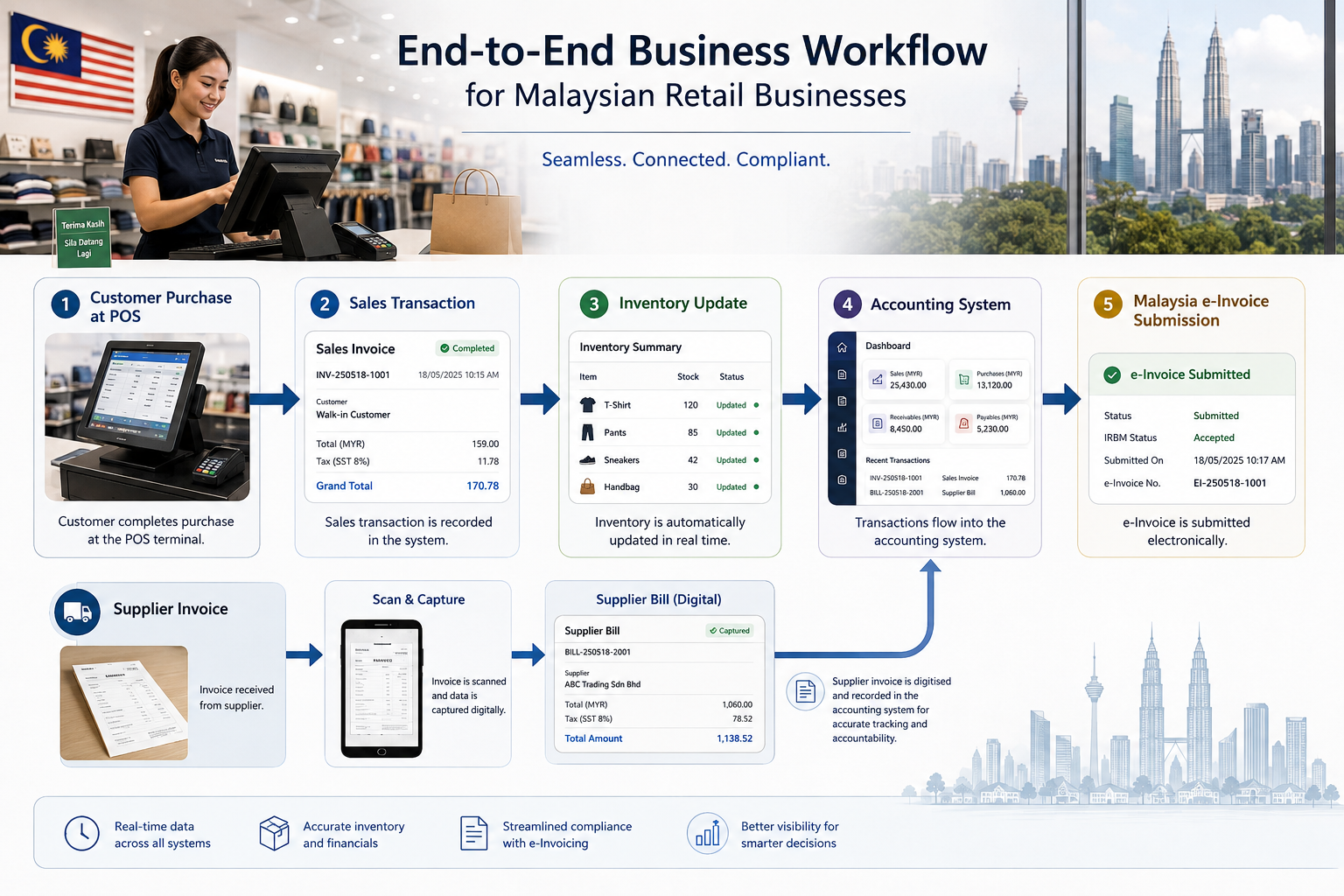
This is where AI-assisted document capture can be useful.
Instead of treating document entry and e-Invoice processing as separate administrative tasks, businesses can reduce repeated data entry and keep more of the workflow connected.
AutoCount POS Retail supports POS and e-Invoice processing, while AutoCount Cloud’s AI SmartScan supports invoice and receipt document capture on the accounting side.
The real value therefore comes from how these tools work together rather than from the AI label alone.
- Reminder
Malaysia’s e-Invoice requirements depend on turnover/revenue and other exemption conditions. Always confirm your own position using current LHDN/HASiL guidance.
How To Evaluate AI Claims When Choosing a POS System
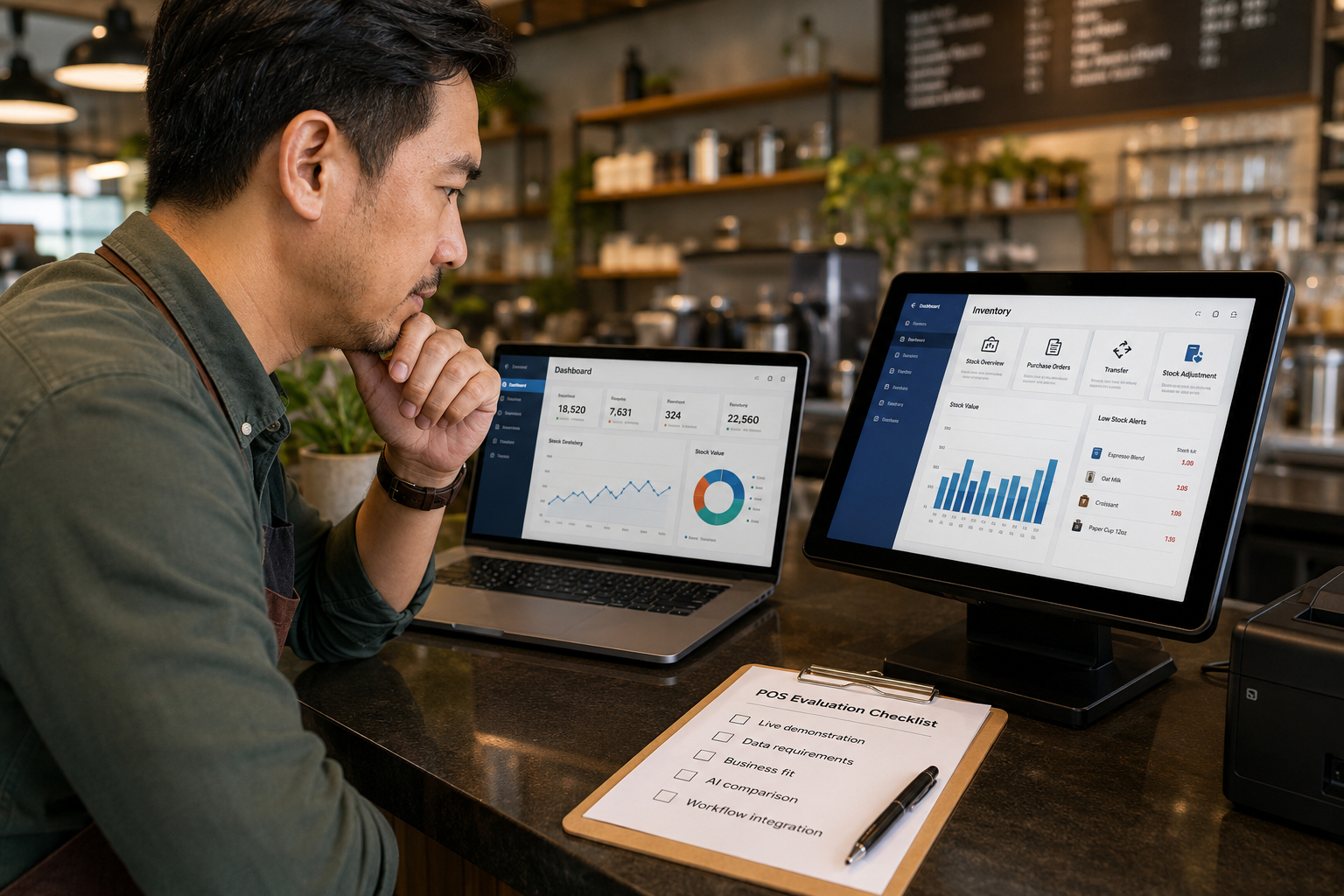
When a POS vendor presents AI capability as part of their pitch, focus on what the feature actually does rather than how it is described.
1. Ask For A Live Demonstration
Request a live demonstration of the specific AI feature instead of relying only on a description.
Watching document scanning extract data from a real invoice, or seeing an inventory forecast respond to changing sales patterns, tells you far more than a feature description on a brochure.
2. Ask What Data The Feature Uses
Next, find out what data the AI feature actually works with.
Predictive inventory tools need sufficient historical sales data to produce useful forecasts. Without enough usable history, even an advanced system may provide limited insight.
Useful questions include:
- What Information Does The Feature Analyse?
- How Much Historical Data Does It Need?
- What Happends When Only Limited Data Is Available?
- Does The Output Improve As More Business Data Becomes Available?
3. Ask Whether It Fits Your Business
Consider how the feature would perform for a business of your size and type.
A tool designed for a high-volume retail chain may provide very different value to a single-outlet café.
- Transaction Volume
- Number of SKUs
- Number of Outlets
- Business Type
- Seasonal Variation
- Existing Accounting Workflow
4. Compare It With The Standard Feature
Finally, compare the AI-enhanced feature with the standard version.
If the “smart” function is only a more polished version of an existing rule, understanding the difference will help you decide whether any additional cost is justified.
If the feature makes a measurable difference to your workflow, then it may provide real business value.
A Practical AI POS System Checklist for Malaysian Businesses
Before choosing an AI POS system in Malaysia, work through these five checks.
-
Check the core POS first.
Make sure sales, payments, inventory, reporting and user controls work properly before evaluating advanced AI features.
-
Identify the manual task you want to remove.
Do you need faster document processing, better inventory planning, fraud monitoring or easier reporting? Start with the business problem.
-
Ask for evidence through a live demo.
Test the AI feature using realistic data or documents rather than relying only on promotional material.
-
Check integration and compliance.
Review whether POS, inventory, accounting and applicable e-Invoice processes work together without unnecessary duplicate entry.
-
Measure the business outcome.
Ask whether the feature saves time, reduces repeated work, improves visibility or helps management make a better decision.
Should You Choose A POS System Because It Has AI?
No — not because of AI alone.
A POS system still needs to perform the fundamentals well.
It should process sales reliably, manage the information your business needs, provide useful reporting, support your inventory workflow and connect properly with the other systems your business depends on.
AI becomes valuable when it improves one of those processes.
The best AI feature is usually not the one that sounds the most impressive.
It is the one that:
- Removes Repetitive Work
- Identifies Something Your Team Might Otherwise Miss
- Helps Predict A Meaningful Business Outcome
- Improves A Decision Using Your Existing Data
- Makes An Existing Workflow Substantially Easier
Do not buy AI for the label. Buy a better business outcome.
Frequently Asked Questions
Is AI in a POS system actually necessary for a small business in Malaysia?
Not every AI feature is necessary for every business.
A small business should first make sure its POS handles essential functions such as sales, payments, inventory, reporting and required integrations properly.
AI becomes useful when it solves a specific operational problem. For smaller businesses, document capture or easier data processing may provide more immediate value than advanced forecasting because there may not yet be enough transaction history for meaningful prediction.
Does AI document scanning in a POS or accounting system replace the need for a bookkeeper?
No.
AI document scanning mainly reduces the manual data-entry step by extracting information from invoices and receipts.
A bookkeeper or accountant still provides important functions such as reviewing transactions, reconciliation, accounting treatment, financial reporting and professional judgment.
How does AI in a POS system relate to Malaysia’s e-Invoice requirements?
AI itself is not an e-Invoice requirement.
The practical connection is automation.
AI-assisted document capture and connected accounting workflows can reduce repeated administrative work, particularly when businesses handle larger transaction volumes.
The important consideration is whether your POS, accounting and e-Invoice processes work together efficiently.
What should I look for instead of trusting “AI-powered” marketing claims?
Ask for a live demonstration of the specific feature.
Then find out what information it uses, how it performs for a business similar to yours, and what it does differently from the standard version of the same feature.
A vendor should be able to show how the function works in practice rather than relying only on terms such as “smart” or “AI-powered.”
What AI features are most useful for retail and F&B businesses in Malaysia?
The answer depends on the size and complexity of the business.
AI-assisted document capture can help reduce manual invoice and receipt entry, while predictive inventory may become more useful when a business has a larger number of SKUs and sufficient sales history.
Anomaly detection may also help businesses identify unusual transaction patterns for further review.
The most useful AI feature is ultimately the one that solves a real operational problem rather than simply adding another feature to the system.
Need Help Choosing The Right AutoCount POS Solution?
Not sure which POS setup fits your business? Contact SL Software Solutions to review your retail or F&B workflow, inventory needs, e-Invoice requirements, and accounting integration.