AutoCount Advanced Credit Term Management Software | SL Software
AutoCount Accounting Add-On for Customer Credit Terms

AutoCount Advanced Credit Term Management Software – Improve Customer Payment Control

Encourage early settlement, apply agreed late-payment interest and reduce manual credit-term calculations with the AutoCount Advanced Credit Term Plugin.

For Malaysian businesses managing customer credit terms in AutoCount Accounting.
01
Tiered early-payment discounts
02
Configurable late interest
03
Accounting adjustment documents
04
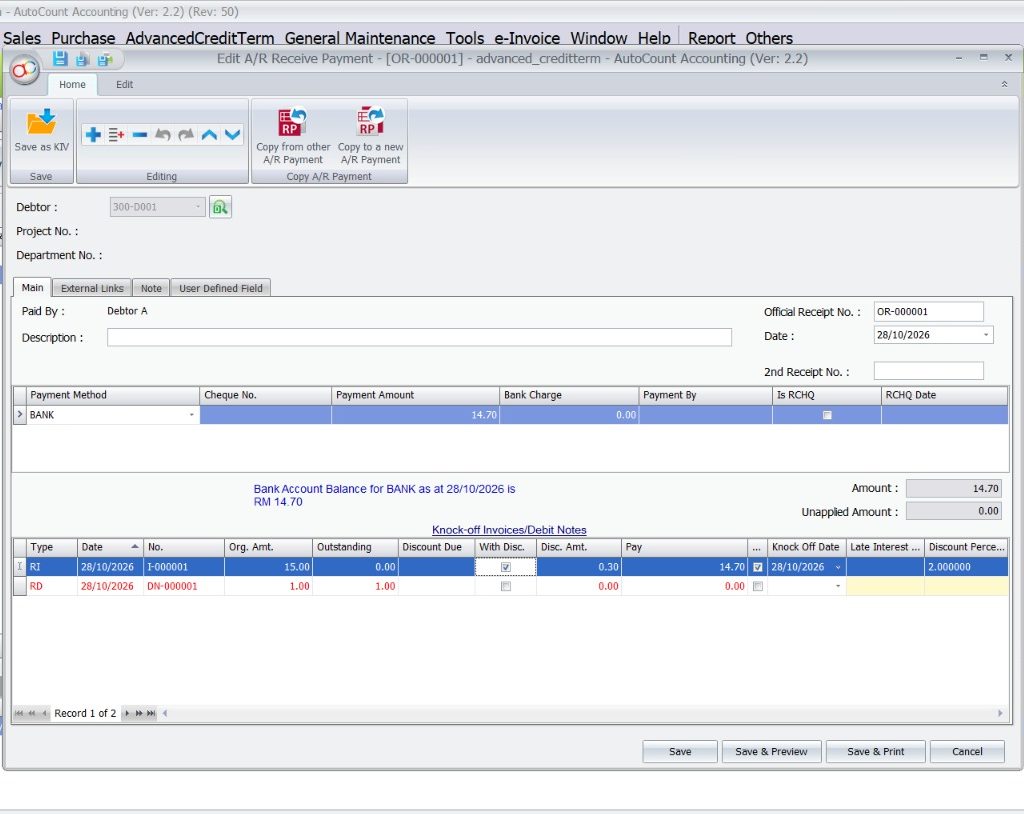
Connected A/R Payment processing
The solution

Customer credit terms need more than a payment due date

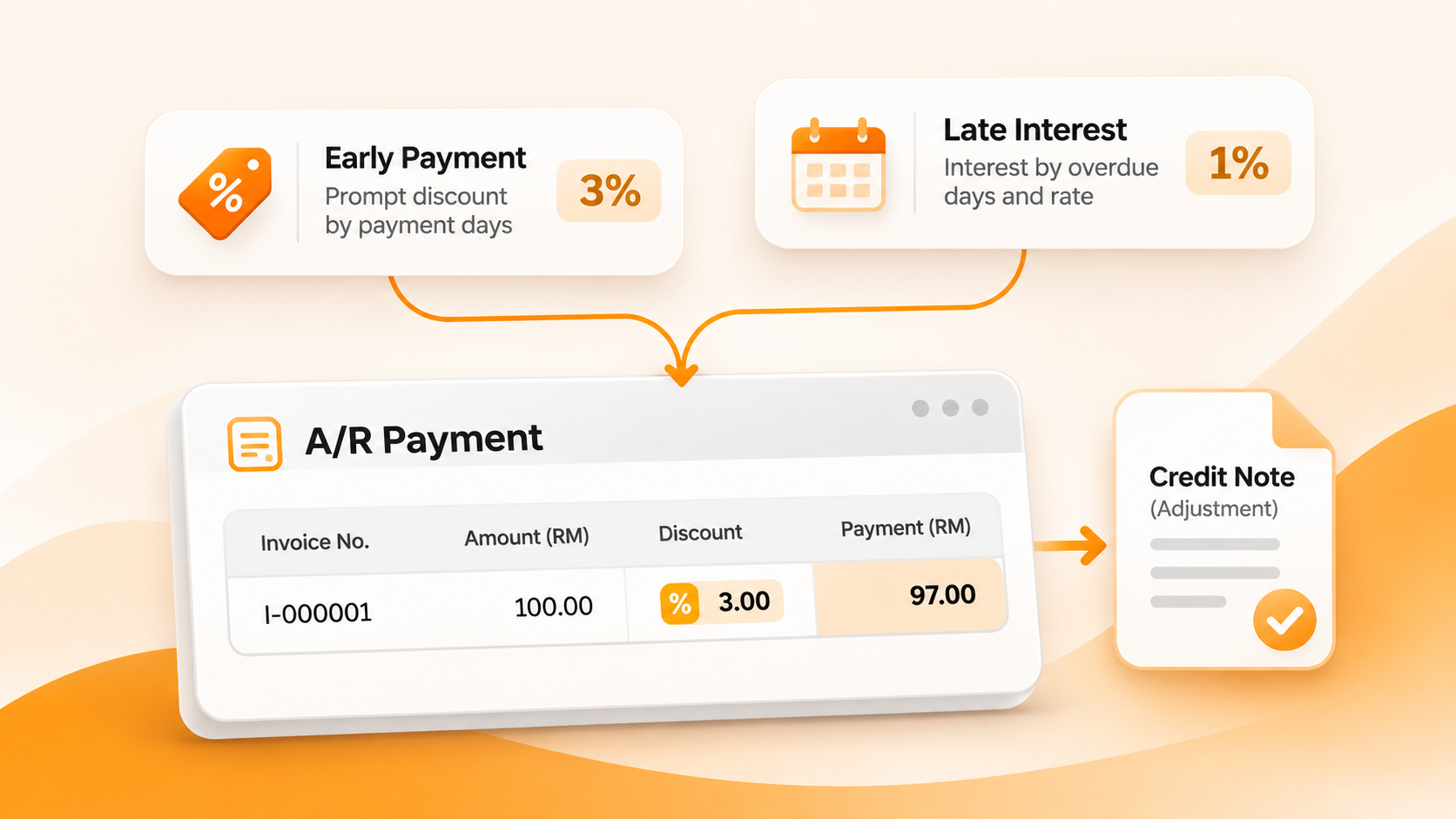
AutoCount Advanced Credit Term Plugin extends existing customer credit terms with discount and interest conditions for eligible customer payments.

Accounts teams can manage qualifying settlement adjustments closer to AutoCount A/R Payments instead of maintaining separate calculations for every case.

Handle credit policies more consistently

-Discount tiers for qualifying early settlements.
-Interest rates with overdue-day thresholds.
-Credit Notes, A/R Debit Notes or Sales Invoices for eligible adjustments.
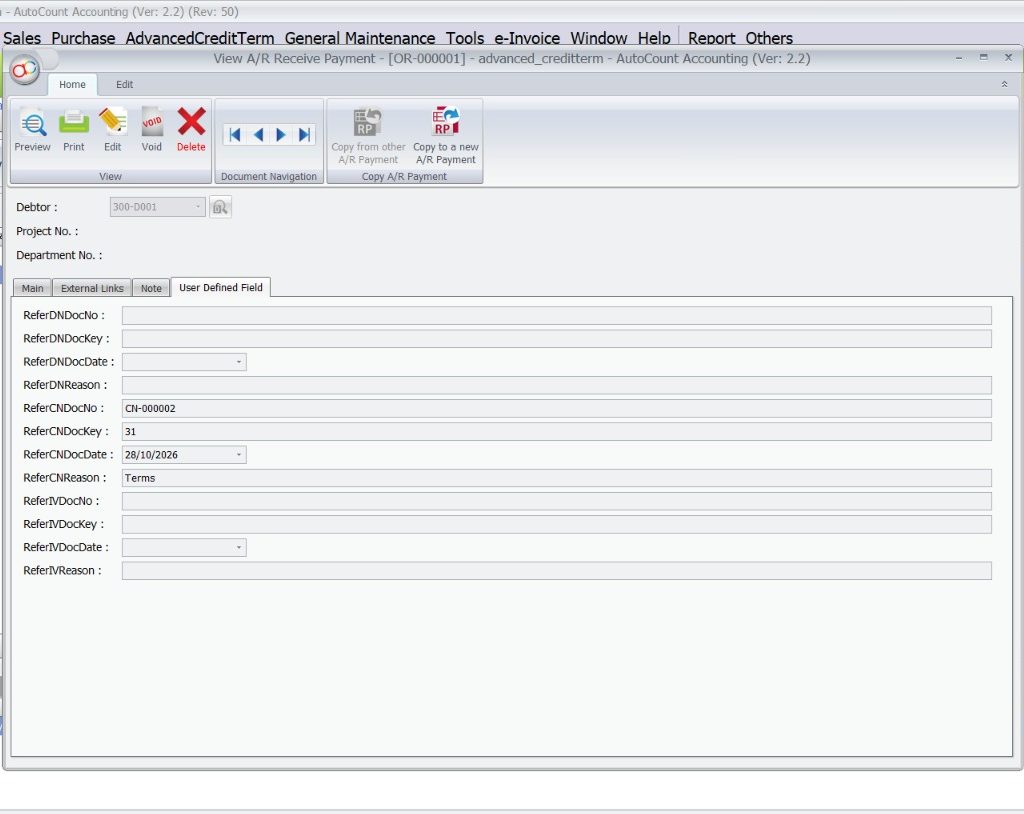
-Related references to customer payments.
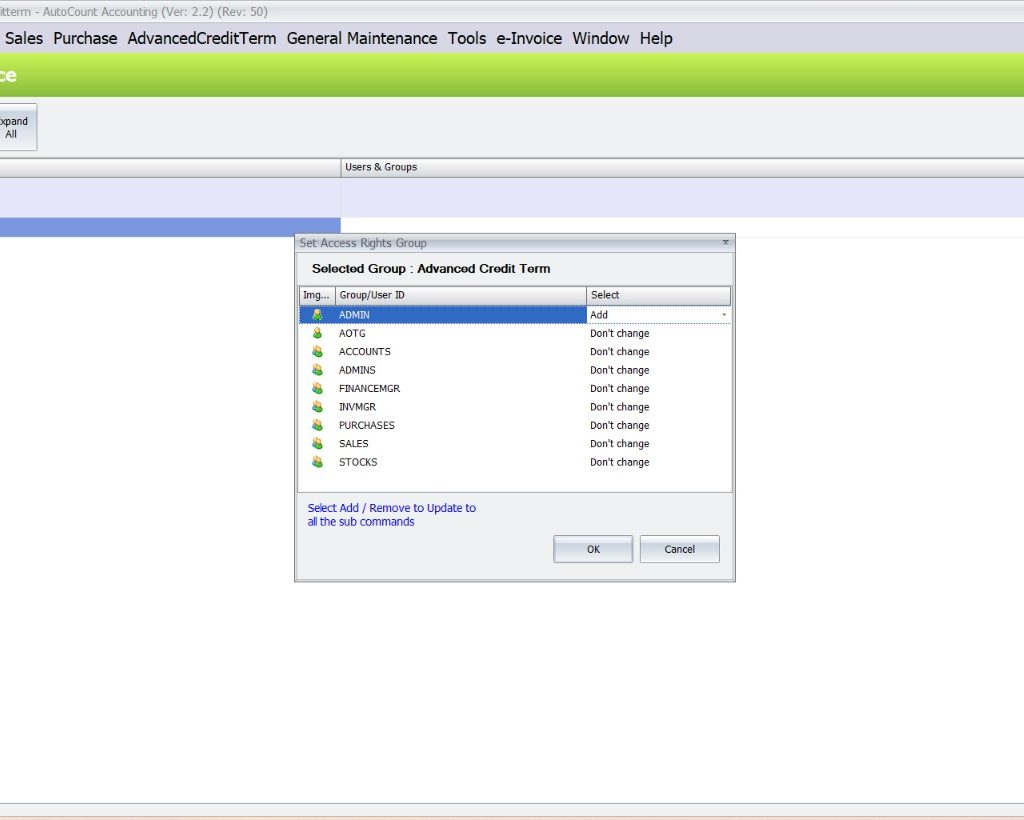
-Maintenance access controlled through relevant permissions.
The everyday challenges

Manual credit-term management can create extra work

Credit policies become harder to administer as customer payment arrangements grow.

01 / LATE SETTLEMENT

Customers pay later than expected

Overdue invoices can make cash-flow planning less predictable.

02 / MANUAL WORK

Repeated payment calculations

Accounts staff compare dates and rates whenever customers settle.

03 / POLICY CONSISTENCY

Different credit arrangements

Separate terms and exceptions can be difficult to apply consistently.

04 / ADJUSTMENT RECORDS

Extra document handling

Payment discounts and interest charges may need related accounting documents.

Core capabilities

Six features for better credit-term management

Apply documented settlement conditions with clearer accounting records.

Feature 01

Tiered early-payment discounts

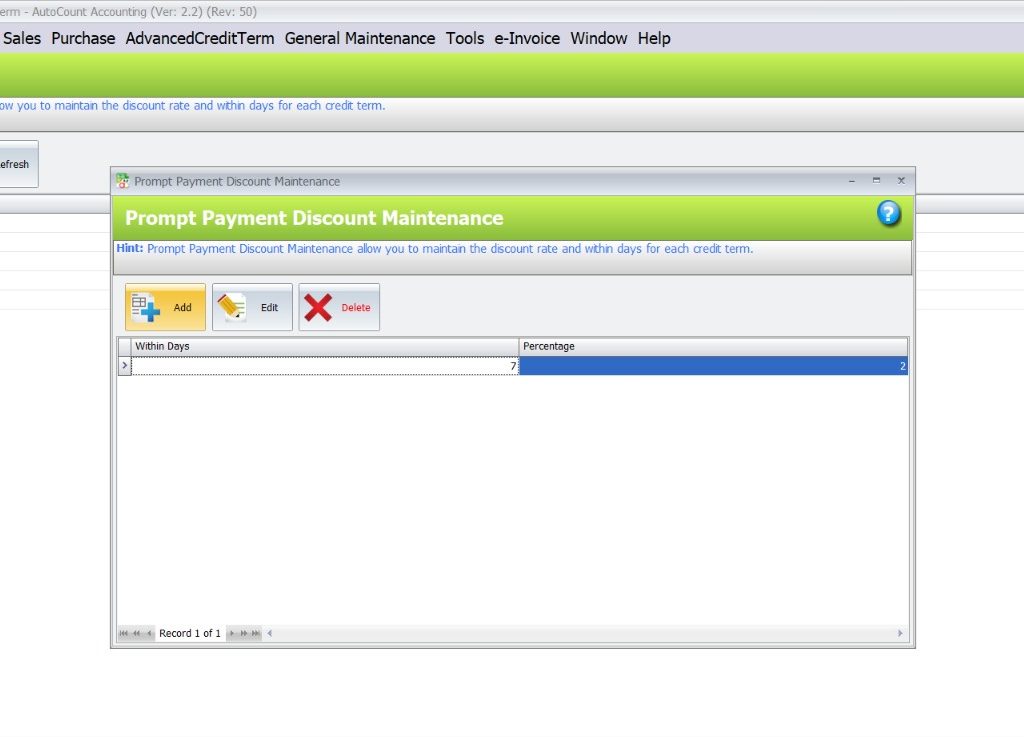
Maintain multiple discount tiers using qualifying payment periods. This can support incentives for eligible customers who settle early.

Business benefit: Encourage earlier payment and reduce separate discount calculations.

Feature 02

Configurable late-payment interest

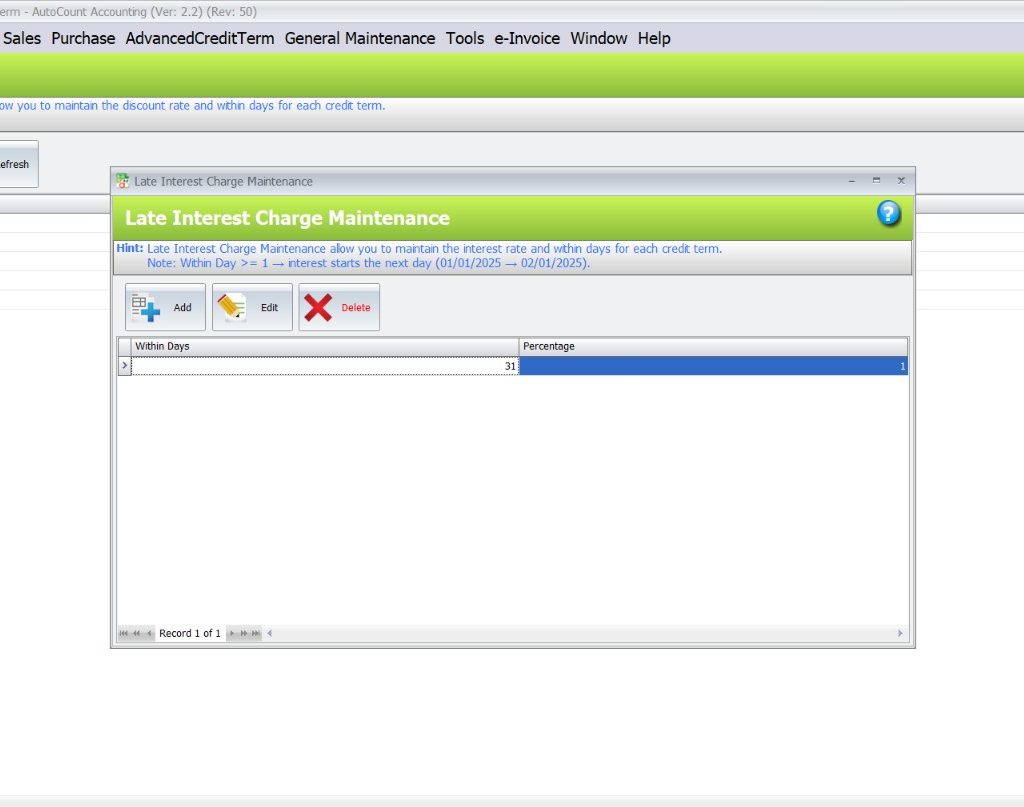
Apply defined overdue-day thresholds and rates against existing credit terms when qualifying payments are processed.

Business benefit: Support consistent application of agreed overdue-interest policies.

Feature 03

Related adjustment documents

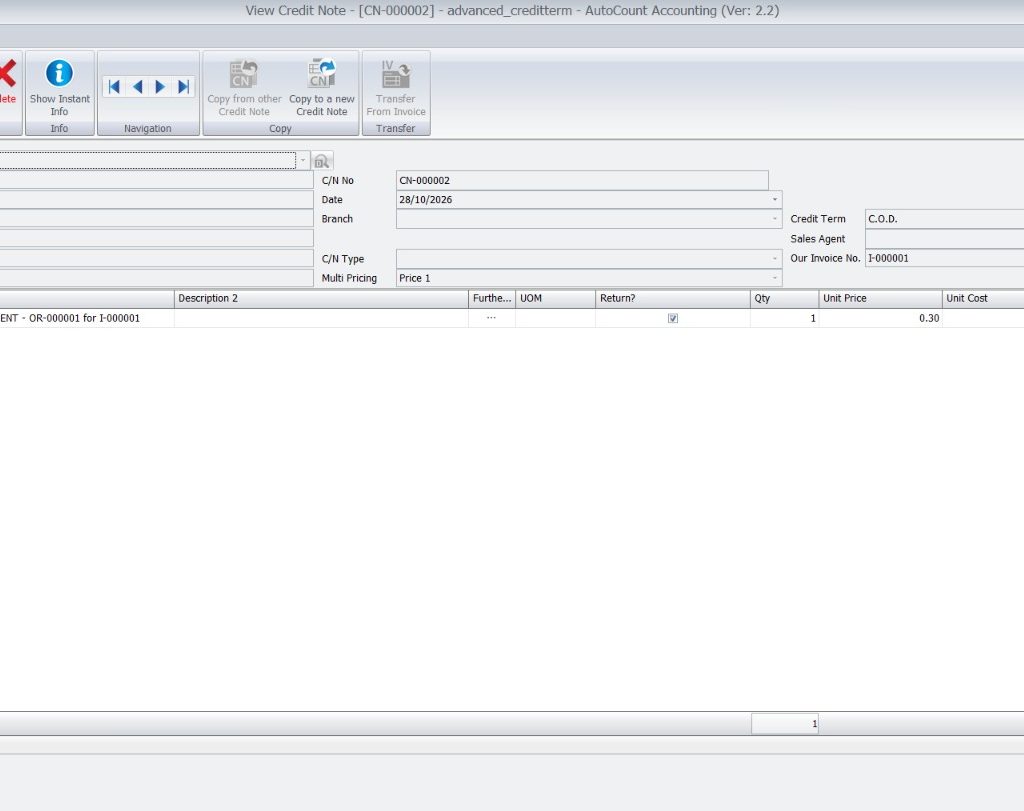
Eligible discounts may use Credit Notes, while interest adjustments can use A/R Debit Notes or Sales Invoices according to the posting method.

Business benefit: Keep discount and interest adjustments documented in accounting workflows.

Feature 04

Connected A/R Payment processing

Evaluate relevant invoice payment information when eligible A/R Payments are saved, subject to the configured settings and eligibility limits.

Business benefit: Reduce repeated checks outside the customer payment workflow.

Feature 05

Linked payment and adjustment references

Associate applicable accounting adjustments with the relevant payment records for easier review.

Business benefit: Make payment-related adjustments simpler for accounts teams to trace.

Feature 06

Controlled credit-term maintenance

Use applicable AutoCount access rights to limit who maintains the relevant credit-term rules.

Business benefit: Support more consistent administration of business credit policies.

Are discounts and interest calculations slowing your finance team?

Discuss your customer payment policies with SL Software Solutions.

Illustrative business scenario

One wholesale customer. Different payment outcomes.

A Malaysian trading company offers an incentive for early settlement and applies agreed interest where eligible payments are overdue.

1

Define settlement policies

Maintain appropriate discount and interest conditions for existing customer credit terms.

2

Receive a customer payment

Process an eligible customer settlement through A/R Payment.

3

Evaluate qualifying conditions

Determine whether a discount or interest adjustment is applicable.

4

Review related adjustment

Keep relevant adjustment documents and payment references connected.

Illustrative scenario, not a software setup guide or a measured customer outcome. Eligibility and posting settings apply.

More consistent processing

From customer credit terms to payment adjustments

Instead of repeatedly calculating every qualifying amount in a spreadsheet, the finance team can work with defined rules and related payment records.

Credit terms → A/R Payment → Adjustment review
Who it is for

Suitable for businesses managing B2B customer credit

Wholesale and distribution

Manage settlement incentives and overdue-interest arrangements for trade customers.

Manufacturing and trading

Apply consistent customer payment conditions across credit sales.

Accounts receivable teams

Handle eligible discounts and interest charges near customer receipt processing.

Finance managers

Maintain agreed payment policies and review accounting adjustments.

Understand the difference

Standard credit terms vs. advanced credit-term management

The plugin complements existing AutoCount Accounting functions rather than replacing the standard credit-term and payment modules.

Capability Standard credit terms With Advanced Credit Term Plugin
Payment due date Defines expected payment period Uses existing customer credit terms
Early-payment incentive May require separate handling Configurable qualifying discount tiers
Overdue interest May require manual calculation Configurable day thresholds and rates
Adjustment documentation Standard document workflows Eligible Credit Note, A/R Debit Note or Sales Invoice adjustments
Payment workflow Normal A/R Payment processing Credit-term evaluation for eligible A/R Payments
Adjustment references Standard document records Related payment and adjustment references
Why SL Software Solutions

Choose payment rules that fit your business

SL Software Solutions Sdn Bhd helps Malaysian businesses review AutoCount software and plugin requirements against their accounting workflows.

Before selecting this add-on, consider your customer credit agreements, partial-payment practices, document treatment and existing AutoCount environment.

What to discuss with our team

-Current credit terms and customer agreements.
-Qualifying early-payment discount periods.
-Applicable overdue-interest conditions.
-Credit Note, A/R Debit Note or Sales Invoice treatment.
-Partial payments, AutoCount version and licensing requirements.
Frequently asked questions

Questions before choosing the Advanced Credit Term Plugin

What is AutoCount Advanced Credit Term Management Software?

It refers to AutoCount Accounting with the Advanced Credit Term Plugin, extending existing credit terms with early-payment discount and late-payment interest rules.

Yes. The plugin supports multiple discount tiers based on qualifying payment days and configured percentages.

It supports overdue-day thresholds and interest rates for qualifying transactions. Charges should reflect agreed customer terms and applicable requirements.

Depending on posting methods and eligibility, adjustments can involve Credit Notes, A/R Debit Notes or Sales Invoices.

Automated reminders are not established as part of this plugin’s documented core functions.

No. Documented eligibility includes restrictions where an invoice already has another payment; verify your business scenario before purchase.

Version, licensing and module requirements should be confirmed against your environment.

Make customer credit policies easier to manage

Improve control over qualifying customer payments

Explore how tiered early-payment discounts, overdue-interest rules and linked accounting adjustments could fit your business.

SL Software Solutions Sdn Bhd · autocountsystem.com