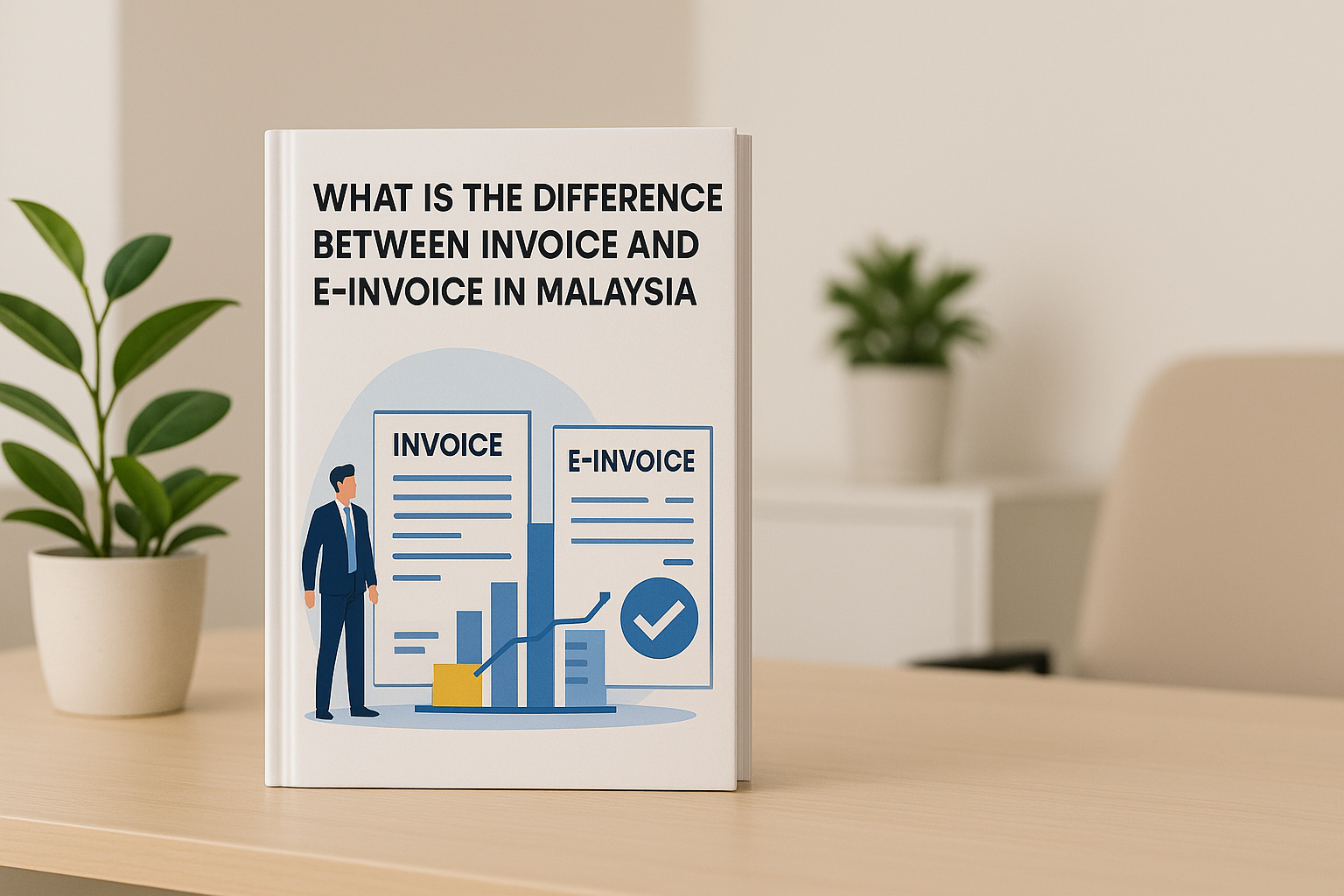
Cloud Accounting and e-Invoice in Malaysia: What SMEs Need to Know in 2026
Malaysia’s e-Invoice rollout is already affecting SMEs. This guide explains the current 2026 LHDN position, where manual processing becomes difficult, what to look for in cloud accounting software, and how businesses can prepare properly.

Where the e-Invoice Mandate Stands in 2026
For several years, many Malaysian SMEs treated e-Invoice as something they could prepare for later. In 2026, that approach needs to be reconsidered.
The question is no longer simply whether your business understands e-Invoice. For businesses already within the implementation scope, the bigger question is whether your accounting and invoicing workflow can handle it consistently without creating unnecessary administrative work.
For SME owners and finance teams reviewing e-Invoice software in Malaysia, this guide focuses on the practical side: what the current LHDN position means, why manual processing becomes difficult as transaction volume grows, and what to look for when choosing a cloud accounting system.
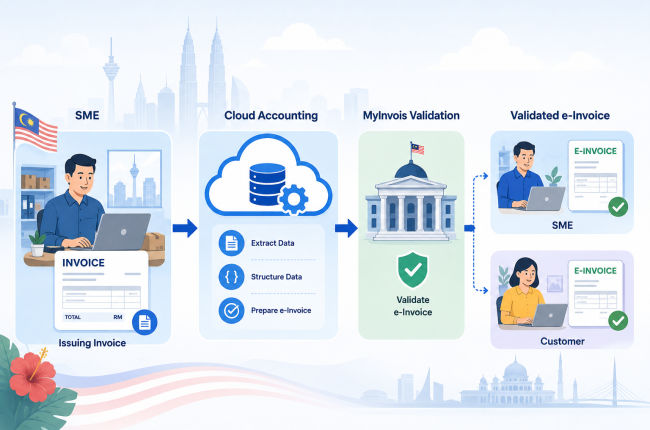
Malaysia’s e-Invoice system requires applicable taxpayers to issue transaction data in a structured electronic format for validation through LHDN’s MyInvois system.
Implementation has been introduced progressively according to annual turnover or revenue.
| Annual Turnover / Revenue | Implementation Date |
|---|---|
| More than RM100 million | 1 August 2024 |
| More than RM25 million up to RM100 million | 1 January 2025 |
| More than RM5 million up to RM25 million | 1 July 2025 |
| Up to RM5 million | 1 January 2026 |
| Less than RM1 million | Currently exempt |
- Important
Businesses below RM1 million annual turnover or revenue are currently exempt from e-Invoice implementation under LHDN’s published timeline. Businesses should still confirm their individual circumstances and refer to the latest LHDN guidance, particularly when revenue changes or business circumstances are unusual.
For SMEs already within the mandatory scope, e-Invoice should now be treated as part of the normal accounting workflow rather than a separate future compliance project.
Why Manual e-Invoice Compliance Breaks Down at Scale
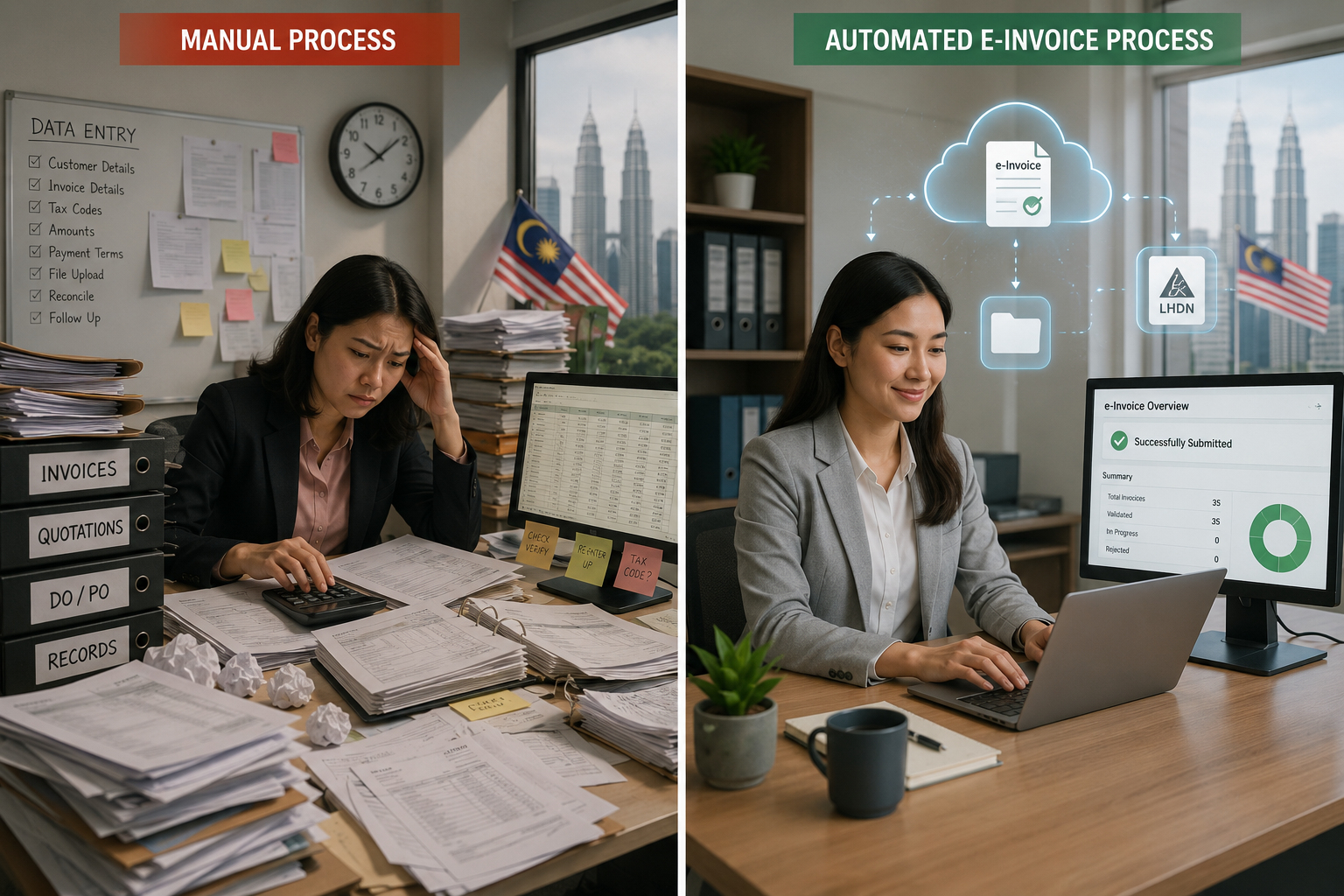
A business issuing only a small number of invoices may be able to manage e-Invoice submissions manually through MyInvois.
The difficulty increases quickly when transaction volume grows.
The finance team may need to repeatedly:
- Check customer and buyer information.
- Verify TIN and other required details.
- Prepare transaction information correctly.
- Submit invoices for validation.
- Monitor rejected or invalid submissions.
- Correct errors and resubmit transactions.
- Handle consolidated e-Invoice requirements where applicable.
- Maintain proper accounting records at the same time.
For a growing SME processing dozens or hundreds of transactions, this can become a significant administrative burden.
The problem is particularly noticeable when one accounts executive or a small finance team is responsible for invoicing, collections, supplier bills, bookkeeping, reconciliation and e-Invoice compliance at the same time.
This is where integrated accounting software becomes valuable.
Instead of treating e-Invoice as an additional process after an invoice has already been created, a properly integrated system can make submission and validation part of the normal transaction workflow.
What to Look for in e-Invoice Software in Malaysia 2026
Not every accounting platform handles e-Invoice in the same way.
When comparing cloud accounting or e-Invoice software in Malaysia, SMEs should look beyond whether the provider simply says that the software is “e-Invoice ready.”
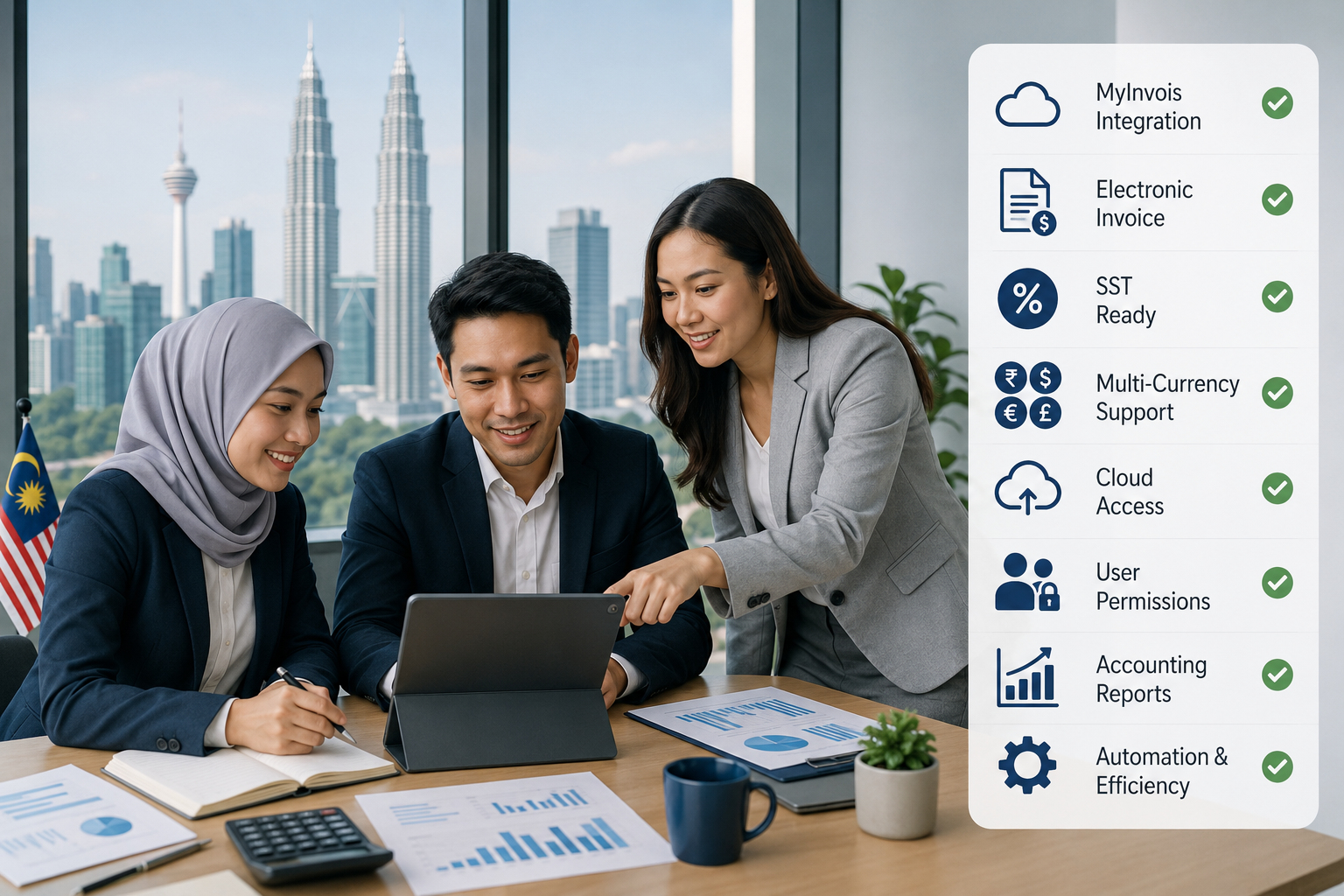
1. Direct MyInvois Integration
Look for software that can connect directly with LHDN’s MyInvois system rather than requiring users to export files and upload them manually as a separate process.
A more integrated workflow reduces:
- Duplicate data entry.
- Manual file handling.
- Repeated portal logins.
- Submission mistakes.
- Time spent checking transaction status.
The objective should be to make compliance part of normal invoicing rather than another administrative layer.
2. Standard and Consolidated e-Invoice Support
Businesses may encounter different e-Invoice workflows depending on the type of transaction and buyer.
Your system should therefore be able to support the relevant e-Invoice types required by your operations, including standard and consolidated e-Invoices where permitted under LHDN rules.
Before selecting software, consider how your business handles:
- B2B invoices.
- B2C transactions.
- Cash sales.
- High-volume transactions.
- Buyers requesting individual e-Invoices.
This is especially important for businesses with larger transaction volumes.
3. Document Capture and Bookkeeping Automation
e-Invoice compliance is only one part of an accounts department’s workload.
Supplier invoices, receipts and other supporting documents still need to be captured and recorded.
OCR or AI-assisted document capture can reduce repetitive data entry by extracting information from uploaded or photographed documents and bringing it into the accounting workflow.
The value is not simply having an “AI feature.” The real question is whether it reduces the amount of manual bookkeeping your team has to perform.
4. SST and Multi-Currency Capability
Businesses should also consider the rest of their accounting requirements.
For example, an SME may need:
- SST-related functions.
- Foreign-currency transactions.
- Exchange gain or loss tracking.
- Financial reporting.
- Accounts receivable.
- Accounts payable.
- General ledger.
- Inventory or purchasing functions.
Choosing e-Invoice software without considering these requirements can result in businesses operating several disconnected systems.
Where possible, e-Invoice should work alongside the rest of your accounting process.
5. Cloud Access and User Permissions
One of the biggest operational advantages of cloud accounting is accessibility.
Owners, accountants and authorised team members can review financial information without relying on one office computer.
For growing businesses, look for a platform that provides:
- Access from different locations and devices.
- Multiple authorised users.
- Appropriate permission controls.
- Shared accounting data.
- Updated financial information.
- Secure collaboration with accountants.
This becomes increasingly important when a business operates multiple branches or when management needs financial information outside the office.
The Cost of Waiting Until the Last Minute
Implementing a new accounting workflow under deadline pressure creates unnecessary risk.
- Rushed software implementation.
- Insufficient staff training.
- Incomplete customer or supplier information.
- More submission errors during transition.
- Poorly planned data migration.
- Confusion over new internal processes.
- Greater disruption to daily operations.
Preparing earlier gives your team more time to test the workflow, clean existing data and become familiar with the system before transaction volume makes mistakes expensive.
There is another advantage: cloud accounting is not useful only because of e-Invoice.
The same transition can also improve remote access, bookkeeping efficiency, collaboration and financial visibility.
How AutoCount Cloud Addresses These Requirements
AutoCount Cloud Accounting is designed for Malaysian businesses that want to combine everyday accounting with local compliance requirements within a cloud environment.
Depending on the selected plan and features required, the platform can support areas such as:
- LHDN e-Invoice.
- Standard and consolidated e-Invoice workflows.
- SST-ready accounting.
- Cloud-based access.
- Shared access for accountants and team members.
- Custom user permissions.
- Accounting and financial reporting.
- Inventory functions on applicable plans.
- Multi-currency functions on applicable plans.
- OCR / AI SmartScan document capture as an available add-on.
This makes it possible for businesses to address e-Invoice as part of their wider accounting workflow rather than operating a separate standalone process.
AutoCount Cloud also currently offers an always-free option with transaction limits that includes the core functionality needed for standard and consolidated e-Invoicing.
For companies already using AutoCount or moving from another accounting environment, professional data migration can also help transfer important accounting records into the new system while reducing the risk associated with manually rebuilding data.
A Practical e-Invoice Readiness Cheklist for SMEs
- Confirm your current LHDN position.
Check your annual turnover or revenue and confirm whether your business is currently required to implement e-Invoice. - Map your existing invoice workflow.
Identify who creates invoices, who checks customer information, how invoices are approved and how transactions are currently submitted. - Measure transaction volume.
A process that works for ten invoices may become inefficient at one hundred. Consider both current and expected transaction volume. - Check the software beyond e-Invoice.
Review SST, accounting, inventory, multi-currency, document capture, reporting, permissions and integration requirements. - Plan implementation and staff training.
Give users enough time to learn the workflow, correct master data and test submissions before depending on the new process for everyday operations.
e-Invoice Software Malaysia: Final Takeaway for SMEs
For Malaysian SMEs within the current e-Invoice scope, the objective should not be simply to “submit e-Invoices.”
The better objective is to build a workflow where invoicing, accounting and compliance work together with as little duplicate processing as possible.
Cloud accounting can help achieve this by giving finance teams one environment for transactions, records, reporting and e-Invoice processing.
If you are reviewing your current setup, explore AutoCount Cloud Accounting to see how its accounting and e-Invoice workflow works in practice. Businesses moving from an existing accounting system can also discuss data migration services before making the transition.
Frequently Asked Questions
Do all Malaysian businesses need to implement e-Invoice in 2026?
Can a business use MyInvois without accounting software?
Yes. LHDN provides the MyInvois Portal for taxpayers to manage and issue e-Invoices. However, businesses processing larger transaction volumes may find an integrated accounting system more practical because it reduces the need to manage invoicing and accounting as separate workflows.
What should SMEs look for in e-Invoice software in Malaysia?
Does AutoCount Cloud support Malaysian e-Invoice?
What happens if a business required to issue an e-Invoice fails to do so?
LHDN’s current FAQ states that failure to issue an e-Invoice when required is an offence under Section 120(1)(d) of the Income Tax Act 1967. Upon conviction, the stated penalty is a fine from RM200 to RM20,000, imprisonment of up to six months, or both, for each non-compliance. Businesses should refer to current LHDN guidance or obtain professional advice for their specific circumstances.
Need Help Preparing Your Business for e-Invoice?
Not sure whether your current accounting system is ready for Malaysia’s e-Invoice requirements?
SL Software Solutions can help you review your current setup, understand your e-Invoice workflow, and choose the right AutoCount Cloud solution for your business.