
A complete guide to recording and managing confirmed customer orders, tracking document flow, and maintaining order fulfillment control.
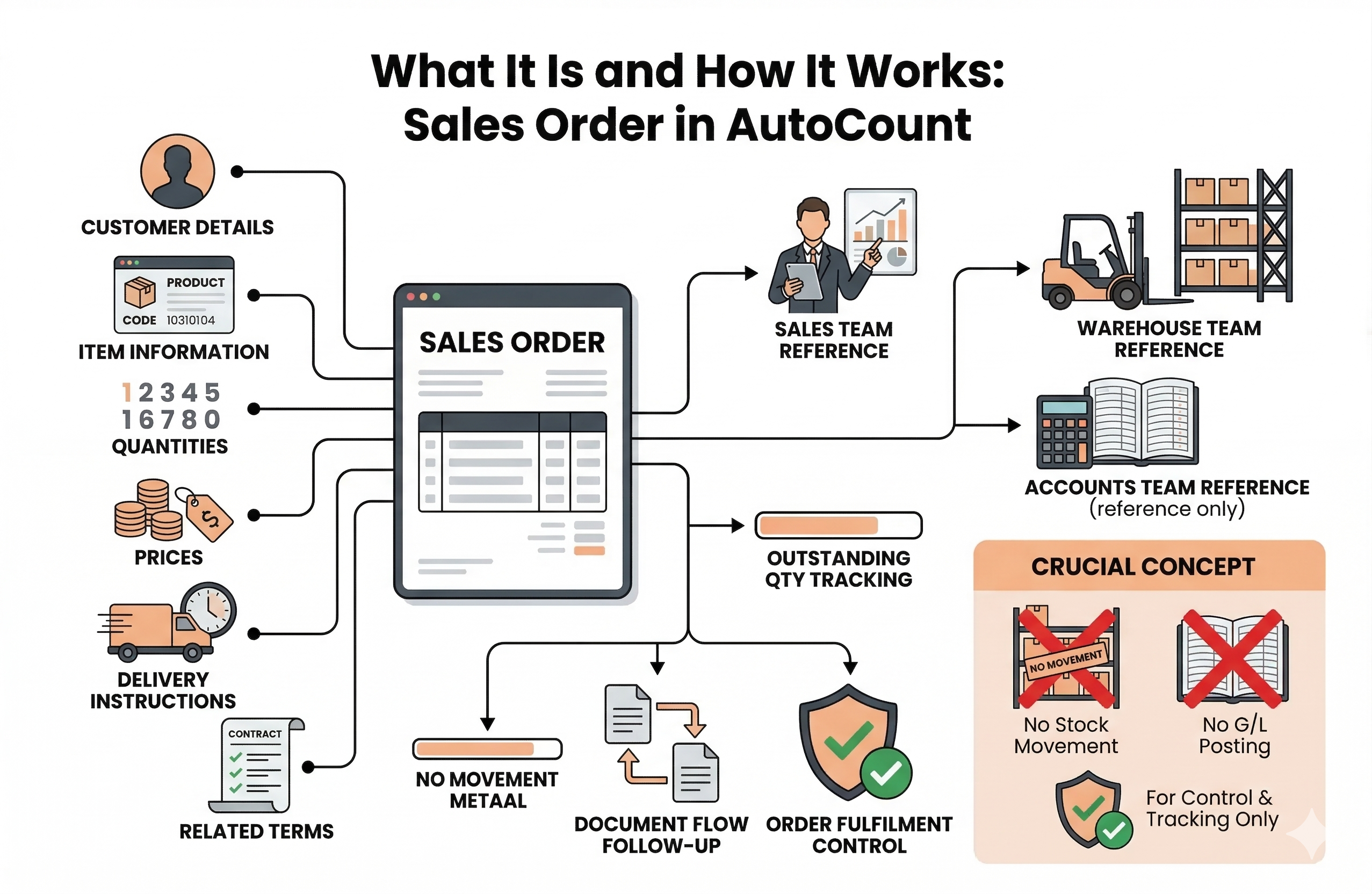
A Sales Order in AutoCount is used to record and manage a confirmed customer order. It keeps customer, item, pricing, and delivery details organised in one document, while serving as a clear reference for the sales, warehouse, and accounts teams. It also helps businesses track outstanding quantities and manage order fulfilment more accurately. The Sales Order itself does not affect inventory movement or post to the General Ledger.
Crucial Concept
The Sales Order itself does not affect inventory movement and does not post to the General Ledger. It is purely a control and tracking document.
Manage confirmed orders effectively instead of relying on scattered communication. Creates a clear document of the agreed purchase.
See what has been ordered, what is outstanding, and which follow-up documents are created. Reduces confusion during billing.
AutoCount’s quotation screen allows users to capture extensive data at both the document (header) level and the line item (detail) level.
In AutoCount, a Sales Order can be created manually or transferred from another document, such as a Sales Quotation. Using document transfer is recommended as it improves document traceability and makes outstanding reports meaningful.
Initial inquiry from the buyer.
Formal proposal of goods and prices.
Agreement to the quotation terms.
Recorded in AutoCount for internal tracking.
Through a Delivery Order (updates stock).
For final billing and GL posting.
AutoCount provides transfer control features. The Allow to Transfer option controls whether the Sales Order can be transferred to another document. If not enabled, it cannot be used for follow-up transactions.
It also supports Allow to Transfer By Value for selected workflows, useful when issuing an invoice first and creating the delivery document later.
This is an important point. A Sales Order records the confirmed order, but it does not reduce stock and does not create accounting entries on its own.
When goods are ready to be delivered, you create a Delivery Order. This is the document that updates stock by deducting the delivered quantity.
When the customer is billed, you create a Sales Invoice. If transferred from a Delivery Order, stock is not deducted again (as it happened previously). If created directly from a Sales Order, it will affect both stock and accounting entries.
If an order has not yet been fully delivered, the remaining quantity stays outstanding. AutoCount supports Sales Order Listing and outstanding tracking to review pending deliveries and follow up effectively.
If an order is no longer required, it can be cancelled. The system supports partial cancellation (via Cancel Sales Order), useful when only part of the order is removed. This keeps outstanding records accurate and prevents open demand issues.
No. A Sales Order does not affect inventory movement. Stock is updated when a Delivery Order is created, or when a Sales Invoice is entered directly from a Sales Order or Quotation.
No. A Sales Order does not post to the General Ledger.
Yes. A Sales Order can be transferred from a Sales Quotation, and this is often recommended for better traceability.
It controls whether the Sales Order can be transferred into follow-up documents.
Yes. AutoCount supports cancellation, including partial cancellation, to keep outstanding order records accurate.
Manage customer orders efficiently with AutoCount.
Record orders, verify sales details, and track fulfillment accurately with an integrated system.