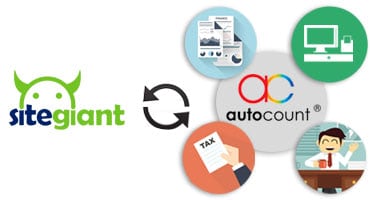



SiteGiant AutoCount Software Integration

Easily synchronize your e-commerce sales with your accounting system using SiteGiant AutoCount Integration.

Are you spending hours daily entering online sales into AutoCount Accounting Software?

There is an excellent solution, with SiteGiant AutoCount Integration your product price and inventory can be transferred to your web store from your AutoCount Software and sync your online orders and sales to your autocount software with just a few clicks.

AutoCount and SiteGiant Unicart integration for Shopee, Lazada and TikTok sellers in Malaysia

Reduces Workload

minimizing the amount of tasks or responsibilities that need to be completed, thereby lightening the overall burden of work.

Minimize Error

reducing mistakes or inaccuracies in tasks or processes, leading to improved accuracy and reliability.

Saves Labor Cost

reduction in expenses related to labor or personnel, achieved through efficiency improvements or streamlined processes.

What SiteGiant AutoCount Integration do?

SiteGiant AutoCount Integration fully integrates your AutoCount with your webstore. It transfers all your products and inventory information in your AutoCount software to your webstore with this integration and it allows your online sales and order to transferred to your AutoCount Software at the same time updating your inventories.It’s one of the Key Success Factor in your business.

By allowing you to sync order details accurately into Accounting system in a timely fashion, Tax return submission can be done on time (especially in SST era today). You are saving yourself out of fear of getting penalty from Customs / IRB due to late submission or mismatching transaction details because of human error. In a nutshell, SiteGiant AutoCount Integration is a BRIDGE that connects SiteGiant Store with AutoCount Accounting system.

8 Facts You Need To Know About SiteGiant AutoCount Integration

Complete Integration with AutoCount

Easily integrate your e-commerce operations with AutoCount by transferring product and inventory details from your AutoCount software to your webstore. This integration ensures that online sales and orders are synchronized with AutoCount, keeping inventory records accurate and up-to-date.

Excellent Inventory Management

You can schedule the syncing of product inventory from AutoCount to SiteGiant, ensuring that your inventory updates accurately reflect online transactions This enhances the accuracy of stock level control between your offline and online business operations.

Save your Time and Cost

Save your time and money by effortlessly transferring your product and inventory information from AutoCount and syncing your online sales and orders from marketplaces back to AutoCount. This frees up resources for you to invest more in your marketing campaigns.

Increased Efficiency

Say goodbye to manual data entry for your online sales orders into AutoCount Software. Easily transfer your online sales orders from SiteGiant to AutoCount , reducing th erisk of human error associated with manual data entries.

Sync online markeplace order to Autocount Software

Take control of your multichannel sales with SiteGiant's Marketplace Sync. Sales from various marketplaces can seamlessly sync back to Site Giant's Store and ultimately, order details will be automatically synced into AutoCount.

Leverage on AutoCount Reporting System

Syncing alll your online transactions details to AutoCount allows you to merge online and offline orders for more accurate reporting, empowering informed desicion making in your business.

Increase your data accuracy

Simplify data entry tasks and minimize the risk of errors with SiteGiant AutoCount integration, ensuring more accurate data. With precise records, you'll effortlessly meet tax deadlines and reduce errors in tax reporting, streamlining your compliance processes.

Increase online sales revenue

Effortlessly sync your products from AutoCount to SiteGiant and expand your sales channels to multiple e-marketplaces such as Lazada , 11street, Lelong and more. Maximize your revenue potential by tapping into additional sales channels for increased sales opportunities.

Order Sync

Sales from e-Marketplace and SiteGiant store are allowed to sync back to AutoCount.

order sync copy

Reach Out to Us Now!

How AutoCount work with SiteGiant?

AutoCount and SiteGiant team up through the “SiteGiant AutoCount Integrator,”  a tool that effortlessly syncs online order data from SiteGiant’s e-commerce platform with AutoCount accounting software. This integration simplifies managing both physical stores and online businesses, cutting out manual data entry.

With just a few clicks, sales from various online marketplaces like Lazada, Shopee, and even social media platforms are imported into AutoCount automatically. This saves time and ensures accurate records without the problem of entering each sale by hand.

The integration boosts accuracy in stock levels across online and offline operations, reducing the chance of overselling due to inventory discrepancies. It also keeps accurate account records in the accounting system, helps with bookkeeping, and complies with tax regulations.

By streamlining accounting processes, the SiteGiant AutoCount integrator saves online merchants time and effort, minimising errors from manual data entry. Plus, it offers features to export products from AutoCount directly to SiteGiant, expanding product catalogues and reaching more customers effortlessly.

What are the requirements for integrating between SiteGiant and AutoCount?

There are no specific requirements for integrating SiteGiant with AutoCount because it depending on various factors. However here are some considerations that are always talked about :

Compatibility:

Ensure that the versions of SiteGiant and AutoCount you are using are compatible with each other. Check for any compatibility issues or updates required for seamless integration.

Software requirements:

Make sure that your systems have the necessary software components installed to support the integration. This may include operating system requirements, database software, web server software and other dependencies.

Internet Connection:

A stable internet connection is essential for data transfer between SiteGiant’s e-commerce platform and AutoCount’s accounting software. Ensure that your internet connection meets the bandwidth and stability requirements for smooth integration.

Authentication and Permissions:

Set up appropriate mechanisms and permissions within both systems to facilitate secure data exchange between SiteGiant and AutoCount. This may involve configuring API keys ,user accounts and access controls.

Testing Environment:

It’s advisable to set up a testing environment to perform integration testing before deploying the integration in a production enviroment. This helps identify and address any issues or compatibility issues early on.

How to troubleshoot integration issues between siteGiant and AutoCount?

Troubleshooting integrationn issues between SiteGiant and AutoCount requires a systematic approach to identify and resolve problems effectively. Here’s a few guides to troubleshooting integration issues

Identify the problem

Start by identifying the specific symptoms or issues you are experiencing with integration. This could include data synchronisation failures, discrepancies in records, performance issues, or error messages.

Check system logs

Verify the status of both the SiteGiant e-commerce platform and the AutoCount accounting software. Check for any scheduled maintenance, service disruptions, or server issues that may be affecting the integration.

Test Connectivity

Verify that there is a stable internet connection between the system and that there are no network issues affecting data transmissio. Test the connectivity between SiteGiant and AutoCount to ensure that they can communicate with each other successfully.

Review Configuration Settings

Make sure both SiteGiant and AutoCount are properly set up for integration. Check API credentials, data mapping rules, sync frequency, and other settings to ensure accuracy. Verify credentials are entered correctly and match between systems.

Contact support

If you are unable to resolve the integration issues on your own, reach out to the support teams of both SiteGiant and AutoCount for assistance. Provide detailed information such as error message and steps you have taken to troubleshoot the issues.

Difference between SiteGiant and AutoCount that you can know

SiteGiant and AutoCount are two distinct software platforms designed to serve different purposes within a business ecosystem. Here are the key differences between SiteGiant and AutoCount: 

  • SiteGiant
  • AutoCount
SiteGiantAutoCount
$3999
/year
$3999
/year
Primary FunctionalityE-commerce platform that enables businesses to create and manage online storesAccounting software solution primarily used for financial management and accounting purposes.
FocusFocuses on providing solutions for online retail businesses, helping them establish and manage their presence in the e-commerce space. AutoCount usually focuses on financial management and accounting tasks,catering to businesses needs for accurate, financial reporting and etc.
User InterfaceSiteGiant offers a user-friendly interface tailored for managing online storesAutoCount's user interface is designed for accounting professionals and users familiar with accounting terminology
Integration Capabilitiesoffers integrations with various e-commerce tools, payment gateways, and shipping providers to enhance the functionality of online storesAutoCount integrates with other software solutions to streamline data exchange between accounting systems and other business applications.
Target AudienceSiteGiant's target audience includes businesses of all sizes looking to establish or expand their online presence and sell products or services through e-commerce channels.AutoCount meets the needs of businesses of all sizes and industries, including retail, manufacturing, distribution and service based businesses.
Buy NowBuy Now

Overall, while SiteGiant and AutoCount play an important role in supporting business operations, they perform different functions in the business ecosystem but can integrate with each other if needed , although SiteGiant focuses on e-commerce and AutoCount focuses on accounting and financial management.

What are the best practices for integrating siteGiant and AutoCount?

To achieve seamless data synchronization and optimal operation when integrating SiteGiant with AutoCount , important to follow the guidelines. Here are some key recommendations for ensuring an effective integration:

best-practice-execution-growth-concept
  1. Understand Business Requirements: Before starting the integration process, thoroughly understand your business requirements and objectives. Determine what data needs to be synchronised between SiteGiant and AutoCount and how often synchronisation should occur.
  2. Choose the Right Integration Method: SiteGiant and AutoCount may offer different integration methods, such as APIs (application programming interfaces) or direct database connections. Choose the integration method that best suits your business needs, considering factors such as data volume, complexity, and security requirements.
  3. Implement Error Handling Mechanisms: Incorporate error handling mechanisms to deal with synchronisation errors or data inconsistencies. Set up alerts or notifications to notify administrators of any integration failures or data validation issues.
  4. Monitor Performance: Implement monitoring tools to track the performance of the integration and detect any performance issues or bottlenecks. Monitor data transfer speeds, error rates, and system resources to ensure optimal performance.
  5. Regularly Review and Update: Periodically review the integration setup to ensure that it continues to meet your business needs and performance requirements. Update data mappings, synchronisation schedules, and configurations as needed based on changes in business processes or system improvements.
news-1701

yakinjp


sabung ayam online

yakinjp

yakinjp

rtp yakinjp

yakinjp

slot thailand

yakinjp

yakinjp

yakin jp

ayowin

yakinjp id

maujp

maujp

sabung ayam online

sv388

taruhan bola online

maujp

maujp

sabung ayam online

sabung ayam online

sabung ayam online

judi bola online

sabung ayam online

judi bola online

slot mahjong ways

slot mahjong

sabung ayam online

judi bola

live casino

118000476

118000477

118000478

118000479

118000480

118000481

118000482

118000483

118000484

118000485

118000486

118000487

118000488

118000489

118000490

118000491

118000492

118000493

118000494

118000495

118000496

118000497

118000498

118000499

118000500

118000501

118000502

118000503

118000504

118000505

118000506

118000507

118000508

118000509

118000510

118000511

118000512

118000513

118000514

118000515

128000546

128000547

128000548

128000549

128000550

128000551

128000552

128000553

128000554

128000555

128000556

128000557

128000558

128000559

128000560

128000561

128000562

128000563

128000564

128000565

128000566

128000567

128000568

128000569

128000570

128000571

128000572

128000573

128000574

128000575

138000401

138000402

138000403

138000404

138000405

138000406

138000407

138000408

138000409

138000410

138000411

138000412

138000413

138000414

138000415

138000416

138000417

138000418

138000419

138000420

158000316

158000317

158000318

158000319

158000320

158000321

158000322

158000323

158000324

158000325

158000326

158000327

158000328

158000329

158000330

158000331

158000332

158000333

158000334

158000335

158000336

158000337

158000338

158000339

158000340

158000341

158000342

158000343

158000344

158000345

178000746

178000747

178000748

178000749

178000750

178000751

178000752

178000753

178000754

178000755

178000756

178000757

178000758

178000759

178000760

178000761

178000762

178000763

178000764

178000765

208000206

208000207

208000208

208000209

208000210

208000211

208000212

208000213

208000215

208000216

208000218

208000219

208000220

208000221

208000222

208000223

208000224

208000225

208000226

208000227

208000228

208000229

208000230

208000231

208000232

208000233

208000234

208000235

208000236

208000237

208000238

208000239

208000240

208000241

208000242

208000243

208000244

208000245

208000246

208000247

208000248

208000249

208000250

news-1701