
-
AutoCount Accounting Features
-
- Approval Workflow
- Audit Trail
- Auto Save in Draft Folder
- AutoCount Contra Account
- AutoCount License Setting Guide
- Deposit Tracking & Management
- Documents Numbering Format
- Full Transfer and Partial Transfer
- Import Data to AutoCount Accounting Using Excel
- Informative Charts and Analytical Data
- Layout Customization
- Multi Pricing
- Sales and Services Tax
- Schedule Backup
- Search Lookup Edit
- View Documents Flow
- AutoCount Feature Stock Take
- Column Chooser
- Show Remaining (3) Collapse
-
AutoCount Cloud Accounting
-
AutoCount E-Invoice
-
AutoCount HRMS User Guide
-
AutoCount Modules
-
- Activity Stream
- Advanced Financial Report
- Advanced Item
- Advanced Multi-UOM
- Advanced Quotation Module
- Basic Multi-UOM
- Budget Module
- Consignment
- Filter By Salesman
- FOC Quantity
- Formula
- Item Batch
- Item Package
- Landing Cost
- Multi-Currency
- Multi-Dimensional Analysis
- Multi-Location
- Project Account
- Recurrence
- Remote Credit Control Module
- Stock Assembly
- User Defined Fields (UDF)
- AutoCount SST Hidden Functions
- AutoCount SST Submission - Service Tax
- AutoCount Scripting Module User Guide
- AutoCount Bonus Point Module User Guide
- Show Remaining (11) Collapse
-
AutoCount Plugins
-
- Fixed Assets Management
- Goldsmith
- TD Ordering Mobile Apps
- TD Stock Mobile Apps
- Universal Import Plugin
- DMS Import Plugin
- AutoCount Item Scope Plugin
- AutoCount Easy Knock Off Plugin
- AutoCount Pick List Plugin User Guide
- AutoCount Agent Validation Plugin User Guide
- AutoCount Barcode Generator Plugin User Guide
- AutoCount Bill Remark Plugin User Guide
- AutoCount Easy Batch Number Entry Plugin User Guide
- AutoCount Recurring Invoice Plugin User Guide
- AutoCount Easy Photo 2.0 User Guide
- AutoCount Pain Tracker User Guide
- AutoCount Credit Memo Plugin User Guide
- Show Remaining (2) Collapse
-
- AutoCount Easy Recurrence Plugin
- AutoCount Recurring Billing Plugin
- Event Management System
- AutoCount To-Do List Plugin
- AutoCount AutoBank Reconciliation Plugin
- Intercompany Billing Plugin User Guide
- AutoCount Basket Plugin User Guide
- Lead Management 2.0 Plugin
- AutoCount Service Contract Plugin User Guide
- Autocount Repacking Plugin
- AutoCount Scale Barcode Plugin User Guide
- AutoCount Progressive Billing
- AutoCount Optical Plugin
- AutoCount Meter Reading Plugin User Guide
- AutoCount Car Tint Film Plugin
- AutoCount Leasing Plugin User Guide
- AutoCount Integrator Plugin
- AutoCount Procurement Planning Plugin
- Show Remaining (3) Collapse
-
-
Form Template
-
Report Template
-
- Advance Quotation
- Cash Sale
- Consignment
- Consignment Movement
- Credit Note
- Debit Note
- Delivery Order
- FOC Quantity Analysis By Document Report
- Invoice
- Item Package Sales Report
- Monthly Sales Analysis
- Outstanding Sales Order Listing
- Profit And Loss Of Documents
- Quotation
- Sales Agent Contribution Report
- Sales Order
- Top/Bottom Sales Ranking
- Show Remaining (2) Collapse
-
- Available Stock Status Report
- Expired Item Batch Listing
- Inventory Physical Worksheet
- Stock Adjustment
- Stock Aging Report
- Stock Assembly
- Stock Assembly Order
- Stock Balance By Location
- Stock Balance Report
- Stock Card Report
- Stock Disassembly
- Stock Issue
- Stock Item Profit Margin
- Stock Movement Report
- Stock Receive
- Stock Take
- Stock Transfer
- Stock Write Off
- Show Remaining (3) Collapse
AutoCount Plugin: Workshop Plugin 1
AutoCount Workshop Plugin: Streamlining Service Center Operations
The AutoCount Workshop Plugin is an all-encompassing software designed and tailored for automotive service centers. To clarify, it simplifies daily operations and boosts foreman productivity. In addition, it also enhances customer experience. This is because it has features such as vehicle tracking, commission management, and insurance reminders. Next, this article dives into its features, benefits, and practical applications to help you make the most of this powerful tool.
Introduction
FIrstly, managing a workshop efficiently requires more than technical expertise. In other words, it demands streamlined operations, accurate record-keeping, and effective communication. That is to say, the AutoCount Workshop Plugin caters to these needs by offering modules that provides a lot of functions. For example, vehicle history, incentive management, and customizable layouts. Thus, ensuring service centers run seamlessly.
AutoCount Workshop Plugin Video Guide
- AutoCount Workshop Plugin (EN)
Workshop Plugin Setup
Integration & Workshop Setup
- AutoCount Workshop Plugin (CN)
工作坊插件设置
整合与研讨会筹备
Core Features of AutoCount Workshop Plugin
Daily Operations Management
Firstly, the backbone of the AutoCount Workshop Program is its operational management module, which allows users to:
- Record cash sales, sales orders, and invoices.
- Maintain accurate and detailed vehicle information. For example, registration numbers, models, and last service details.
- Track repair histories and details. Thus, ensuring customers receive timely reminders for their next service.
Foreman Incentive and Commission
Secondly, motivating your workforce is easy with the built-in incentive system. Key features include:
- A point-based rewards system where, for example, RM50 equals 1 point.
- Customizable incentives based on certain aspects and category. For example, vehicle types, brands, and service complexities.
- Automated commission reports that eliminate manual calculations.
Insurance Maintenance
Thirdly, this module helps service centers manage policy details effectively:
- Record policy numbers for customer vehicles.
- Automate reminders for insurance renewal dates.
Insurance Maintenance Module
Managing vehicle insurance has never been simpler:
- Input and save policy details like numbers and renewal dates.
- Receive automatic reminders to notify customers about upcoming renewals, ensuring continuity in coverage.
Steps for Common Operations
Creating a New Debtor
- Navigate to AR > Debtor Maintenance

- Click New (+) and enter the debtor’s details.

- Confirm and save.

Processing a Cash Sale
- Go to Sales > Cash Sale > New.

- Enter the vehicle registration number; debtor details will auto-fill.

- Add items, update mileage, and confirm payment details.

Booking Services Using Sales Orders
- Open Sales > Sales Order > New.

- Fill in available details and save as a draft.

- Approve and print for store arrangements.

Reporting and Inquiry Features
Workshop Reports
Generate insightful reports to evaluate workshop performance:


- Cash sale listings.

- Payment type breakdowns.

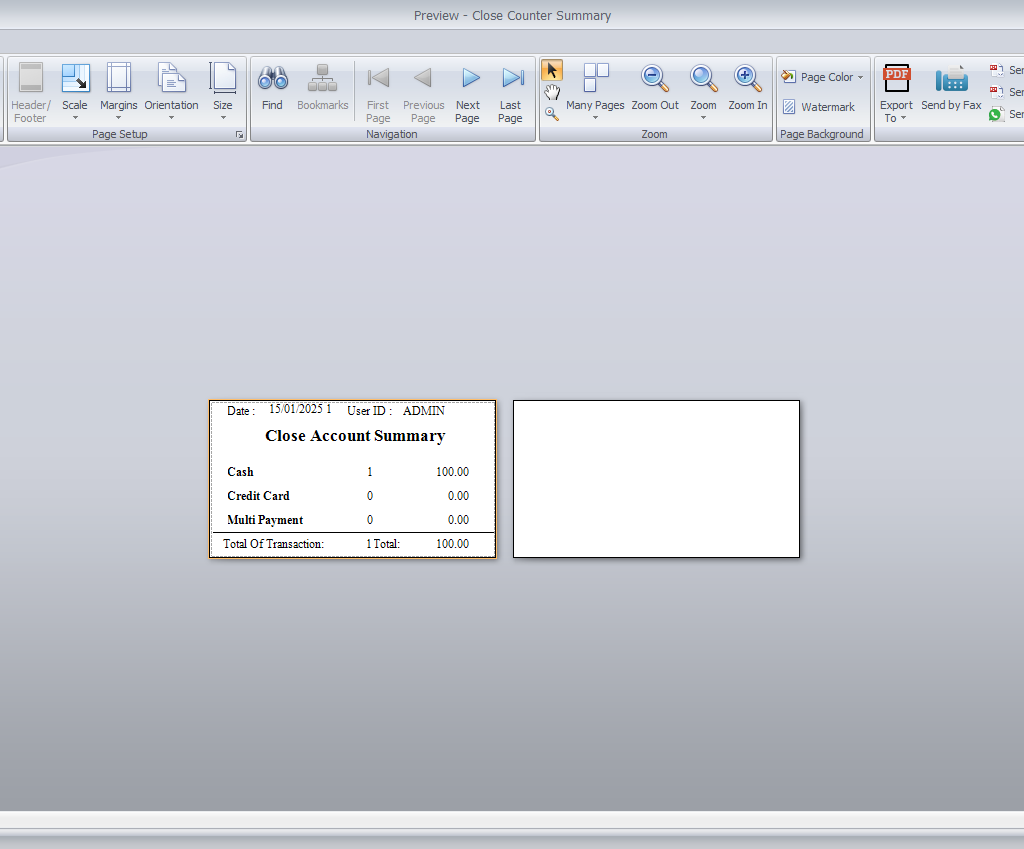
- Close counter summaries.
Vehicle and Account Inquiries
Search for vehicles using registration numbers or debtor details. The system displays relevant data, including repair histories and payment statuses.


Tracking and Notifications
MultiView Search
Locate entries quickly:
- Navigate to Workshop > MultiView Search.

- Enter keywords and filter results.

- Copy details into a new record without retyping.

Reminder Notifications
The system sends SMS reminders to customers about upcoming services, improving engagement and retention.

Debtor and Vehicle Management
Tracking Previous Owners
Keep a record of ownership changes:
- Enter the vehicle registration number under a new debtor.
- The system identifies duplicates and prompts to copy details from previous records.

Duplicate Vehicle Numbers
Resolve conflicts effortlessly with automated prompts, ensuring accuracy in records.

Deposit Recording
Record customer deposits in cash sales or sales orders without impacting accounts. These deposits carry over to invoices seamlessly.

Supervisor Records
Add delivery dates, registration times, and other time-sensitive details using customizable fields. Supervisors can set unique formats to suit operational needs.

Advanced Settings and Access Controls
Managing Access Rights
Control who can edit specific features:
- Disable pop-ups like mileage updates during item entry.
- Customize access for different user roles.


Additional Modules
Item Packages
Create service bundles for recurring tasks:
- Enable the module under Tools > Program Control > Module Setting.

- Define packages in Stock > Item Package Maintenance.

- Use templates during sales orders for efficiency.

Related Plugins
Enhance functionality with:
- Vehicle Plugin for advanced tracking.
- Hire Purchase Plugin for financing options.
Conclusion
The AutoCount Workshop Program’s Daily Operations Management module is a game-changer for service centers. It simplifies processes, reduces errors, and enhances customer satisfaction, making it an essential tool for modern automotive businesses.
Interested in Getting AutoCount for your Business?
Contact our sales team today to explore pricing options and get started with the perfect solution for you.